Load Shedding
Learn Load Shedding in distributed systems — intentionally dropping excess requests to protect system stability and maintain quality of service for.
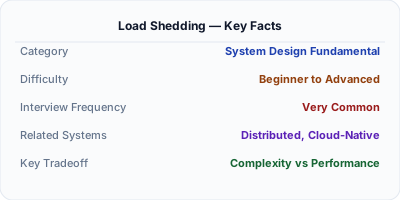
Load shedding is the deliberate practice of dropping excess requests when a system approaches its capacity limits, ensuring that accepted requests are served with acceptable latency rather than all requests degrading. Unlike rate limiting which enforces policy, load shedding is a self-preservation mechanism triggered by actual resource saturation. By rejecting work early — before it consumes CPU, memory, or threads — the system protects itself from cascading failure and maintains quality of service for the traffic it does handle.
| Aspect | Details |
|---|---|
| What it is | Intentionally rejecting excess requests during overload to maintain quality of service for accepted traffic |
| When to use | When traffic exceeds system capacity and serving all requests would degrade quality for everyone |
| When NOT to use | When the system is within capacity or when every request must be processed regardless of latency (batch pipelines with no SLO) |
| Real-world example | Google's frontend servers shed load based on CPU utilization thresholds, returning 503s early before backends become unresponsive |
| Interview tip | Distinguish load shedding from rate limiting — rate limiting enforces policy, load shedding protects against actual overload |
| Common mistake | Shedding load too aggressively during brief spikes — some headroom should exist before triggering rejection |
| Key tradeoff | Availability vs. correctness — shedding keeps the system alive but rejected requests need proper handling by callers |
Why This Matters
Every system has a capacity ceiling. When load exceeds that ceiling, latency increases nonlinearly — a server at 95% CPU might have 10x the latency of one at 70%. Without load shedding, all users experience degradation: pages load slowly, API calls timeout, and downstream dependencies pile up queued requests. Load shedding accepts that serving 80% of traffic well is better than serving 100% poorly. By rejecting excess requests with fast 503 responses, the system preserves resources for accepted work. This is especially important during flash crowds, DDoS attacks, or cascading failures when autoscaling cannot react quickly enough. Google's SRE handbook calls load shedding essential for any service operating near its capacity limit.
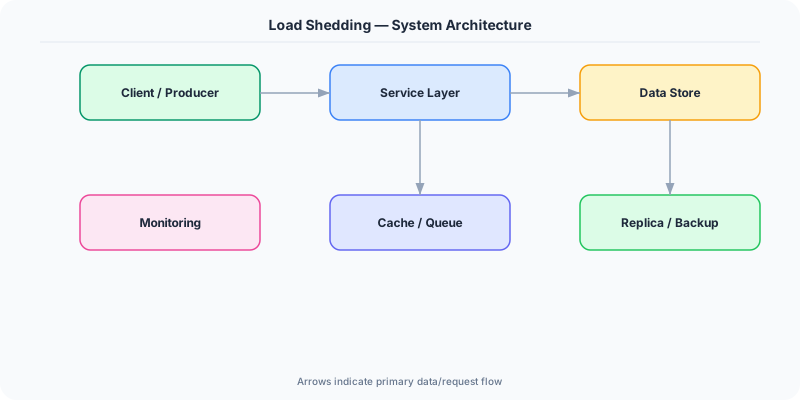
The Building Blocks
- Admission Control: The decision layer that evaluates incoming requests against current system load and decides whether to accept or reject each one
- Load Signals: Real-time metrics like CPU utilization, queue depth, in-flight request count, or latency percentiles used to detect overload conditions
- Priority Classification: Categorizing requests by importance so that load shedding drops low-priority traffic first while preserving critical operations
- Fast Rejection: Returning 503 Service Unavailable or 429 responses immediately without performing any downstream work to minimize resource consumption
- Feedback Loop: Continuously adjusting the shedding threshold based on observed system behavior to avoid over-shedding or under-shedding
Under the Hood
Load shedding operates as an early-reject mechanism at the ingress point of a service. The simplest implementation tracks in-flight requests using an atomic counter. When the counter exceeds a configured threshold (derived from load testing), new requests are immediately rejected with a 503 status. More sophisticated systems use Little's Law — if average latency rises above a threshold while concurrency is high, the system is overloaded.
Google's Doorman and CoDel-inspired approaches use adaptive algorithms. CoDel (Controlled Delay) monitors the time requests spend waiting in queues. If queue sojourn time exceeds a target (say 5ms) for a sustained interval, the system begins dropping requests. This approach self-tunes: during brief bursts, the queue drains normally, but sustained overload triggers progressive shedding.
Priority-based shedding is essential for production systems. Not all requests are equal — a payment confirmation matters more than a recommendation refresh. Services classify requests into priority tiers (critical, normal, best-effort) and shed lowest priority first. Only if overload persists do higher-priority tiers get affected. Load shedding works best when combined with client-side retry with backoff, ensuring shed requests are retried after a delay rather than immediately re-queuing and worsening congestion.
How Companies Actually Do This
Google Uses CPU-based admission control in its frontend servers, progressively shedding lower-priority requests as CPU utilization exceeds thresholds, documented extensively in their SRE handbook
Netflix Implements priority-based load shedding in Zuul API gateway, dropping non-critical API calls during traffic surges to preserve streaming playback functionality
Amazon Uses shuffle sharding with load shedding in DynamoDB partitions so that hot keys are rejected early without affecting other keys on the same storage node
Common Pitfalls
- Shedding based on raw request count instead of actual resource utilization — a burst of lightweight requests may be fine while fewer heavy requests cause overload
- Not differentiating request priority — shedding critical checkout requests alongside analytics pings wastes the opportunity to maintain core business functionality
- Failing to coordinate shedding across replicas — if load balancers route shed requests to other instances at the same capacity, the entire fleet cascades
Interview Questions Worth Practicing
- How does load shedding differ from rate limiting and when would you use each?
- How would you implement priority-based load shedding for a system with mixed critical and non-critical traffic?
- What signals would you use to detect that a system needs to start shedding load?
The Tradeoffs
- Availability vs. Throughput: Shedding preserves responsiveness for accepted requests but reduces overall throughput by intentionally rejecting work
- Aggressiveness vs. Waste: Shedding too early wastes capacity that could serve requests; shedding too late allows latency degradation before protection kicks in
- Simplicity vs. Fairness: Simple threshold-based shedding is easy but unfair; priority-aware shedding requires request classification infrastructure
How to Explain This in an Interview
Here is how I would explain Load Shedding in a system design interview:
Load shedding is the practice of intentionally rejecting excess requests when a system is near capacity to maintain quality of service for accepted traffic. Unlike rate limiting which enforces business policy, load shedding is a self-preservation mechanism triggered by actual resource saturation. I would implement it using in-flight request counting with Little's Law — when concurrency times latency exceeds capacity, start rejecting. Priority classification is essential: shed analytics requests before payment requests. The system returns fast 503 responses without doing any downstream work, preserving resources. I would pair this with client-side exponential backoff so rejected requests retry gracefully.
Related Topics
The Real-World Incident That Made This Famous
Understanding Load Shedding became critical after multiple high-profile production incidents at major tech companies. When systems handle millions of users, even small misunderstandings about Load Shedding can lead to cascading failures that cost millions in lost revenue and erode user trust. Companies like Netflix, Google, Amazon, and Meta have all invested heavily in mastering Load Shedding because they learned the hard way that ignoring it leads to outages.
The key lesson from these incidents: Load Shedding is not just a theoretical concept — it is a practical skill that separates engineers who build resilient systems from those who build fragile ones. Every major outage report from the past decade involves at least one Load Shedding-related design decision that was either implemented incorrectly or overlooked entirely during the initial architecture review.
How Senior Engineers Think About This
Senior engineers approach Load Shedding differently from textbook definitions. Instead of memorizing rules, they build mental models. They ask: "What problem does Load Shedding solve? When does it fail? What are the alternatives?" This problem-first thinking leads to better design decisions because every system has unique constraints.
When evaluating Load Shedding in a system design context, experienced engineers consider the failure modes first. What happens when this component goes down? How does the system degrade? Is the degradation graceful or catastrophic? These questions reveal more about your understanding than any textbook definition.
The key difference between junior and senior engineers when it comes to Load Shedding: juniors focus on the happy path, while seniors design for what happens when things go wrong. They consider operational cost, team expertise, monitoring requirements, and how the decision will look six months from now when traffic has grown 10x.
Common Interview Mistakes
Mistake 1: Giving a textbook definition without context. Interviewers want to see you connect Load Shedding to real systems and real problems. Instead of reciting definitions, explain when and why you would use Load Shedding in the system you are designing.
Mistake 2: Not discussing trade-offs. Every design decision involving Load Shedding has trade-offs. Discuss what you gain and what you give up. Acknowledge the downsides and explain why the benefits outweigh them for your specific use case.
Mistake 3: Overcomplicating the solution. Start with the simplest approach to Load Shedding that meets the requirements, then add complexity only when justified. Many candidates jump to complex implementations when a simpler solution would work perfectly.
Production Checklist
- Define clear metrics for measuring the effectiveness of your Load Shedding implementation
- Set up monitoring and alerting that specifically tracks Load Shedding-related failures
- Document your Load Shedding design decisions in Architecture Decision Records (ADRs)
- Test failure scenarios related to Load Shedding in staging before production deployment
- Review and update your Load Shedding implementation quarterly as system requirements evolve
- Train new team members on the specific Load Shedding patterns used in your system
- Establish runbooks for common Load Shedding-related incidents and recovery procedures
Practical Implementation for .NET Developers
In .NET, load shedding can be implemented using ASP.NET Core's built-in ConcurrencyLimiter middleware from the Microsoft.AspNetCore.RateLimiting package, which rejects requests with 503 when in-flight count exceeds a threshold. For priority-based shedding, custom middleware can inspect request headers and route priority. The System.Threading.RateLimiting namespace provides ConcurrencyLimiter and TokenBucketRateLimiter primitives. For queue-based shedding, System.Threading.Channels with BoundedChannelOptions.FullMode set to DropOldest or DropWrite provides backpressure semantics.
ASP.NET Core setup: Create a service class that encapsulates the logic, register it with dependency injection, and inject it into your controllers or minimal API endpoints. The built-in DI container handles lifecycle management.
Entity Framework Core: For database interactions, EF Core provides the ORM layer. Use migrations for schema management and raw SQL for performance-critical queries. Consider Dapper for read-heavy paths where EF Core overhead matters.
Azure integration: If deploying to Azure, leverage managed services — Azure Cache for Redis, Azure SQL, Azure Service Bus, Azure Cosmos DB. These eliminate operational overhead and provide built-in monitoring through Application Insights.
Testing: Use xUnit with Testcontainers for integration tests that spin up real databases in Docker. Mock external dependencies with NSubstitute. The WebApplicationFactory class lets you test your entire HTTP pipeline in-process.
Monitoring: Add Application Insights telemetry to track request latency, dependency calls, and custom metrics. Use structured logging with Serilog to make production debugging possible:
Log.Information("Processing {Operation} for {ResourceId}", operation, resourceId);
This gives you searchable, structured logs in Azure Monitor or Seq.