Design YouTube
Design YouTube with video upload/transcoding pipeline, adaptive streaming, view counting, recommendations, and a global video CDN.
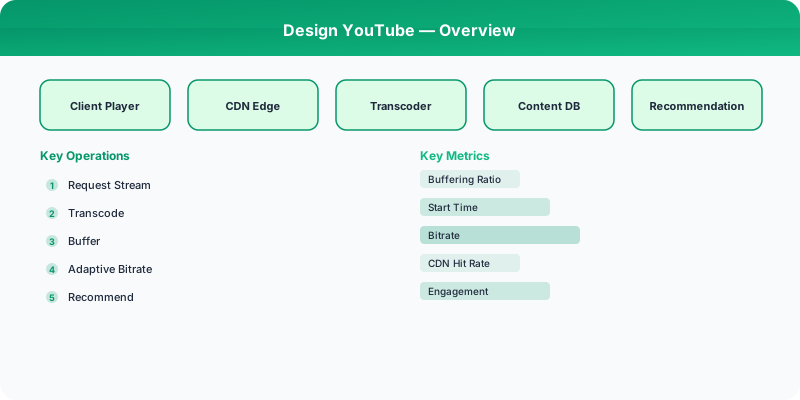
Problem Statement
Design a video sharing platform like YouTube supporting video upload, transcoding to multiple resolutions and formats, adaptive bitrate streaming, accurate view counting at massive scale, comments, likes, and a recommendation system. Must handle 500 hours of video uploaded per minute and 1B hours watched daily.
Requirements
Functional
- Upload videos (up to 12 hours); transcode to multiple resolutions (144p to 4K) and formats (H.264, VP9, AV1)
- Adaptive bitrate streaming: client switches resolution seamlessly based on bandwidth
- Accurate view counting with deduplication (no bots, no double-counts)
- Personalized video recommendations on the home page and "Up Next" sidebar
Non-Functional
- Latency: Video playback starts within 2 seconds; uploads processed within 30 minutes for most videos
- Scale: 2B MAU, 500 hours of video uploaded/minute, 1B hours watched/day
- Storage: ~1 exabyte of video content
- Availability: 99.99% for video playback
Core Architecture
-
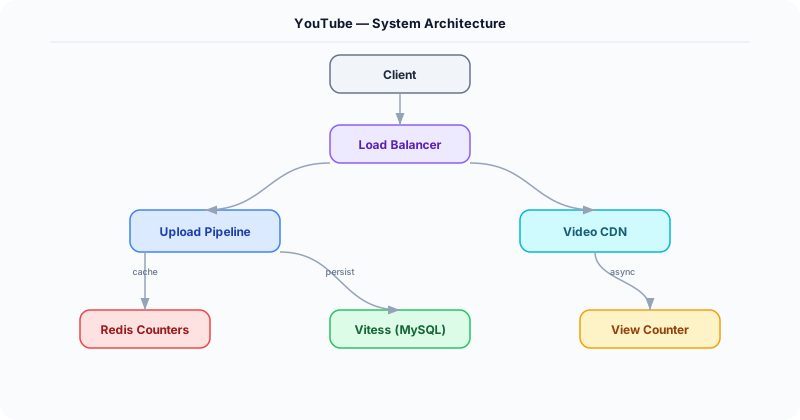
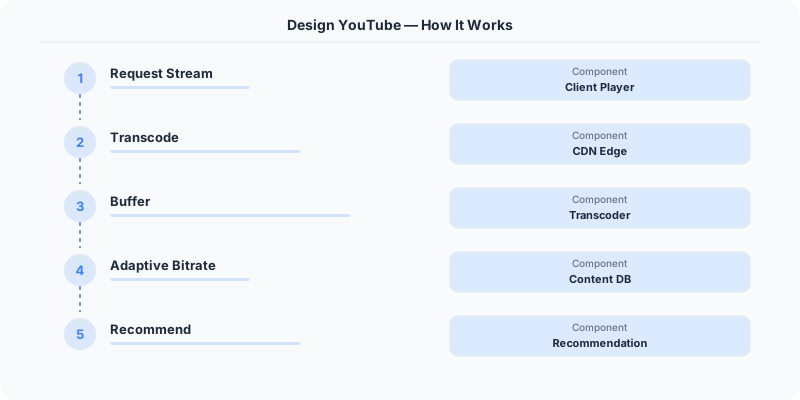
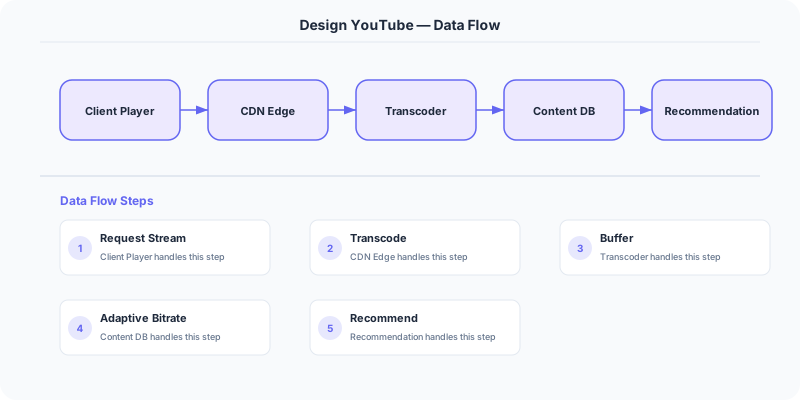
Upload and Transcoding Pipeline -- User uploads original video to a staging bucket. A Kafka event triggers a DAG of transcoding jobs: split video into segments, transcode each segment in parallel across multiple resolutions/codecs (H.264 for compatibility, VP9/AV1 for efficiency), generate thumbnails, extract audio tracks, create DASH/HLS manifests. Completed segments are written to the video CDN origin (S3/GCS).
-
Video CDN and Streaming -- Videos are served as DASH/HLS adaptive streams. The CDN caches popular videos at edge nodes. The video player client monitors buffer health and switches between resolution renditions mid-stream. For less popular videos, CDN pull-through fetches segments from origin on demand.
-
View Count Service -- Views are recorded in Kafka with deduplication: same user + same video within 30 seconds = 1 view. A Flink streaming job aggregates view counts in real time. Approximate counts (HyperLogLog for unique viewers) are shown immediately; exact counts are reconciled hourly via batch. This is critical for monetization accuracy.
-
Recommendation Engine -- Two-stage system: (1) Candidate Generation retrieves ~1000 videos from the user's watch history, subscriptions, and collaborative filtering embeddings. (2) Ranking model scores candidates using features like watch time prediction, click-through rate, and diversity. Served via a low-latency inference service (<50ms per request).
Database Choice
Vitess (sharded MySQL) for video metadata, channels, and user data -- Google uses Vitess internally for YouTube's relational data. Bigtable/Cassandra for view counts and watch history -- write-heavy, wide-column, partitioned by video_id or user_id. S3/GCS for video segment storage (exabyte scale). Redis for real-time view count approximations and session data. Elasticsearch for video search (title, description, captions).
Key API Endpoints
POST /api/v1/videos/upload (resumable upload)
  -> Headers: Content-Range, Upload-ID
  -> Returns: \{ video_id: "V-123", status: "PROCESSING", estimated_time_min: 15 \}

GET /api/v1/videos/\{video_id\}/manifest.mpd
  -> Returns: DASH manifest with available resolution renditions

GET /api/v1/recommendations?context=home&limit=20
  -> Returns: \{ videos: [\{ video_id, title, thumbnail_url, channel, view_count, duration \}] \}
Scaling Insight
Segment-level parallel transcoding is what makes YouTube's upload pipeline feasible. A 1-hour video is split into 10-second segments (360 segments). Each segment is transcoded independently across 6 resolutions and 3 codecs = 6,480 parallel tasks. This is embarrassingly parallel and can be distributed across thousands of worker nodes. A 1-hour video that would take 6+ hours to transcode sequentially finishes in ~10 minutes with 600 parallel workers.
Key Tradeoffs
| Decision | Option A | Option B | Chosen |
|---|---|---|---|
| Video codec | H.264 only (universal) | Multi-codec (H.264 + VP9 + AV1) | Multi-codec -- AV1 saves 30% bandwidth for modern browsers, H.264 as fallback |
| View counting | Exact real-time | Approximate real-time + hourly exact reconciliation | Hybrid -- fast approximate for display, exact for monetization reconciliation |
| Transcoding | Full video sequential | Segment-parallel | Segment-parallel -- reduces processing time from hours to minutes |
Practical Implementation for .NET Developers
In a .NET application, you would typically implement this pattern using the following approach:
ASP.NET Core setup: Create a service class that encapsulates the logic, register it with dependency injection, and inject it into your controllers or minimal API endpoints. The built-in DI container handles lifecycle management.
Entity Framework Core: For database interactions, EF Core provides the ORM layer. Use migrations for schema management and raw SQL for performance-critical queries. Consider Dapper for read-heavy paths where EF Core's overhead matters.
Azure integration: If deploying to Azure, leverage managed services — Azure Cache for Redis, Azure SQL, Azure Service Bus, Azure Cosmos DB. These eliminate operational overhead and provide built-in monitoring through Application Insights.
Testing: Use xUnit with Testcontainers for integration tests that spin up real databases in Docker. Mock external dependencies with NSubstitute. The WebApplicationFactory class lets you test your entire HTTP pipeline in-process.
Monitoring: Add Application Insights telemetry to track request latency, dependency calls, and custom metrics. Use structured logging with Serilog to make production debugging possible:
Log.Information("Processing order {OrderId} for {CustomerId}", orderId, customerId);
This gives you searchable, structured logs in Azure Monitor or Seq.
Deep-Dive: Clarifying Questions for YouTube
- What is the upload volume? 500 hours of video are uploaded to YouTube every minute. That is 720,000 hours per day.
- What is the watch volume? Users watch over 1 billion hours of video per day across 2 billion logged-in users per month.
- How does the transcoding pipeline work? Each uploaded video must be transcoded into multiple resolutions (144p to 8K), multiple codecs (H.264, VP9, AV1), and multiple container formats. A single upload can generate 100+ output files.
- How does the recommendation engine work? YouTube's recommendation engine drives 70% of all watch time. It uses deep learning models trained on billions of watch sessions.
- Do we need live streaming? Live streams have fundamentally different requirements: low latency (under 5 seconds glass-to-glass), real-time transcoding, and live chat.
- Content moderation? YouTube reviews millions of videos per day for policy violations using a combination of ML models and human reviewers.
Specific Functional Requirements
- Video Upload: Upload videos up to 12 hours long and 256 GB in size, with automatic transcoding to multiple formats
- Video Playback: Stream video with adaptive bitrate, supporting quality switching from 144p to 8K
- Search: Search across billions of videos by title, description, tags, and spoken content (auto-generated captions)
- Recommendations: Personalized video suggestions on the homepage and "Up Next" sidebar
- Comments and Engagement: Like, dislike, comment, share, save to playlist
- Channels and Subscriptions: Subscribe to channels, notification bell for new uploads
- Live Streaming: Real-time video broadcasting with live chat
Specific API Endpoints
POST /api/v1/videos/upload
  Body: multipart (video file, title, description, tags, thumbnail)
  Response: { "video_id": "abc123", "status": "processing", "processing_eta_minutes": 30 }

GET /api/v1/videos/:video_id/watch
  Response: { "manifest_url": "https://cdn.youtube.com/abc123/manifest.mpd", "metadata": { "title": "...", "views": 1234567, "likes": 45678 }, "recommendations": [...] }

GET /api/v1/feed/home?page_token=xyz
  Response: { "videos": [...], "next_page_token": "..." }

GET /api/v1/search?q=system+design&order=relevance&page_token=xyz
  Response: { "results": [...], "total_results": 500000, "next_page_token": "..." }

POST /api/v1/videos/:video_id/comment
  Body: { "text": "Great video!" }
  Response: { "comment_id": "c123", "text": "...", "created_at": "..." }
Specific Data Model
Videos (Bigtable/Spanner)
| Field | Type | Notes |
|---|---|---|
| video_id | VARCHAR(11) | Base64-like ID (YouTube's actual format) |
| channel_id | VARCHAR | Owner channel |
| title | TEXT | Searchable, multi-language |
| description | TEXT | Up to 5,000 characters |
| upload_timestamp | TIMESTAMP | |
| duration_seconds | INT | |
| view_count | BIGINT | Denormalized, updated asynchronously |
| encoding_status | ENUM | processing, ready, failed |
| manifest_url | VARCHAR | DASH/HLS manifest location |
| thumbnail_urls | JSON | Multiple resolution thumbnails |

Video Chunks (Google Cloud Storage/GFS): Each video split into 2-5 second segments, each segment encoded in multiple qualities. Total storage: estimated at 1 exabyte+.
View Counts (Memcache + async flush): Real-time view counting uses in-memory counters that flush to the database periodically. "301+ views" used to appear because YouTube had an anti-fraud threshold before committing view counts.
Recommendation Features (ML pipeline): User watch history, watch duration ratios (watched 90% = strong signal), click-through rates, co-watch patterns. All fed into deep learning models that run in batch (hourly) and real-time (per-request) pipelines.
Specific Back-of-the-Envelope Numbers
Upload pipeline:
- 500 hours of video uploaded per minute = 30,000 hours/hour
- Average video: 10 minutes at 1080p = ~1.5 GB raw
- Each video transcoded into ~100 variants (resolutions * codecs)
- Transcoding compute: 500 hours/min * 100 variants * 5x real-time processing = 250,000 hours of compute per minute
Storage:
- New content: 500 hours/min * 60 * 24 = 720,000 hours/day * ~10 GB/hour (across all variants) = 7.2 PB/day of new encoded video
- Total library: estimated at 800M+ videos, 1+ exabyte of storage
Streaming traffic:
- 1 billion hours watched/day, average bitrate 5 Mbps = 5 billion Gbps-hours/day
- Peak concurrent viewers: estimated 100M+ streams simultaneously
CDN requirements:
- Google's global CDN (Google Edge) serves YouTube content from 90+ countries
- Cache hit ratio for popular videos: 95%+
- Long-tail videos (under 100 views) served from origin storage