Timeout Patterns
Learn Timeout Patterns for distributed systems — configure connect, read, and write timeouts to prevent hung requests from consuming resources and.
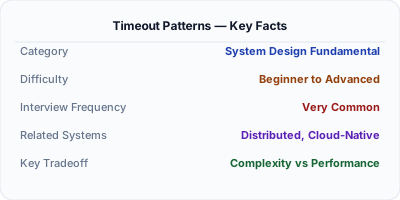
Timeout Patterns define how long a system waits for an operation before giving up and freeing resources. Without timeouts, a single slow downstream service can cause threads and connections to pile up indefinitely, eventually bringing down the caller. Distributed systems use connect timeouts, read timeouts, write timeouts, and end-to-end deadline propagation to bound the maximum time any request can consume. Proper timeout configuration is one of the most impactful yet frequently overlooked aspects of service reliability.
| Aspect | Details |
|---|---|
| What it is | Configurable time limits on operations that prevent indefinite waiting and resource exhaustion in distributed calls |
| When to use | Always — every network call, database query, and external API request should have explicit timeout values configured |
| When NOT to use | When operations are genuinely unbounded (large file uploads, streaming connections) though even those need heartbeat timeouts |
| Real-world example | Google uses deadline propagation in gRPC so a 5-second user-facing SLO automatically limits all downstream service calls |
| Interview tip | Discuss timeout types (connect, read, write) and deadline propagation — shows depth beyond just setting a number |
| Common mistake | Using language or framework defaults (often 30s-infinite) without explicitly setting timeouts appropriate for each dependency |
| Key tradeoff | Fast failure vs. success rate — shorter timeouts free resources quickly but may abort requests that would have succeeded |
Why This Matters
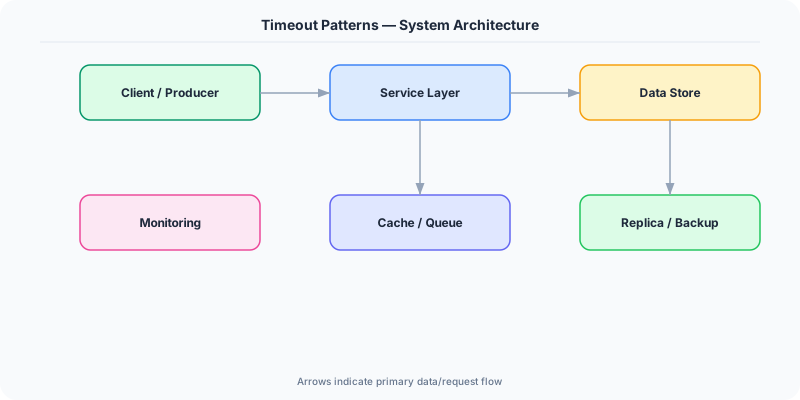
Timeouts are the most fundamental defense against resource exhaustion in distributed systems. When service A calls service B without a timeout and B hangs, A's thread is blocked forever. With enough stuck calls, A runs out of threads and starts failing too — a classic cascading failure. Connect timeouts catch unreachable hosts quickly (usually 1-3 seconds). Read timeouts detect stalled responses. End-to-end deadlines propagate from the user-facing service through the entire call chain, ensuring no request outlives the user's patience. Google's SRE handbook emphasizes that missing timeouts are the single most common cause of cascading outages in production systems.
The Building Blocks
- Connect Timeout: Maximum time to establish a TCP connection — detects unreachable hosts or network partitions within seconds, not minutes
- Read Timeout: Maximum time waiting for response data after the connection is established — catches slow queries and overloaded services
- Write Timeout: Maximum time for sending request data to the server — relevant for large payloads or congested network paths
- Deadline Propagation: Passing remaining time budget from upstream to downstream services so the entire call chain respects the original SLO
- Adaptive Timeouts: Dynamically adjusting timeout values based on observed p99 latencies, preventing timeouts from being too tight or too loose
Under the Hood
Timeout patterns operate at multiple layers of the network stack. At the TCP level, connect timeouts control how long the SYN-ACK handshake can take — typically 1-5 seconds for datacenter calls. At the application level, read timeouts govern how long to wait for the first byte or complete response body. These are configured independently because their failure modes differ: a connect timeout failure means the host is unreachable, while a read timeout failure means the service is overloaded.
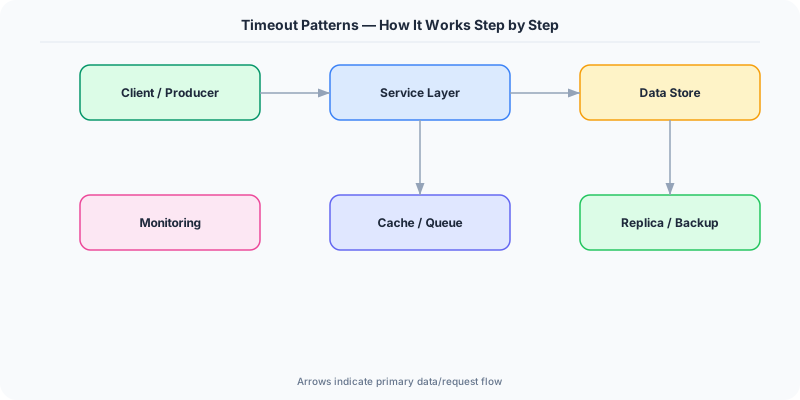
Deadline propagation is the most sophisticated timeout technique. When a user-facing API has a 3-second SLO, it starts a deadline context. If calling service B takes 1 second, the call to service C receives a 2-second deadline. If C calls D, only 1.5 seconds might remain. Each service checks the remaining deadline before starting work and can fail fast if the deadline has already expired. gRPC implements this natively through metadata headers.
The challenge is setting correct timeout values. Too short and you get false timeouts during normal load spikes; too long and you accumulate blocked resources during outages. Best practice is to set timeouts based on the dependency's p99 latency with a small buffer. Adaptive timeout libraries like Netflix's can automatically adjust based on real-time latency distributions, tightening during normal operation and loosening during known degradation events.
How Companies Actually Do This
Google gRPC deadline propagation automatically forwards remaining time budgets through the entire call chain, ensuring no downstream service works on a request the user has already abandoned
Amazon All AWS SDK calls use separate connect and read timeouts, and internal services use deadline-aware contexts to prevent cascading failures during availability zone outages
Uber Uses adaptive timeouts derived from real-time p99 latency measurements to automatically adjust timeout values per route, reducing both premature timeouts and resource waste
Common Pitfalls
- Using the same timeout value for all dependencies — a fast cache lookup and a slow database query should not share the same 30-second timeout
- Not propagating deadlines downstream — a service may spend 10 seconds on a request whose caller already timed out and returned an error to the user
- Setting timeouts based on average latency instead of p99 — normal variance causes frequent false timeouts under healthy conditions
Interview Questions Worth Practicing
- How does deadline propagation prevent wasted work in a deep microservices call chain?
- What are the differences between connect timeout, read timeout, and overall request timeout?
- How would you implement adaptive timeouts that adjust based on real-time service latency?
The Tradeoffs
- Speed vs. Tolerance: Shorter timeouts free resources faster but increase error rates during normal latency spikes and deployments
- Static vs. Adaptive: Fixed timeouts are simple to reason about but may be wrong; adaptive timeouts are accurate but add complexity and observability requirements
- Per-Call vs. End-to-End: Per-call timeouts are simple to configure but can overshoot SLOs; deadline propagation respects SLOs but requires cross-service coordination
How to Explain This in an Interview
Here is how I would explain Timeout Patterns in a system design interview:
Timeout patterns bound how long operations can take in distributed systems, preventing hung requests from exhausting resources and causing cascading failures. There are three key types: connect timeouts (1-5s, detecting unreachable hosts), read timeouts (detecting slow responses), and write timeouts (detecting congested sends). The most advanced technique is deadline propagation — passing remaining time budgets downstream so if a 3-second API SLO spends 1 second on service B, service C only gets 2 seconds. I would set timeouts based on each dependency's p99 latency plus a buffer, and pair them with circuit breakers so that excessive timeouts trigger fast-fail mode rather than consuming resources.
Related Topics
The Real-World Incident That Made This Famous
Understanding Timeout Patterns became critical after multiple high-profile production incidents at major tech companies. When systems handle millions of users, even small misunderstandings about Timeout Patterns can lead to cascading failures that cost millions in lost revenue and erode user trust. Companies like Netflix, Google, Amazon, and Meta have all invested heavily in mastering Timeout Patterns because they learned the hard way that ignoring it leads to outages.
The key lesson from these incidents: Timeout Patterns is not just a theoretical concept — it is a practical skill that separates engineers who build resilient systems from those who build fragile ones. Every major outage report from the past decade involves at least one Timeout Patterns-related design decision that was either implemented incorrectly or overlooked entirely during the initial architecture review.
How Senior Engineers Think About This
Senior engineers approach Timeout Patterns differently from textbook definitions. Instead of memorizing rules, they build mental models. They ask: "What problem does Timeout Patterns solve? When does it fail? What are the alternatives?" This problem-first thinking leads to better design decisions because every system has unique constraints.
When evaluating Timeout Patterns in a system design context, experienced engineers consider the failure modes first. What happens when this component goes down? How does the system degrade? Is the degradation graceful or catastrophic? These questions reveal more about your understanding than any textbook definition.
The key difference between junior and senior engineers when it comes to Timeout Patterns: juniors focus on the happy path, while seniors design for what happens when things go wrong. They consider operational cost, team expertise, monitoring requirements, and how the decision will look six months from now when traffic has grown 10x.
Common Interview Mistakes
Mistake 1: Giving a textbook definition without context. Interviewers want to see you connect Timeout Patterns to real systems and real problems. Instead of reciting definitions, explain when and why you would use Timeout Patterns in the system you are designing.
Mistake 2: Not discussing trade-offs. Every design decision involving Timeout Patterns has trade-offs. Discuss what you gain and what you give up. Acknowledge the downsides and explain why the benefits outweigh them for your specific use case.
Mistake 3: Overcomplicating the solution. Start with the simplest approach to Timeout Patterns that meets the requirements, then add complexity only when justified. Many candidates jump to complex implementations when a simpler solution would work perfectly.
Production Checklist
- Define clear metrics for measuring the effectiveness of your Timeout Patterns implementation
- Set up monitoring and alerting that specifically tracks Timeout Patterns-related failures
- Document your Timeout Patterns design decisions in Architecture Decision Records (ADRs)
- Test failure scenarios related to Timeout Patterns in staging before production deployment
- Review and update your Timeout Patterns implementation quarterly as system requirements evolve
- Train new team members on the specific Timeout Patterns patterns used in your system
- Establish runbooks for common Timeout Patterns-related incidents and recovery procedures
Practical Implementation for .NET Developers
In .NET, HttpClient timeout is set via HttpClient.Timeout for the overall request. For granular control, SocketsHttpHandler exposes ConnectTimeout and ResponseDrainTimeout. Polly v8 provides AddTimeout in resilience pipelines with configurable TimeoutStrategy (optimistic using CancellationToken or pessimistic using a secondary task). For gRPC, Grpc.Net.Client supports deadline propagation through CallOptions.Deadline. Entity Framework Core's CommandTimeout controls database query timeouts. ASP.NET Core's request timeout middleware (RequestTimeoutOptions) can set per-endpoint server-side timeouts starting in .NET 8.
ASP.NET Core setup: Create a service class that encapsulates the logic, register it with dependency injection, and inject it into your controllers or minimal API endpoints. The built-in DI container handles lifecycle management.
Entity Framework Core: For database interactions, EF Core provides the ORM layer. Use migrations for schema management and raw SQL for performance-critical queries. Consider Dapper for read-heavy paths where EF Core overhead matters.
Azure integration: If deploying to Azure, leverage managed services — Azure Cache for Redis, Azure SQL, Azure Service Bus, Azure Cosmos DB. These eliminate operational overhead and provide built-in monitoring through Application Insights.
Testing: Use xUnit with Testcontainers for integration tests that spin up real databases in Docker. Mock external dependencies with NSubstitute. The WebApplicationFactory class lets you test your entire HTTP pipeline in-process.
Monitoring: Add Application Insights telemetry to track request latency, dependency calls, and custom metrics. Use structured logging with Serilog to make production debugging possible:
Log.Information("Processing {Operation} for {ResourceId}", operation, resourceId);
This gives you searchable, structured logs in Azure Monitor or Seq.