Design Google Search
Design a web search engine with crawling, indexing, PageRank, query processing, and result ranking.
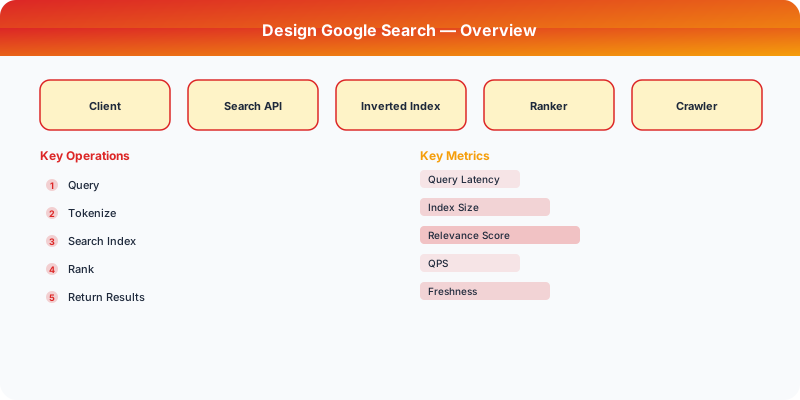
Problem Statement
Design a web search engine like Google that crawls the web, builds an inverted index, ranks pages using link analysis (PageRank) and relevance signals, and returns results in <500ms. Must index 100B+ web pages and serve 8.5B queries per day.
Requirements
Functional
- Crawl the web continuously, discovering and re-crawling pages based on change frequency
- Build and maintain an inverted index mapping terms to documents with positions
- Rank results using PageRank (authority), BM25 (relevance), freshness, and user engagement signals
- Return top 10 results with snippets in <500ms
Non-Functional
- Latency: <500ms end-to-end for 99% of queries
- Freshness: Breaking news pages indexed within minutes; most pages re-crawled within days
- Scale: 100B+ indexed pages, 100K queries/second, petabytes of index data
- Quality: Relevant results on the first page for 95%+ of queries
Core Architecture
-
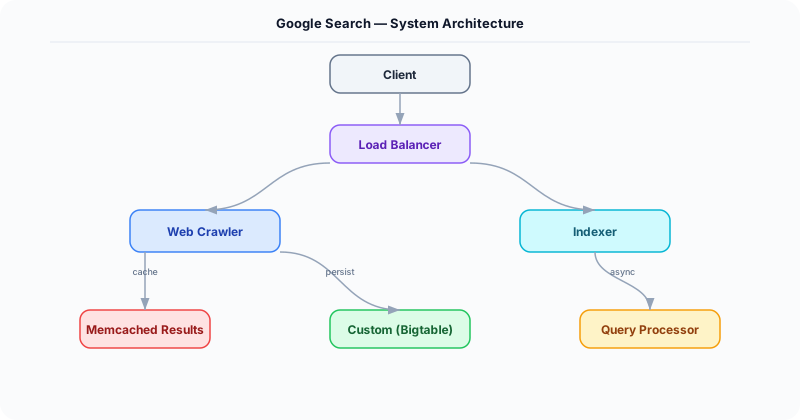
Web Crawler -- Distributed crawler with a URL frontier (priority queue). Prioritizes pages by estimated importance (domain authority, change frequency). Respects robots.txt and rate limits per domain (politeness). Uses consistent hashing to assign URL domains to crawler nodes, ensuring each domain is crawled by one node.
-
Inverted Index Builder -- MapReduce pipeline that processes crawled pages: tokenize, normalize (stemming, lowercasing), and build inverted index entries (term -> list of (doc_id, position, tf) tuples). Index is sharded by term hash across thousands of index servers. Supports phrase queries via positional index.
-
PageRank Computer -- Iterative graph algorithm run on the entire web graph (100B nodes, 1T+ edges). Each page starts with rank 1/N, then iteratively distributes rank to linked pages: PR(A) = (1-d)/N + d * sum(PR(Ti)/C(Ti)). Converges in ~50 iterations. Runs weekly on a Spark cluster, taking 2-3 days to complete.
-
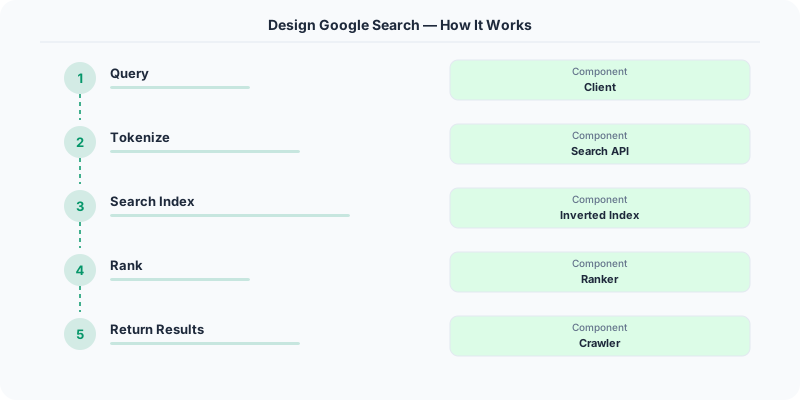
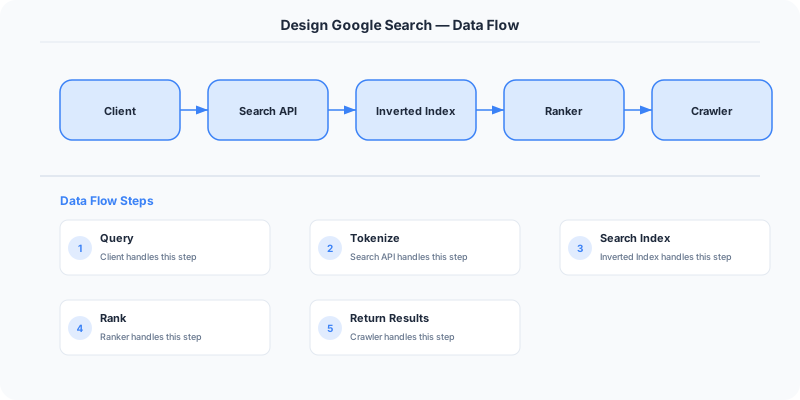
Query Processing and Ranking -- Parses query, expands with synonyms, queries the inverted index shards in parallel, merges results, and applies a multi-signal ranking model: BM25 relevance score, PageRank authority, page freshness, click-through rate, and BERT-based semantic similarity. Top 10 results are assembled with snippet extraction (highlighting query terms in context).
Database Choice
Custom distributed file system (like GFS/Colossus) for the inverted index -- petabyte-scale, optimized for sequential reads and bulk writes. Bigtable for crawl metadata (URL, last_crawl_time, content_hash, outgoing_links). In-memory sharded index for serving -- the hot portion of the inverted index is memory-mapped for sub-ms lookups. Memcached for query result caching (identical queries within a time window return cached results).
Key API Endpoints
GET /api/v1/search?q=\{query\}&page=1&lang=en
  -> Returns: \{ results: [\{ url, title, snippet, favicon_url \}], total_results: 1.2B, time_ms: 320 \}

GET /api/v1/suggest?q=\{partial_query\}
  -> Returns: \{ suggestions: ["...", "..."] \}
Scaling Insight
Index partitioning by term (not by document) is the key to sub-second query latency. Each query typically has 2-5 terms. With term-based sharding, a query for "system design interview" hits exactly 3 index shards in parallel, each returning a posting list. The query coordinator intersects these lists and ranks the results. Document-based sharding would require querying every shard for every query, making it impossible to meet latency targets at 100B document scale.
Key Tradeoffs
| Decision | Option A | Option B | Chosen |
|---|---|---|---|
| Index sharding | By document | By term | By term -- query hits fewer shards, lower fan-out, faster response |
| Freshness vs quality | Crawl everything frequently | Prioritize high-value pages | Priority-based -- news sites crawled hourly, long-tail pages weekly |
| Ranking | Pure algorithmic (PageRank + BM25) | ML-based neural ranking | Hybrid -- algorithmic for candidate retrieval, neural model for final ranking of top 1000 |
Practical Implementation for .NET Developers
In a .NET application, you would typically implement this pattern using the following approach:
ASP.NET Core setup: Create a service class that encapsulates the logic, register it with dependency injection, and inject it into your controllers or minimal API endpoints. The built-in DI container handles lifecycle management.
Entity Framework Core: For database interactions, EF Core provides the ORM layer. Use migrations for schema management and raw SQL for performance-critical queries. Consider Dapper for read-heavy paths where EF Core's overhead matters.
Azure integration: If deploying to Azure, leverage managed services — Azure Cache for Redis, Azure SQL, Azure Service Bus, Azure Cosmos DB. These eliminate operational overhead and provide built-in monitoring through Application Insights.
Testing: Use xUnit with Testcontainers for integration tests that spin up real databases in Docker. Mock external dependencies with NSubstitute. The WebApplicationFactory class lets you test your entire HTTP pipeline in-process.
Monitoring: Add Application Insights telemetry to track request latency, dependency calls, and custom metrics. Use structured logging with Serilog to make production debugging possible:
Log.Information("Processing order {OrderId} for {CustomerId}", orderId, customerId);
This gives you searchable, structured logs in Azure Monitor or Seq.
Deep-Dive: Clarifying Questions for Google Search
- What is the query volume? Google processes approximately 8.5 billion searches per day (99,000 queries/second). Peak load can be 2-3x average.
- How fresh does the index need to be? Breaking news should appear within minutes. Regular web pages can have a crawl delay of days or weeks. Real-time indexing for news is a separate pipeline.
- What ranking factors matter most? PageRank (link authority), content relevance (TF-IDF, BERT), freshness, user engagement signals (click-through rate, dwell time), page speed, and mobile-friendliness.
- How large is the web? Google's index contains hundreds of billions of web pages. The total known web is estimated at 50+ billion pages, but Google indexes the most relevant subset.
- Do we need personalization? Search results vary by location, language, search history, and device type.
- What about knowledge graphs? Direct answers (featured snippets, knowledge panels) increasingly replace traditional blue links.
Specific Functional Requirements
- Web Search: Accept a text query and return a ranked list of relevant web pages within 200ms
- Web Crawling: Continuously discover and download web pages from across the internet
- Indexing: Build and maintain an inverted index mapping words to the pages containing them
- Ranking: Score and rank results using hundreds of signals including PageRank, relevance, freshness, and quality
- Autocomplete: Suggest query completions as the user types, based on popular queries and personalization
- Spell Correction: Automatically correct misspelled queries or suggest corrections
- Knowledge Graph: Display structured answers (weather, calculations, entity info) directly in results
Specific API Endpoints
GET /search?q=system+design+interview&hl=en&gl=us&start=0&num=10
  Response: {
    "results": [
      { "title": "...", "url": "...", "snippet": "...", "rank": 1 },
      ...
    ],
    "knowledge_panel": { "entity": "System Design Interview", "description": "...", "related": [...] },
    "related_searches": ["system design interview questions", "..."],
    "total_results": 1234000000,
    "time_taken_ms": 180
  }

GET /autocomplete?q=system+des&hl=en
  Response: { "suggestions": ["system design interview", "system design primer", "system design questions"] }

Internal: POST /crawl/submit
  Body: { "urls": ["https://example.com/new-page"] }
  (Used by the URL frontier to submit discovered URLs for crawling)
Specific Data Model
Inverted Index (Custom distributed system)
- For each word in the vocabulary: word -> [(doc_id, position, tf_score, context), ...]
- Sharded by word (or word hash) across thousands of servers
- Each shard fits in memory for fast lookup (Google uses custom SSTable-like format)

Document Store
- doc_id -> { url, title, content_hash, crawl_timestamp, pagerank_score, language, links_out, links_in_count }
- Stored in Bigtable, sharded by doc_id
PageRank Scores: Precomputed via MapReduce/graph processing over the entire web link graph. Updated periodically (not real-time). Each page gets a score from 0 to 10 based on the quantity and quality of pages linking to it.
URL Frontier (Crawl Queue): Priority queue of URLs to crawl, prioritized by: importance (PageRank of the domain), freshness requirements (news sites crawled every minutes, blogs every few days), and politeness (respect robots.txt, limit requests per domain).
Query Log: Every search query with click-through data, used to train ranking models. This is one of Google's most valuable datasets.
Specific Back-of-the-Envelope Numbers
Crawling:
- Crawl billions of pages per day
- Average page: 100 KB HTML + 500 KB assets = 600 KB
- 1 billion pages/day * 100 KB (text only) = 100 TB of raw HTML per day
- Crawler must respect robots.txt and rate-limit per domain (1 request/second per domain)
Index:
- Hundreds of billions of indexed pages
- Inverted index size: ~100 PB (compressed, distributed across thousands of servers)
- Index update latency: minutes for breaking news, hours/days for regular content
Search serving:
- 99,000 queries/second average, 300K/second peak
- Each query: fan-out to multiple index shards, merge results, apply ranking, return top 10
- Latency target: under 200ms end-to-end (including network)
- Each query touches 1,000+ index servers in parallel
Autocomplete:
- Must respond in under 50ms (appears as user types)
- Trie or prefix hash structure for top 1 billion queries
- Updated hourly with trending queries