Logging
Learn structured logging and log levels for distributed systems — capture meaningful context, correlate events across services, and build queryable.
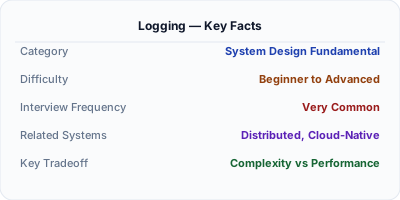
Logging records discrete events as timestamped entries, providing the most detailed view of what happened in a system at any given moment. In distributed systems, structured logging — emitting events as machine-parseable JSON with consistent fields — transforms logs from grep-able text files into a queryable diagnostic database. Combined with log levels (DEBUG, INFO, WARN, ERROR) and centralized aggregation, logging enables engineers to search across millions of events from dozens of services to understand failures that cross service boundaries.
| Aspect | Details |
|---|---|
| What it is | The practice of recording timestamped events from applications with structured fields, log levels, and centralized aggregation for debugging |
| When to use | Always — every service should emit structured logs with request context; logging is the most fundamental observability signal |
| When NOT to use | When you need real-time numeric dashboards or alerting — use metrics instead of trying to derive numbers from log analysis at query time |
| Real-world example | Stripe processes billions of structured log events daily through a centralized pipeline to debug payment processing issues within minutes |
| Interview tip | Mention structured logging specifically and explain why unstructured text logs fail at scale — shows you understand production realities |
| Common mistake | Using string concatenation for log messages instead of structured fields — 'User 123 failed' is ungrepable compared to structured key-value pairs like userId=123, event=auth_failure |
| Key tradeoff | Verbosity vs. cost — detailed logging aids debugging but generates massive storage and ingestion costs at scale |
Why This Matters
Logs are the most detailed observability signal — they capture the exact sequence of events, the specific data involved, and the error messages that explain failures. In a monolith, you might grep a single log file. In a distributed system with 50 services, you need centralized log aggregation (ELK Stack, Datadog, Splunk) with structured fields so you can query: show me all ERROR logs for user X in the last hour across all services. Without structured logging, this query is impossible — unstructured text logs from different services use different formats, field names, and timestamp conventions. Structured logging with consistent schemas and correlation IDs transforms logs into a powerful diagnostic tool that scales with your architecture.
The Building Blocks
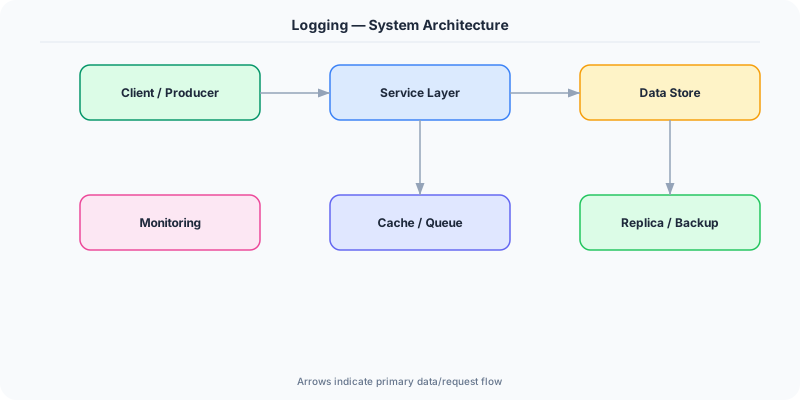
- Log Levels: Severity classifications (TRACE, DEBUG, INFO, WARN, ERROR, FATAL) that control verbosity and enable filtering by importance during incidents
- Structured Fields: Key-value pairs (userId, requestId, duration, statusCode) attached to every log event, enabling precise queries across billions of records
- Log Aggregation: Centralized collection of logs from all services into a single queryable store like Elasticsearch, Loki, or CloudWatch Logs
- Context Propagation: Automatically injecting trace IDs, span IDs, and request metadata into every log line so events can be correlated across service boundaries
- Log Sampling: Reducing log volume by selectively logging based on criteria — always log errors, sample debug logs at 1%, increase verbosity during incidents
Under the Hood
Modern logging pipelines have three stages: emission, collection, and storage. At the emission stage, applications use logging libraries that format events as structured JSON with consistent fields. A well-structured log line includes timestamp, log level, service name, trace ID, span ID, and business-specific fields. This is fundamentally different from printf-style logging because every field is independently queryable.
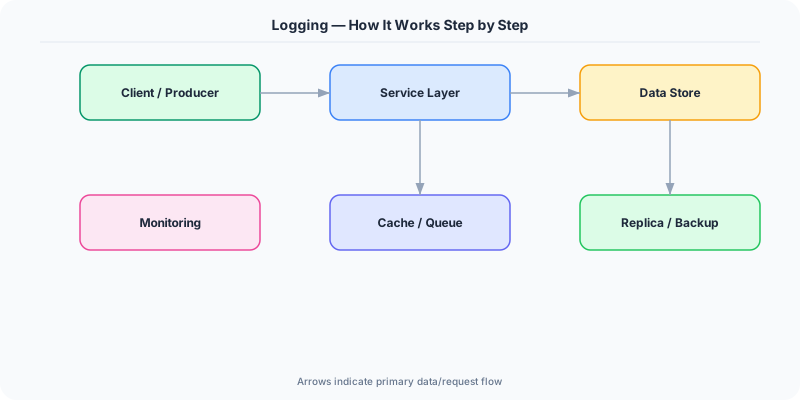
Collection is handled by log agents (Fluentd, Fluent Bit, Logstash, Vector) running on each host. These agents tail log files or receive logs over the network, parse and enrich them (adding hostname, environment, region), and forward them to a centralized store. In Kubernetes, sidecar or DaemonSet collectors automatically capture stdout from every pod.
Storage and querying is where the value is realized. Elasticsearch powers keyword search with inverted indexes. Grafana Loki takes a different approach, indexing only labels and compressing log content, making it much cheaper for high-volume environments. The critical design decision is retention — keeping 30 days of DEBUG logs at scale is prohibitively expensive. Production systems typically retain ERROR logs for months, INFO logs for weeks, and DEBUG logs for days, with the ability to dynamically increase verbosity for specific services during active incidents.
How Companies Actually Do This
Stripe Uses structured logging with request IDs in every event, enabling support engineers to trace a single payment through dozens of internal services within seconds
Netflix Processes petabytes of logs daily through their centralized logging pipeline, using automated pattern detection to identify novel error types before they escalate to incidents
Datadog Pioneered log analytics with automatic pattern clustering, grouping millions of similar log lines into patterns and surfacing anomalous new patterns that may indicate emerging issues
Common Pitfalls
- Logging sensitive data (passwords, tokens, PII) in plaintext — always redact or mask sensitive fields to comply with security and privacy requirements
- Using unstructured string messages ('Error processing order for user John') instead of structured fields (event=order_error, userId=john) makes searching impossible at scale
- Setting all services to DEBUG level in production — the volume overwhelms storage and ingestion systems, increasing costs 10-100x without proportional debugging value
Interview Questions Worth Practicing
- How does structured logging differ from traditional text logging and why does it matter at scale?
- How would you design a log aggregation pipeline for a microservices system with 100 services?
- What log levels would you emit for different types of events, and how would you manage log volume in production?
The Tradeoffs
- Verbosity vs. Cost: More detailed logs help debugging but exponentially increase storage, ingestion, and query costs at high scale
- Structure vs. Developer Effort: Structured logging requires discipline and conventions across teams but pays off enormously in queryability
- Centralized vs. Local: Centralized aggregation enables cross-service queries but introduces a critical dependency and network overhead
How to Explain This in an Interview
Here is how I would explain Logging in a system design interview:
Logging captures discrete timestamped events from applications. In distributed systems, structured logging — emitting JSON with consistent fields like userId, requestId, statusCode — is essential because it transforms logs into a queryable database across services. I would use log levels strategically: ERROR for failures needing attention, WARN for degradation, INFO for key business events, DEBUG for troubleshooting detail. The pipeline involves emission via a structured logging library, collection via agents like Fluentd, and storage in Elasticsearch or Loki. I always include trace IDs in log context so I can correlate logs with distributed traces. Critical considerations include PII redaction, retention policies by level, and dynamic verbosity control during incidents.
Related Topics
The Real-World Incident That Made This Famous
Understanding Logging became critical after multiple high-profile production incidents at major tech companies. When systems handle millions of users, even small misunderstandings about Logging can lead to cascading failures that cost millions in lost revenue and erode user trust. Companies like Netflix, Google, Amazon, and Meta have all invested heavily in mastering Logging because they learned the hard way that ignoring it leads to outages.
The key lesson from these incidents: Logging is not just a theoretical concept — it is a practical skill that separates engineers who build resilient systems from those who build fragile ones. Every major outage report from the past decade involves at least one Logging-related design decision that was either implemented incorrectly or overlooked entirely during the initial architecture review.
How Senior Engineers Think About This
Senior engineers approach Logging differently from textbook definitions. Instead of memorizing rules, they build mental models. They ask: "What problem does Logging solve? When does it fail? What are the alternatives?" This problem-first thinking leads to better design decisions because every system has unique constraints.
When evaluating Logging in a system design context, experienced engineers consider the failure modes first. What happens when this component goes down? How does the system degrade? Is the degradation graceful or catastrophic? These questions reveal more about your understanding than any textbook definition.
The key difference between junior and senior engineers when it comes to Logging: juniors focus on the happy path, while seniors design for what happens when things go wrong. They consider operational cost, team expertise, monitoring requirements, and how the decision will look six months from now when traffic has grown 10x.
Common Interview Mistakes
Mistake 1: Giving a textbook definition without context. Interviewers want to see you connect Logging to real systems and real problems. Instead of reciting definitions, explain when and why you would use Logging in the system you are designing.
Mistake 2: Not discussing trade-offs. Every design decision involving Logging has trade-offs. Discuss what you gain and what you give up. Acknowledge the downsides and explain why the benefits outweigh them for your specific use case.
Mistake 3: Overcomplicating the solution. Start with the simplest approach to Logging that meets the requirements, then add complexity only when justified. Many candidates jump to complex implementations when a simpler solution would work perfectly.
Production Checklist
- Define clear metrics for measuring the effectiveness of your Logging implementation
- Set up monitoring and alerting that specifically tracks Logging-related failures
- Document your Logging design decisions in Architecture Decision Records (ADRs)
- Test failure scenarios related to Logging in staging before production deployment
- Review and update your Logging implementation quarterly as system requirements evolve
- Train new team members on the specific Logging patterns used in your system
- Establish runbooks for common Logging-related incidents and recovery procedures
Practical Implementation for .NET Developers
In .NET, logging is built around the Microsoft.Extensions.Logging abstraction. ILogger<T> with LoggerMessage.Define provides high-performance structured logging with compile-time source generation in .NET 8+. Serilog is the most popular third-party library, offering structured logging sinks for Elasticsearch (Serilog.Sinks.Elasticsearch), Seq, and console JSON output. For OpenTelemetry integration, OpenTelemetry.Exporter.OpenTelemetryProtocol exports logs with trace context. NLog and log4net remain options but Serilog's structured-first approach aligns best with modern observability. ASP.NET Core automatically logs request/response data through hosting middleware.
ASP.NET Core setup: Create a service class that encapsulates the logic, register it with dependency injection, and inject it into your controllers or minimal API endpoints. The built-in DI container handles lifecycle management.
Entity Framework Core: For database interactions, EF Core provides the ORM layer. Use migrations for schema management and raw SQL for performance-critical queries. Consider Dapper for read-heavy paths where EF Core overhead matters.
Azure integration: If deploying to Azure, leverage managed services — Azure Cache for Redis, Azure SQL, Azure Service Bus, Azure Cosmos DB. These eliminate operational overhead and provide built-in monitoring through Application Insights.
Testing: Use xUnit with Testcontainers for integration tests that spin up real databases in Docker. Mock external dependencies with NSubstitute. The WebApplicationFactory class lets you test your entire HTTP pipeline in-process.
Monitoring: Add Application Insights telemetry to track request latency, dependency calls, and custom metrics. Use structured logging with Serilog to make production debugging possible:
Log.Information("Processing {Operation} for {ResourceId}", operation, resourceId);
This gives you searchable, structured logs in Azure Monitor or Seq.