Materialized Views
Materialized views are precomputed query results stored as physical tables, trading storage space and write overhead for dramatically faster read.
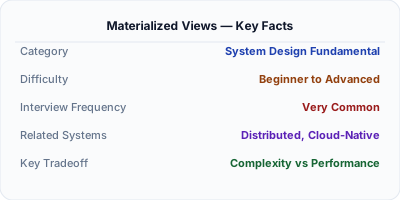
A materialized view is a database object that stores the result of a query as a physical table, unlike a regular view which re-executes the query every time it's accessed. This means complex joins, aggregations, and transformations are computed once and read instantly. Materialized views are a powerful tool for read-heavy workloads where you can tolerate slightly stale data, commonly used for dashboards, reporting, and denormalized read models in CQRS architectures.
| Aspect | Details |
|---|---|
| What it is | A precomputed snapshot of a query result stored as a physical table in the database, refreshed on a schedule or on demand |
| When to use | Dashboards, reporting queries, complex aggregations, CQRS read models, or any query that's expensive to compute but tolerates slight staleness |
| When NOT to use | Data that must always be perfectly real-time, or simple queries that are already fast with proper indexes |
| Real-world example | Netflix uses materialized views in its data platform to precompute viewing statistics dashboards that would otherwise require expensive joins across billions of rows |
| Interview tip | Frame materialized views as a specific form of caching — precomputed results that trade freshness for read speed — and discuss refresh strategies |
| Common mistake | Refreshing materialized views too frequently, negating their performance benefit, or too infrequently, serving dangerously stale data |
| Key tradeoff | You trade storage space and write-path overhead for dramatically faster reads, but must manage the staleness window |
Why This Matters
Materialized views matter because many real-world queries involve joining multiple large tables, computing aggregations, or applying complex transformations — operations that can take seconds or minutes on raw data. Running these queries on every request doesn't scale. Materialized views shift this computation from read time to write time (or refresh time), turning expensive queries into simple table scans. They're a core pattern in CQRS, data warehousing, and any system where read performance matters more than real-time accuracy. Understanding when and how to use them is essential for designing performant data architectures.
The Building Blocks
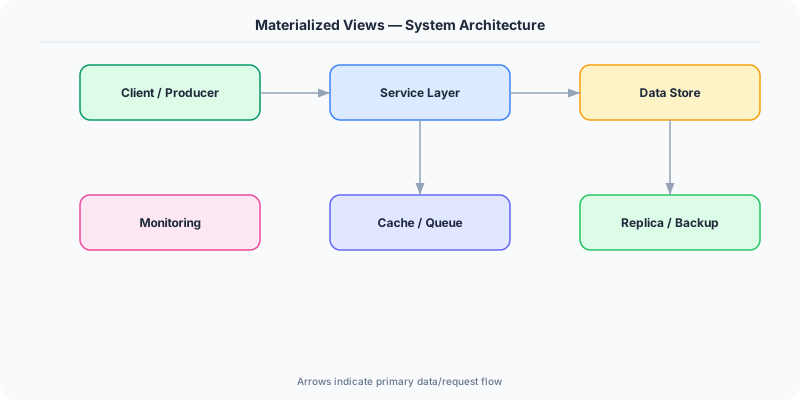
- Physical Storage: Unlike regular views that are just saved SQL, materialized views store actual rows on disk. This means reads are as fast as scanning a regular table with no join or aggregation overhead.
- Refresh Strategies: Views can be refreshed on a schedule (every 5 minutes), on demand (triggered by application code), or incrementally (only updating rows affected by recent changes).
- Incremental Refresh: Instead of recomputing the entire view, incremental refresh applies only the deltas from the base tables, dramatically reducing refresh time for large datasets.
- Indexed Materialized Views: You can create indexes on materialized views just like regular tables, enabling fast lookups, range scans, and sorted access on precomputed data.
- CQRS Read Models: In CQRS architectures, materialized views serve as the read model — denormalized projections optimized for specific query patterns, updated asynchronously from the write model.
Under the Hood
When you create a materialized view, the database executes the defining query and writes the result set to physical storage, just like a regular table. The query plan for populating the view is optimized once, and the results include all rows, columns, and computed values. Subsequent reads against the materialized view bypass the original tables entirely, reading directly from this precomputed snapshot.
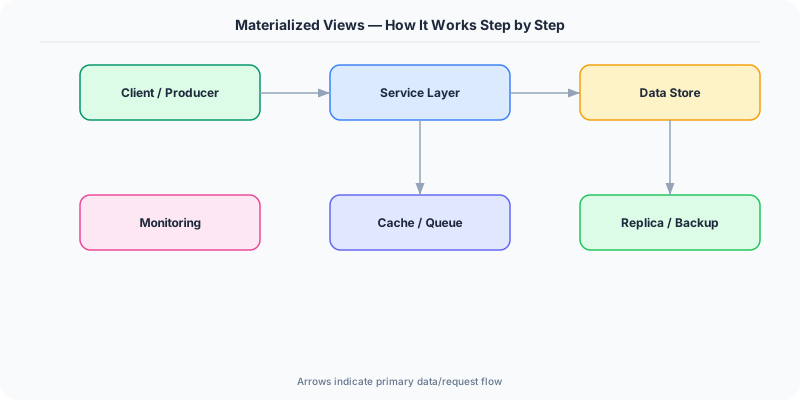
Refresh is where the complexity lies. A full refresh truncates the materialized view and re-executes the query from scratch — simple but expensive for large datasets. Incremental (or fast) refresh uses change logs or materialized view logs to identify which rows in the base tables changed since the last refresh, then applies only those deltas. This requires the base tables to have materialized view logs enabled and the defining query to meet certain restrictions (e.g., no DISTINCT, specific join types).
In practice, materialized views are often combined with scheduled jobs. A cron job or database scheduler triggers a refresh every N minutes, creating a predictable staleness window. For event-driven systems, a change data capture pipeline can trigger targeted refreshes when relevant base data changes. Some databases like ClickHouse and Apache Druid use materialized views as real-time aggregation engines, updating the view incrementally as data streams in.
How Companies Actually Do This
LinkedIn Uses materialized views extensively in its data infrastructure to precompute profile view counts, connection statistics, and feed ranking signals that would be prohibitively expensive to calculate on every request.
Stripe Precomputes dashboard analytics like payment volume, dispute rates, and revenue summaries using materialized views, enabling merchants to load complex financial dashboards in under a second.
Airbnb Their search ranking system uses materialized views to precompute host quality scores, pricing aggregates, and availability summaries, avoiding expensive real-time computation during search queries.
Common Pitfalls
- Forgetting to refresh — a materialized view that's never refreshed serves permanently stale data; always set up automated refresh schedules and monitor staleness
- Using full refresh on huge views when incremental is possible — a full refresh on a billion-row materialized view can lock the base tables and consume enormous resources
- Creating too many materialized views — each one consumes storage and adds refresh overhead; they should target specific, expensive, frequently-run queries, not every possible read pattern
Interview Questions Worth Practicing
- How would you decide between a materialized view and an application-level cache for a dashboard query?
- Explain how you'd implement incremental refresh for a materialized view that aggregates order totals by region.
- In a CQRS architecture, how do materialized views relate to the read model, and how do you handle the consistency gap?
The Tradeoffs
- Freshness vs Performance: Materialized views serve precomputed results instantly but may be minutes or hours stale depending on refresh frequency
- Storage vs Compute: Storing precomputed results uses additional disk space but eliminates repeated expensive computation on every read
- Complexity vs Speed: Incremental refresh is faster than full refresh but requires careful query design and materialized view logs, adding operational complexity
How to Explain This in an Interview
Here is how I would explain Materialized Views in a system design interview:
Explain materialized views as precomputed query results stored as physical tables. Start with the problem: some queries join many tables or aggregate millions of rows and take seconds to run, which is unacceptable for user-facing features. A materialized view runs that query once and stores the result, so reads become simple table scans. Discuss refresh strategies — full refresh recomputes everything (simple but slow), while incremental refresh applies only deltas (fast but requires change tracking). Mention that in CQRS, materialized views are essentially the read model — denormalized projections updated asynchronously from write events. The key tradeoff is freshness vs performance: you get fast reads but must accept a staleness window. Always mention monitoring — you need alerts if refresh jobs fail or fall behind.
Related Topics
The Real-World Incident That Made This Famous
Understanding Materialized Views became critical after multiple high-profile production incidents at major tech companies. When systems handle millions of users, even small misunderstandings about Materialized Views can lead to cascading failures that cost millions in lost revenue and erode user trust. Companies like Netflix, Google, Amazon, and Meta have all invested heavily in mastering Materialized Views because they learned the hard way that ignoring it leads to outages.
The key lesson from these incidents: Materialized Views is not just a theoretical concept — it is a practical skill that separates engineers who build resilient systems from those who build fragile ones. Every major outage report from the past decade involves at least one Materialized Views-related design decision that was either implemented incorrectly or overlooked entirely during the initial architecture review.
How Senior Engineers Think About This
Senior engineers approach Materialized Views differently from textbook definitions. Instead of memorizing rules, they build mental models. They ask: "What problem does Materialized Views solve? When does it fail? What are the alternatives?" This problem-first thinking leads to better design decisions because every system has unique constraints.
When evaluating Materialized Views in a system design context, experienced engineers consider the failure modes first. What happens when this component goes down? How does the system degrade? Is the degradation graceful or catastrophic? These questions reveal more about your understanding than any textbook definition.
The key difference between junior and senior engineers when it comes to Materialized Views: juniors focus on the happy path, while seniors design for what happens when things go wrong. They consider operational cost, team expertise, monitoring requirements, and how the decision will look six months from now when traffic has grown 10x.
Common Interview Mistakes
Mistake 1: Giving a textbook definition without context. Interviewers want to see you connect Materialized Views to real systems and real problems. Instead of reciting definitions, explain when and why you would use Materialized Views in the system you are designing.
Mistake 2: Not discussing trade-offs. Every design decision involving Materialized Views has trade-offs. Discuss what you gain and what you give up. Acknowledge the downsides and explain why the benefits outweigh them for your specific use case.
Mistake 3: Overcomplicating the solution. Start with the simplest approach to Materialized Views that meets the requirements, then add complexity only when justified. Many candidates jump to complex implementations when a simpler solution would work perfectly.
Production Checklist
- Define clear metrics for measuring the effectiveness of your Materialized Views implementation
- Set up monitoring and alerting that specifically tracks Materialized Views-related failures
- Document your Materialized Views design decisions in Architecture Decision Records (ADRs)
- Test failure scenarios related to Materialized Views in staging before production deployment
- Review and update your Materialized Views implementation quarterly as system requirements evolve
- Train new team members on the specific Materialized Views patterns used in your system
- Establish runbooks for common Materialized Views-related incidents and recovery procedures
Practical Implementation for .NET Developers
In .NET with Entity Framework Core, you can map materialized views as read-only entities using ToView("mv_name") in OnModelCreating, then query them like regular tables. For SQL Server, create indexed views with CREATE VIEW ... WITH SCHEMABINDING and a unique clustered index — SQL Server refreshes these automatically. PostgreSQL materialized views are refreshed via raw SQL (REFRESH MATERIALIZED VIEW CONCURRENTLY). Use Hangfire or Quartz.NET to schedule refresh jobs, and consider MediatR notifications to trigger targeted refreshes after relevant write operations.
ASP.NET Core setup: Create a service class that encapsulates the logic, register it with dependency injection, and inject it into your controllers or minimal API endpoints. The built-in DI container handles lifecycle management.
Entity Framework Core: For database interactions, EF Core provides the ORM layer. Use migrations for schema management and raw SQL for performance-critical queries. Consider Dapper for read-heavy paths where EF Core overhead matters.
Azure integration: If deploying to Azure, leverage managed services — Azure Cache for Redis, Azure SQL, Azure Service Bus, Azure Cosmos DB. These eliminate operational overhead and provide built-in monitoring through Application Insights.
Testing: Use xUnit with Testcontainers for integration tests that spin up real databases in Docker. Mock external dependencies with NSubstitute. The WebApplicationFactory class lets you test your entire HTTP pipeline in-process.
Monitoring: Add Application Insights telemetry to track request latency, dependency calls, and custom metrics. Use structured logging with Serilog to make production debugging possible:
Log.Information("Processing {Operation} for {ResourceId}", operation, resourceId);
This gives you searchable, structured logs in Azure Monitor or Seq.