Data Lakes
Data lakes are centralized storage repositories that hold vast amounts of raw data in its native format — structured, semi-structured, and unstructured —.
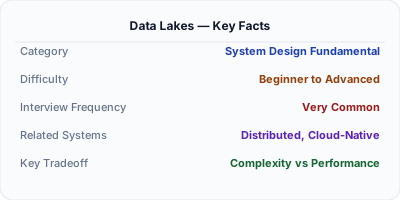
A data lake is a centralized repository that stores raw data in its native format — CSV files, JSON logs, Parquet columnar files, images, video — without requiring a predefined schema. Unlike data warehouses that enforce schema-on-write (data must be structured before loading), data lakes use schema-on-read (structure is applied when data is queried). This flexibility allows organizations to store everything cheaply and figure out how to use it later. Technologies like AWS S3, Azure Data Lake Storage, Apache Hadoop HDFS, and Delta Lake power data lakes at petabyte scale.
| Aspect | Details |
|---|---|
| What it is | A centralized storage repository for raw data in any format, using cheap object storage and schema-on-read to defer data structuring until query time |
| When to use | When you need to store diverse data types (logs, JSON, images, CSVs) cheaply, when schema requirements are uncertain, or when multiple teams need access to raw data for different analytical purposes |
| When NOT to use | When you need fast, structured analytical queries with guaranteed schema — use a data warehouse instead; or when data governance and quality are critical from day one |
| Real-world example | Netflix stores all raw event data (billions of streaming events daily) in their S3-based data lake, which feeds downstream data warehouses, ML pipelines, and analytics systems |
| Interview tip | Always contrast with data warehouses — lakes store raw data cheaply with flexibility but risk becoming 'data swamps'; warehouses store clean data with governance but are more expensive and rigid |
| Common mistake | Dumping data into a lake without any organization, cataloging, or governance — creating a 'data swamp' where nobody can find or trust the data |
| Key tradeoff | Data lakes offer maximum storage flexibility and low cost but require significant effort in governance, cataloging, and access control to remain useful |
Why This Matters
Data lakes emerged because traditional data warehouses couldn't handle the volume, variety, and velocity of modern data. Storing petabytes of logs, sensor data, clickstreams, and unstructured content in a warehouse would be prohibitively expensive and require predefined schemas for every data source. Data lakes solve this by storing everything in cheap object storage (S3, ADLS) at $0.02/GB/month — 10-50x cheaper than warehouse storage. The schema-on-read approach means data scientists and engineers can explore raw data without waiting for schema design and ETL pipeline development. However, without governance, data lakes become data swamps — understanding when to use a lake vs a warehouse is a key architectural skill.
The Building Blocks
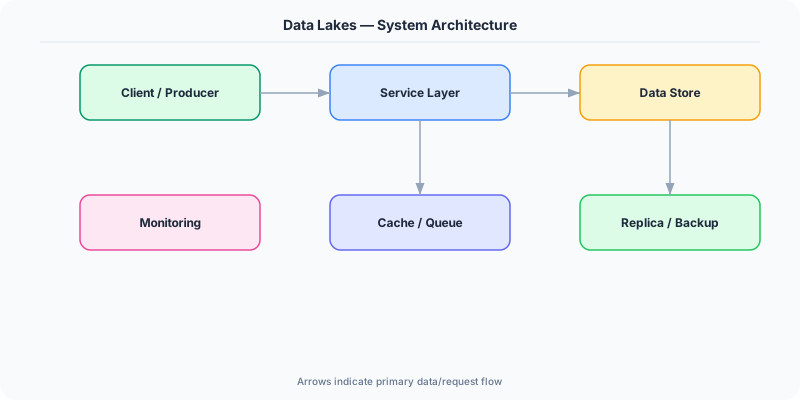
- Object Storage Layer: The foundation is cheap, durable object storage (S3, ADLS, GCS) that handles petabytes of data with 99.999999999% durability and pay-per-use pricing.
- Schema-on-Read: Data is stored raw without predefined schema. Structure is applied at query time using tools like Apache Spark, Presto, or Athena, allowing different consumers to interpret the same data differently.
- File Formats: Columnar formats like Parquet and ORC provide compression and column pruning for analytics; Avro provides row-based storage for streaming; Delta Lake and Iceberg add ACID transactions.
- Data Catalog: A metadata catalog (AWS Glue Catalog, Apache Hive Metastore) registers datasets with schemas, locations, and ownership so users can discover and understand available data.
- Table Formats: Modern table formats like Delta Lake, Apache Iceberg, and Apache Hudi add warehouse-like features to lakes — ACID transactions, schema evolution, time travel, and incremental processing.
Under the Hood
A data lake is fundamentally an object storage system organized into zones. The raw zone (or bronze layer) contains data exactly as ingested — no transformation, no deduplication. This is the immutable source of truth. The cleaned zone (silver layer) contains validated, deduplicated, and standardized data. The curated zone (gold layer) contains business-level aggregations and models ready for consumption. This multi-zone approach, called the medallion architecture, provides both flexibility and structure.
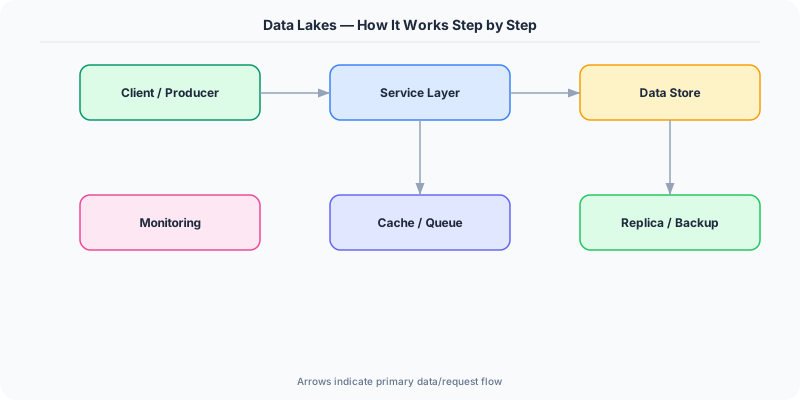
Data arrives via batch ingestion (scheduled ETL jobs pulling from databases and APIs), streaming ingestion (Kafka or Kinesis writing events directly to storage), or file drops (partners uploading CSVs to designated S3 prefixes). Each dataset is registered in a data catalog that stores its location, schema, owner, and freshness metadata. Users query the lake through engines like Apache Spark, Presto/Trino, or serverless services like AWS Athena and Azure Synapse Serverless.
The evolution from basic data lakes to "lakehouses" addresses the lake's original weaknesses. Delta Lake (created by Databricks), Apache Iceberg (created by Netflix), and Apache Hudi (created by Uber) add transaction logs on top of object storage, enabling ACID transactions, schema evolution, partition evolution, time travel (querying data as of a past timestamp), and efficient upserts. These table formats effectively merge the flexibility of data lakes with the reliability of data warehouses, which is why the "lakehouse" architecture has become the dominant modern pattern.
How Companies Actually Do This
Netflix Stores all raw event data from 200+ million subscribers in an S3-based data lake, organized in the medallion architecture. Apache Iceberg provides ACID transactions and time travel for their petabyte-scale analytical workflows.
Uber Built a massive data lake on HDFS and S3, using Apache Hudi (which they created) to enable incremental processing and upserts on petabyte-scale datasets for real-time analytics on ride data, driver behavior, and marketplace dynamics.
Databricks Created Delta Lake to add ACID transactions to cloud object storage, enabling their lakehouse platform that combines the cost and flexibility of data lakes with the performance and governance of data warehouses for thousands of enterprise customers.
Common Pitfalls
- Creating a data swamp — dumping data without organization, cataloging, or ownership leads to a lake where nobody can find anything and nobody trusts the data quality
- Not using columnar file formats — storing analytics data as CSV or JSON instead of Parquet or ORC wastes 5-10x more storage and makes queries 10-100x slower due to lack of compression and column pruning
- Ignoring access control — data lakes often contain sensitive data from many sources; without fine-grained access control (row-level, column-level), you risk exposing PII or violating compliance regulations
Interview Questions Worth Practicing
- How would you design a data lake architecture that prevents it from becoming a data swamp?
- Compare data lakes and data warehouses — when would you use each, and how do lakehouses combine both?
- Explain the medallion architecture (bronze/silver/gold layers) and why each layer exists.
The Tradeoffs
- Flexibility vs Governance: Data lakes accept any data format without upfront schema design, but this flexibility makes governance, quality, and discoverability harder to enforce
- Cost vs Query Performance: Object storage is 10-50x cheaper than warehouse storage, but query performance on raw files is significantly slower without proper partitioning, formats, and table formats
- Schema-on-Read vs Schema-on-Write: Deferring schema design to query time maximizes ingestion speed and flexibility but pushes complexity to consumers who must understand raw data structures
How to Explain This in an Interview
Here is how I would explain Data Lakes in a system design interview:
Start by defining a data lake as centralized storage for raw data in any format — structured, semi-structured, unstructured — using cheap object storage like S3 at $0.02/GB/month. Contrast with data warehouses: warehouses use schema-on-write (data must be structured before loading), while lakes use schema-on-read (structure applied at query time). Explain the medallion architecture: bronze layer (raw data as ingested), silver layer (cleaned and validated), gold layer (business-ready aggregations). Address the 'data swamp' risk — without a data catalog, ownership policies, and quality checks, lakes become unusable. Then discuss lakehouses: modern table formats like Delta Lake, Iceberg, and Hudi add ACID transactions, schema evolution, and time travel to lake storage, merging lake flexibility with warehouse reliability. This lakehouse pattern is the modern best practice, and it's worth mentioning that major cloud providers now offer lakehouse-native services.
Related Topics
The Real-World Incident That Made This Famous
Understanding Data Lakes became critical after multiple high-profile production incidents at major tech companies. When systems handle millions of users, even small misunderstandings about Data Lakes can lead to cascading failures that cost millions in lost revenue and erode user trust. Companies like Netflix, Google, Amazon, and Meta have all invested heavily in mastering Data Lakes because they learned the hard way that ignoring it leads to outages.
The key lesson from these incidents: Data Lakes is not just a theoretical concept — it is a practical skill that separates engineers who build resilient systems from those who build fragile ones. Every major outage report from the past decade involves at least one Data Lakes-related design decision that was either implemented incorrectly or overlooked entirely during the initial architecture review.
How Senior Engineers Think About This
Senior engineers approach Data Lakes differently from textbook definitions. Instead of memorizing rules, they build mental models. They ask: "What problem does Data Lakes solve? When does it fail? What are the alternatives?" This problem-first thinking leads to better design decisions because every system has unique constraints.
When evaluating Data Lakes in a system design context, experienced engineers consider the failure modes first. What happens when this component goes down? How does the system degrade? Is the degradation graceful or catastrophic? These questions reveal more about your understanding than any textbook definition.
The key difference between junior and senior engineers when it comes to Data Lakes: juniors focus on the happy path, while seniors design for what happens when things go wrong. They consider operational cost, team expertise, monitoring requirements, and how the decision will look six months from now when traffic has grown 10x.
Common Interview Mistakes
Mistake 1: Giving a textbook definition without context. Interviewers want to see you connect Data Lakes to real systems and real problems. Instead of reciting definitions, explain when and why you would use Data Lakes in the system you are designing.
Mistake 2: Not discussing trade-offs. Every design decision involving Data Lakes has trade-offs. Discuss what you gain and what you give up. Acknowledge the downsides and explain why the benefits outweigh them for your specific use case.
Mistake 3: Overcomplicating the solution. Start with the simplest approach to Data Lakes that meets the requirements, then add complexity only when justified. Many candidates jump to complex implementations when a simpler solution would work perfectly.
Production Checklist
- Define clear metrics for measuring the effectiveness of your Data Lakes implementation
- Set up monitoring and alerting that specifically tracks Data Lakes-related failures
- Document your Data Lakes design decisions in Architecture Decision Records (ADRs)
- Test failure scenarios related to Data Lakes in staging before production deployment
- Review and update your Data Lakes implementation quarterly as system requirements evolve
- Train new team members on the specific Data Lakes patterns used in your system
- Establish runbooks for common Data Lakes-related incidents and recovery procedures
Practical Implementation for .NET Developers
In .NET, interact with data lakes via the Azure.Storage.Files.DataLake NuGet package for Azure Data Lake Storage Gen2, or AWSSDK.S3 for AWS S3-based lakes. Use Apache Spark on .NET (Microsoft.Spark) for distributed processing of Parquet and Delta Lake files. For serverless queries, use Azure Synapse Serverless SQL via Microsoft.Data.SqlClient to query Parquet files in ADLS directly with T-SQL. ParquetSharp and Parquet.Net provide libraries for reading/writing Parquet files directly in C# for smaller-scale processing.
ASP.NET Core setup: Create a service class that encapsulates the logic, register it with dependency injection, and inject it into your controllers or minimal API endpoints. The built-in DI container handles lifecycle management.
Entity Framework Core: For database interactions, EF Core provides the ORM layer. Use migrations for schema management and raw SQL for performance-critical queries. Consider Dapper for read-heavy paths where EF Core overhead matters.
Azure integration: If deploying to Azure, leverage managed services — Azure Cache for Redis, Azure SQL, Azure Service Bus, Azure Cosmos DB. These eliminate operational overhead and provide built-in monitoring through Application Insights.
Testing: Use xUnit with Testcontainers for integration tests that spin up real databases in Docker. Mock external dependencies with NSubstitute. The WebApplicationFactory class lets you test your entire HTTP pipeline in-process.
Monitoring: Add Application Insights telemetry to track request latency, dependency calls, and custom metrics. Use structured logging with Serilog to make production debugging possible:
Log.Information("Processing {Operation} for {ResourceId}", operation, resourceId);
This gives you searchable, structured logs in Azure Monitor or Seq.