Data Pipelines
Data pipelines are automated systems that move and transform data from sources to destinations, encompassing both batch (ETL/ELT) and streaming (real-time.
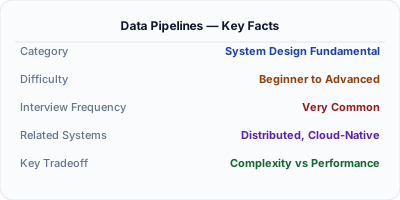
Data pipelines are the automated plumbing that moves data from where it's generated to where it's needed, transforming it along the way. They encompass both batch processing (periodic bulk transfers) and stream processing (continuous real-time flows). While ETL is a specific batch pattern, data pipelines as a concept include Kafka-based streaming, CDC-driven replication, real-time feature stores, and complex multi-stage processing graphs. Modern data infrastructure typically combines both batch and streaming pipelines in a "lambda" or "kappa" architecture.
| Aspect | Details |
|---|---|
| What it is | An automated system that moves data from sources to destinations, combining extraction, transformation, routing, and delivery in batch or streaming mode |
| When to use | Any scenario requiring data movement between systems — analytics, ML feature pipelines, cross-service data synchronization, event processing, or regulatory data feeds |
| When NOT to use | Simple point-to-point integrations where a direct API call suffices, or when data volumes are small enough that manual exports work fine |
| Real-world example | LinkedIn's data pipeline processes over 7 trillion messages per day through Apache Kafka, feeding real-time analytics, search indexing, ML models, and compliance systems simultaneously |
| Interview tip | Distinguish between batch and streaming pipelines, explain when each is appropriate, and describe how the Lambda architecture combines both for comprehensive data processing |
| Common mistake | Building only batch pipelines when the business needs real-time data — or building everything as streaming when simple daily batch jobs would suffice and be much simpler to maintain |
| Key tradeoff | Streaming pipelines provide low-latency data but are significantly more complex to build, test, debug, and operate compared to batch pipelines |
Why This Matters
Data pipelines are the circulatory system of modern data infrastructure. Every organization beyond a certain scale needs to move data between operational databases, analytics warehouses, ML feature stores, search indexes, caches, and third-party systems. Without well-designed pipelines, data becomes siloed, stale, and inconsistent. Understanding pipeline architectures — batch vs streaming, exactly-once vs at-least-once delivery, backpressure handling, and schema evolution — is essential for any engineer building data-intensive systems. In system design interviews, pipelines are often the hidden component that makes the entire system work.
The Building Blocks
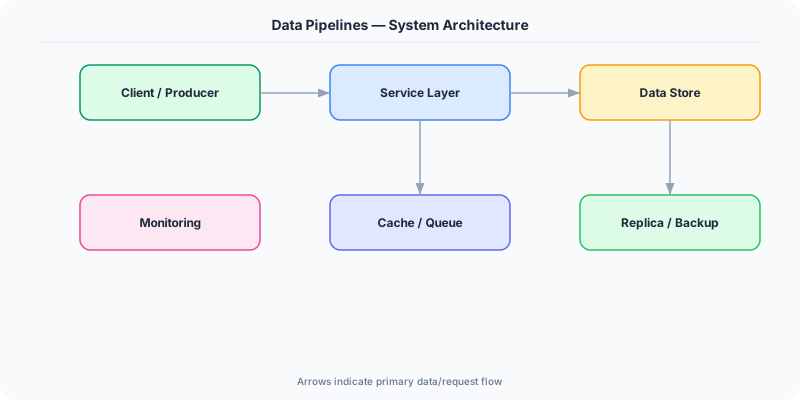
- Batch Processing: Processes data in scheduled intervals (hourly, daily) — simpler to build, test, and debug, but introduces latency. Tools: Apache Spark, dbt, Airflow, AWS Glue.
- Stream Processing: Processes data continuously as events arrive with sub-second latency. Tools: Apache Kafka Streams, Apache Flink, Spark Structured Streaming, AWS Kinesis.
- Exactly-Once Semantics: Guaranteeing each record is processed exactly once (not duplicated, not lost) across failures — the hardest problem in pipeline engineering, solved via idempotent writes and transactional processing.
- Backpressure: When a downstream stage can't keep up with the upstream producer's rate, backpressure mechanisms slow the producer or buffer excess data to prevent data loss or out-of-memory crashes.
- Schema Registry: A centralized store for data schemas (e.g., Confluent Schema Registry) that enforces compatibility between producers and consumers, preventing breaking changes from corrupting downstream pipelines.
Under the Hood
A data pipeline consists of sources, processing stages, and sinks connected by transport mechanisms. In batch pipelines, an orchestrator (Airflow, Dagster) triggers extraction jobs on a schedule. Each job reads from a source, processes data in memory or on distributed compute (Spark), and writes to a sink. The orchestrator manages dependencies, retries, and monitoring. Batch pipelines are transactional — a job either succeeds completely or fails and can be re-run.
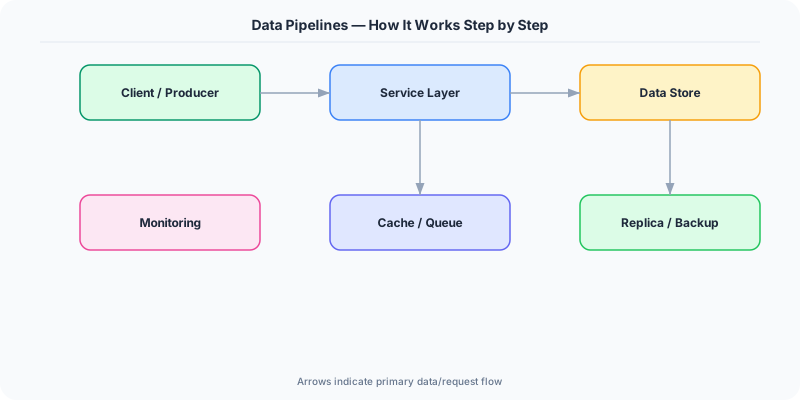
Streaming pipelines use a message broker (Kafka, Pulsar) as the backbone. Producers write events to topics, and consumer groups read from topic partitions in parallel. Each consumer maintains an offset tracking its position in the partition. Processing frameworks like Flink or Kafka Streams provide windowing (tumbling, sliding, session windows), state management (keyed state for aggregations), and checkpointing (snapshots of consumer offsets and state for failure recovery).
The Lambda architecture combines both: a batch layer reprocesses all historical data periodically for accuracy, while a speed layer processes recent events in real-time for low latency. A serving layer merges both views. The Kappa architecture simplifies this by treating everything as a stream — the batch layer is just replaying the stream from the beginning. Modern platforms increasingly adopt Kappa, using Kafka's long retention and Flink's exactly-once processing to handle both real-time and reprocessing workloads with a single pipeline.
How Companies Actually Do This
LinkedIn Processes over 7 trillion messages per day through Apache Kafka (which LinkedIn created), feeding data into Hadoop for analytics, Elasticsearch for search, Pinot for real-time dashboards, and ML models for feed ranking.
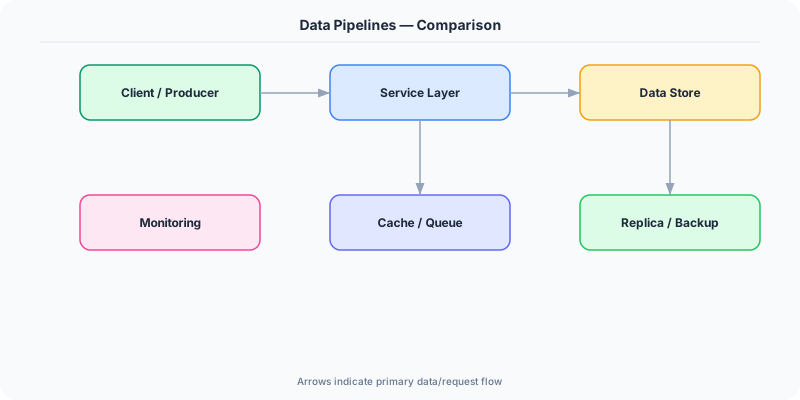
Netflix Operates both batch pipelines (Spark on AWS EMR for content analytics) and streaming pipelines (Flink for real-time personalization), processing billions of events daily to power recommendations and monitor streaming quality.
Uber Their Michelangelo ML platform uses data pipelines that combine batch feature computation (Spark) with real-time feature streaming (Kafka + Flink) to serve ML features for ride pricing, ETA prediction, and fraud detection.
Common Pitfalls
- Not handling late-arriving data — in streaming pipelines, events can arrive out of order; without watermarks and late-data policies, aggregations produce incorrect results or silently drop records
- Coupling producers and consumers — when pipeline stages share schemas tightly, any source change breaks downstream consumers; use a schema registry with backward/forward compatibility rules
- Ignoring pipeline observability — without metrics on throughput, lag, error rates, and processing time per stage, you can't detect silent data loss, growing backlogs, or performance degradation until users report bad data
Interview Questions Worth Practicing
- Design a data pipeline that feeds both a real-time dashboard and a daily analytics report from the same event stream.
- How would you handle exactly-once processing in a Kafka-based pipeline that writes to a database?
- Explain the Lambda and Kappa architectures — what problems do they solve, and when would you choose one over the other?
The Tradeoffs
- Batch vs Streaming: Batch is simpler and cheaper but adds hours of latency; streaming is real-time but significantly more complex to build, test, and operate
- Exactly-Once vs At-Least-Once: Exactly-once semantics prevent duplicates but require transactional processing with higher overhead; at-least-once with idempotent sinks is simpler and often sufficient
- Flexibility vs Governance: Schema-less pipelines are easy to evolve but risk data corruption; schema registries enforce compatibility but add operational overhead and slow down changes
How to Explain This in an Interview
Here is how I would explain Data Pipelines in a system design interview:
Frame data pipelines as the plumbing that moves data between systems. Distinguish batch (scheduled, higher latency, simpler) from streaming (continuous, real-time, complex). For batch, mention orchestrators like Airflow that manage DAGs of extract-transform-load tasks with retries and dependency management. For streaming, explain the Kafka-based pattern: producers write events to topics, consumers process them in parallel using partition-based parallelism, and frameworks like Flink handle windowing, state management, and exactly-once delivery via checkpointing. Discuss the Lambda architecture (batch + speed layers merged in a serving layer) vs Kappa (everything is a stream, batch = replay from beginning). Key operational concerns: exactly-once delivery (idempotent sinks + transactional processing), schema evolution (use a schema registry), backpressure (prevent fast producers from overwhelming slow consumers), and observability (lag monitoring, throughput metrics, data quality checks).
Related Topics
The Real-World Incident That Made This Famous
Understanding Data Pipelines became critical after multiple high-profile production incidents at major tech companies. When systems handle millions of users, even small misunderstandings about Data Pipelines can lead to cascading failures that cost millions in lost revenue and erode user trust. Companies like Netflix, Google, Amazon, and Meta have all invested heavily in mastering Data Pipelines because they learned the hard way that ignoring it leads to outages.
The key lesson from these incidents: Data Pipelines is not just a theoretical concept — it is a practical skill that separates engineers who build resilient systems from those who build fragile ones. Every major outage report from the past decade involves at least one Data Pipelines-related design decision that was either implemented incorrectly or overlooked entirely during the initial architecture review.
How Senior Engineers Think About This
Senior engineers approach Data Pipelines differently from textbook definitions. Instead of memorizing rules, they build mental models. They ask: "What problem does Data Pipelines solve? When does it fail? What are the alternatives?" This problem-first thinking leads to better design decisions because every system has unique constraints.
When evaluating Data Pipelines in a system design context, experienced engineers consider the failure modes first. What happens when this component goes down? How does the system degrade? Is the degradation graceful or catastrophic? These questions reveal more about your understanding than any textbook definition.
The key difference between junior and senior engineers when it comes to Data Pipelines: juniors focus on the happy path, while seniors design for what happens when things go wrong. They consider operational cost, team expertise, monitoring requirements, and how the decision will look six months from now when traffic has grown 10x.
Common Interview Mistakes
Mistake 1: Giving a textbook definition without context. Interviewers want to see you connect Data Pipelines to real systems and real problems. Instead of reciting definitions, explain when and why you would use Data Pipelines in the system you are designing.
Mistake 2: Not discussing trade-offs. Every design decision involving Data Pipelines has trade-offs. Discuss what you gain and what you give up. Acknowledge the downsides and explain why the benefits outweigh them for your specific use case.
Mistake 3: Overcomplicating the solution. Start with the simplest approach to Data Pipelines that meets the requirements, then add complexity only when justified. Many candidates jump to complex implementations when a simpler solution would work perfectly.
Production Checklist
- Define clear metrics for measuring the effectiveness of your Data Pipelines implementation
- Set up monitoring and alerting that specifically tracks Data Pipelines-related failures
- Document your Data Pipelines design decisions in Architecture Decision Records (ADRs)
- Test failure scenarios related to Data Pipelines in staging before production deployment
- Review and update your Data Pipelines implementation quarterly as system requirements evolve
- Train new team members on the specific Data Pipelines patterns used in your system
- Establish runbooks for common Data Pipelines-related incidents and recovery procedures
Practical Implementation for .NET Developers
In .NET, build streaming pipelines with the Confluent.Kafka NuGet package for Kafka producers and consumers. Use System.Threading.Channels for in-process pipeline stages with built-in backpressure. For batch orchestration, Azure Data Factory or custom pipelines with Azure Durable Functions provide reliable execution with checkpointing. Apache Spark on .NET uses Microsoft.Spark for distributed batch processing. For real-time stream processing, use Azure Event Hubs with the Azure.Messaging.EventHubs SDK. MassTransit and NServiceBus provide higher-level abstractions for message-based pipeline stages with sagas and error handling.
ASP.NET Core setup: Create a service class that encapsulates the logic, register it with dependency injection, and inject it into your controllers or minimal API endpoints. The built-in DI container handles lifecycle management.
Entity Framework Core: For database interactions, EF Core provides the ORM layer. Use migrations for schema management and raw SQL for performance-critical queries. Consider Dapper for read-heavy paths where EF Core overhead matters.
Azure integration: If deploying to Azure, leverage managed services — Azure Cache for Redis, Azure SQL, Azure Service Bus, Azure Cosmos DB. These eliminate operational overhead and provide built-in monitoring through Application Insights.
Testing: Use xUnit with Testcontainers for integration tests that spin up real databases in Docker. Mock external dependencies with NSubstitute. The WebApplicationFactory class lets you test your entire HTTP pipeline in-process.
Monitoring: Add Application Insights telemetry to track request latency, dependency calls, and custom metrics. Use structured logging with Serilog to make production debugging possible:
Log.Information("Processing {Operation} for {ResourceId}", operation, resourceId);
This gives you searchable, structured logs in Azure Monitor or Seq.