Data Warehouses
Data warehouses are centralized, schema-on-write analytical databases optimized for complex queries across large volumes of structured, historical data,.
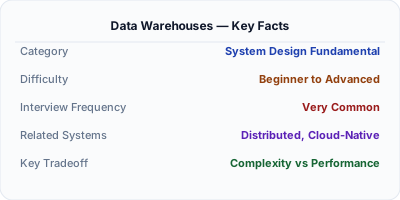
A data warehouse is a centralized analytical database designed for complex queries across large volumes of structured, historical data. Unlike operational databases optimized for transactional reads and writes (OLTP), data warehouses are optimized for analytical queries that scan millions of rows, aggregate data, and join large tables (OLAP). Systems like Snowflake, Google BigQuery, Amazon Redshift, and Azure Synapse use columnar storage, massively parallel processing (MPP), and schema-on-write to deliver fast query performance on terabyte-to-petabyte datasets that power business intelligence dashboards and strategic decisions.
| Aspect | Details |
|---|---|
| What it is | A centralized analytical database using columnar storage and MPP to execute complex queries across terabytes of structured, historical data for business intelligence |
| When to use | Business intelligence dashboards, executive reporting, historical trend analysis, cross-department analytics, and any workload requiring complex aggregations and joins across structured data |
| When NOT to use | Transactional workloads (OLTP), real-time operational queries, storing unstructured data (images, logs), or when data volumes are small enough for a regular PostgreSQL instance |
| Real-world example | Airbnb uses Snowflake as their primary data warehouse, enabling thousands of employees to run analytical queries across booking, pricing, and host data without impacting operational databases |
| Interview tip | Clearly distinguish OLTP vs OLAP — operational databases handle many small read/write transactions; data warehouses handle few complex analytical queries scanning massive datasets |
| Common mistake | Running analytical queries directly against production OLTP databases instead of a warehouse — heavy analytical queries compete with transactional workloads and degrade application performance |
| Key tradeoff | Data warehouses provide fast analytical query performance and governance but require structured schemas, ETL pipelines, and higher per-GB storage costs compared to data lakes |
Why This Matters
Data warehouses exist because operational databases are terrible at analytics. A query like "what was our revenue by product category by quarter for the last 3 years, broken down by region" requires scanning millions of rows with complex joins and aggregations — this would cripple a transactional database serving live user requests. Data warehouses solve this with columnar storage (reads only the columns needed), MPP (distributes query execution across many nodes), and workload isolation (analytics don't affect operations). Understanding data warehouses vs data lakes vs operational databases is a core architectural skill that comes up in nearly every system design discussion involving analytics.
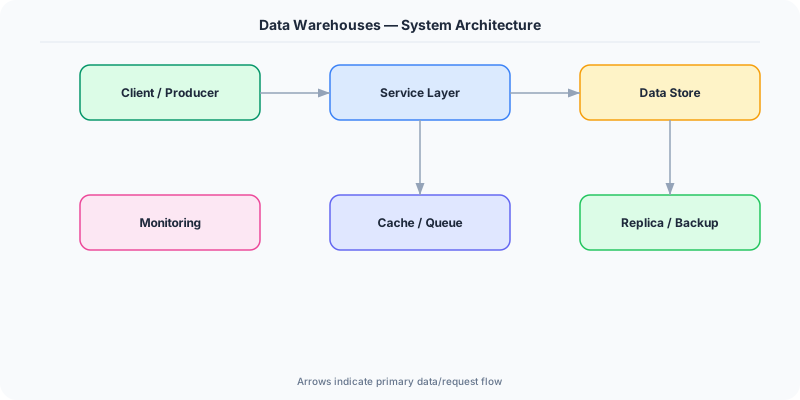
The Building Blocks
- Columnar Storage: Data is stored column-by-column rather than row-by-row, enabling queries to read only needed columns. A query selecting 3 columns from a 100-column table reads 97% less data.
- Massively Parallel Processing: Queries are broken into fragments and executed simultaneously across many compute nodes, enabling a single query to scan terabytes in seconds by distributing the work.
- Star & Snowflake Schema: Data is modeled as fact tables (events/transactions) surrounded by dimension tables (categories, dates, locations) — optimized for analytical joins and aggregations.
- Separation of Storage and Compute: Modern warehouses (Snowflake, BigQuery) decouple storage from compute, allowing independent scaling — store petabytes cheaply and spin up compute only when queries run.
- Workload Isolation: Warehouses provide separate compute clusters (virtual warehouses) for different teams and workloads, ensuring a heavy data science query doesn't slow down the executive dashboard.
Under the Hood
Data warehouses use fundamentally different storage and execution strategies than transactional databases. Data is stored in columnar format — all values for a single column are stored contiguously on disk. This is optimal for analytical queries that typically access a few columns from tables with hundreds of columns. Columnar storage also enables excellent compression because values in the same column tend to be similar (e.g., a status column with 5 possible values compresses to nearly nothing with dictionary or run-length encoding).
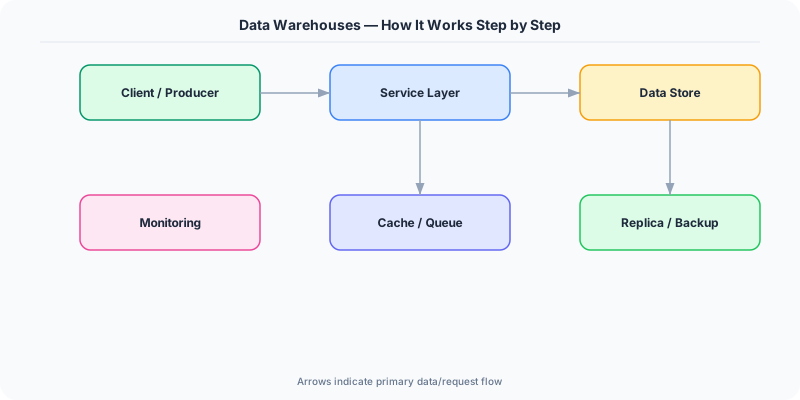
Query execution uses MPP (Massively Parallel Processing). When a query arrives, the optimizer creates an execution plan and distributes fragments across compute nodes. Each node processes its slice of data in parallel — scanning, filtering, and aggregating locally — then the coordinator merges partial results. For a 10TB table scan distributed across 100 nodes, each node scans only 100GB, completing in seconds what would take minutes on a single machine.
Modern cloud warehouses separate storage from compute entirely. Snowflake stores all data in S3/Azure Blob/GCS and spins up ephemeral compute clusters (virtual warehouses) to execute queries. This means you pay for storage continuously (cheap) and compute only when queries run (expensive but elastic). BigQuery goes further with a serverless model — you submit a query and Google provisions exactly the compute needed, billing per byte scanned. This separation enables features like zero-copy cloning (create a copy of a table instantly without duplicating data), time travel (query historical snapshots), and concurrency scaling (automatically adding compute nodes during peak periods).
How Companies Actually Do This
Airbnb Uses Snowflake as their primary data warehouse, processing petabytes of booking, search, and pricing data to power analytics for thousands of employees — from executive dashboards to data science experiments.
Spotify Uses Google BigQuery to analyze petabytes of listening data, enabling features like Spotify Wrapped (which processes an entire year of listening history for 500+ million users in a single batch computation).
Walmart Operates one of the largest Teradata data warehouses to analyze point-of-sale data from 10,500+ stores, optimizing inventory, supply chain decisions, and pricing across millions of SKUs.
Common Pitfalls
- Modeling data like an OLTP system — using normalized schemas with many small tables and foreign keys; warehouses perform best with denormalized star schemas optimized for analytical joins
- Not partitioning large tables — without partitioning by date or other common filter columns, every query scans the full table even when only recent data is needed, wasting compute and money
- Running warehouses as always-on compute — in modern pay-per-query or elastic warehouses (Snowflake, BigQuery), leaving compute running 24/7 wastes money; auto-suspend idle clusters and use serverless where possible
Interview Questions Worth Practicing
- How would you design the data warehouse schema for an e-commerce company that needs to analyze orders, products, customers, and marketing campaigns?
- Explain the difference between OLTP and OLAP databases. Why can't you use one database for both workloads?
- Compare Snowflake, BigQuery, and Redshift — what are the key architectural differences and when would you choose each?
The Tradeoffs
- Structure vs Flexibility: Warehouses enforce schema-on-write for clean, governed data, but adding new data sources requires schema design and ETL pipeline development upfront
- Cost vs Performance: Columnar storage and MPP deliver fast analytical queries but cloud warehouses charge per-query or per-compute-hour, which can be expensive for heavy workloads
- Centralization vs Autonomy: A centralized warehouse provides a single source of truth but can become a bottleneck if one team's ETL pipeline or governance policy blocks another team's access to data
How to Explain This in an Interview
Here is how I would explain Data Warehouses in a system design interview:
Start by contrasting OLTP (operational databases handling many small transactions — fast writes, row-based storage) with OLAP (analytical databases handling few complex queries scanning millions of rows — columnar storage, MPP). Explain columnar storage: storing data by column instead of by row means a query selecting 3 columns from a 100-column table reads 97% less data, and similar values compress extremely well. Describe MPP: queries are split into fragments distributed across compute nodes that process data in parallel — a 10TB scan across 100 nodes means each scans only 100GB. Mention the separation of storage and compute in modern warehouses: Snowflake stores data in S3 and spins up ephemeral compute clusters, so you pay for storage always and compute only when needed. Discuss schema design: star schemas with fact tables (events) and dimension tables (categories) are the standard pattern. Close with the data warehouse vs data lake distinction: warehouses are for structured analytics with governance, lakes are for raw data storage with flexibility, and lakehouses aim to combine both.
Related Topics
The Real-World Incident That Made This Famous
Understanding Data Warehouses became critical after multiple high-profile production incidents at major tech companies. When systems handle millions of users, even small misunderstandings about Data Warehouses can lead to cascading failures that cost millions in lost revenue and erode user trust. Companies like Netflix, Google, Amazon, and Meta have all invested heavily in mastering Data Warehouses because they learned the hard way that ignoring it leads to outages.
The key lesson from these incidents: Data Warehouses is not just a theoretical concept — it is a practical skill that separates engineers who build resilient systems from those who build fragile ones. Every major outage report from the past decade involves at least one Data Warehouses-related design decision that was either implemented incorrectly or overlooked entirely during the initial architecture review.
How Senior Engineers Think About This
Senior engineers approach Data Warehouses differently from textbook definitions. Instead of memorizing rules, they build mental models. They ask: "What problem does Data Warehouses solve? When does it fail? What are the alternatives?" This problem-first thinking leads to better design decisions because every system has unique constraints.
When evaluating Data Warehouses in a system design context, experienced engineers consider the failure modes first. What happens when this component goes down? How does the system degrade? Is the degradation graceful or catastrophic? These questions reveal more about your understanding than any textbook definition.
The key difference between junior and senior engineers when it comes to Data Warehouses: juniors focus on the happy path, while seniors design for what happens when things go wrong. They consider operational cost, team expertise, monitoring requirements, and how the decision will look six months from now when traffic has grown 10x.
Common Interview Mistakes
Mistake 1: Giving a textbook definition without context. Interviewers want to see you connect Data Warehouses to real systems and real problems. Instead of reciting definitions, explain when and why you would use Data Warehouses in the system you are designing.
Mistake 2: Not discussing trade-offs. Every design decision involving Data Warehouses has trade-offs. Discuss what you gain and what you give up. Acknowledge the downsides and explain why the benefits outweigh them for your specific use case.
Mistake 3: Overcomplicating the solution. Start with the simplest approach to Data Warehouses that meets the requirements, then add complexity only when justified. Many candidates jump to complex implementations when a simpler solution would work perfectly.
Production Checklist
- Define clear metrics for measuring the effectiveness of your Data Warehouses implementation
- Set up monitoring and alerting that specifically tracks Data Warehouses-related failures
- Document your Data Warehouses design decisions in Architecture Decision Records (ADRs)
- Test failure scenarios related to Data Warehouses in staging before production deployment
- Review and update your Data Warehouses implementation quarterly as system requirements evolve
- Train new team members on the specific Data Warehouses patterns used in your system
- Establish runbooks for common Data Warehouses-related incidents and recovery procedures
Practical Implementation for .NET Developers
In .NET, connect to data warehouses via standard database drivers — Microsoft.Data.SqlClient for Azure Synapse, Npgsql for PostgreSQL-based warehouses like Amazon Redshift (mostly compatible), or the Snowflake.Data NuGet package for Snowflake. For BigQuery, use Google.Cloud.BigQuery.V2. EF Core can map read-only entities to warehouse tables for analytics APIs. Use Dapper for lightweight query execution when EF's overhead isn't justified. For loading data, most warehouses support bulk loading from cloud storage — upload Parquet files to S3/Blob storage via AWSSDK.S3 or Azure.Storage.Blobs, then trigger a warehouse COPY command.
ASP.NET Core setup: Create a service class that encapsulates the logic, register it with dependency injection, and inject it into your controllers or minimal API endpoints. The built-in DI container handles lifecycle management.
Entity Framework Core: For database interactions, EF Core provides the ORM layer. Use migrations for schema management and raw SQL for performance-critical queries. Consider Dapper for read-heavy paths where EF Core overhead matters.
Azure integration: If deploying to Azure, leverage managed services — Azure Cache for Redis, Azure SQL, Azure Service Bus, Azure Cosmos DB. These eliminate operational overhead and provide built-in monitoring through Application Insights.
Testing: Use xUnit with Testcontainers for integration tests that spin up real databases in Docker. Mock external dependencies with NSubstitute. The WebApplicationFactory class lets you test your entire HTTP pipeline in-process.
Monitoring: Add Application Insights telemetry to track request latency, dependency calls, and custom metrics. Use structured logging with Serilog to make production debugging possible:
Log.Information("Processing {Operation} for {ResourceId}", operation, resourceId);
This gives you searchable, structured logs in Azure Monitor or Seq.