Capacity Planning
Capacity planning estimates future resource needs (CPU, memory, storage, bandwidth) based on traffic projections, ensuring the system can handle growth.
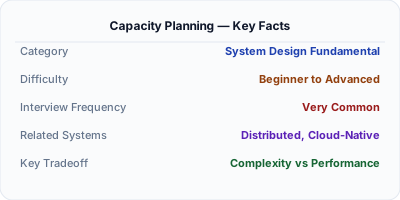
Capacity planning answers: how many servers, how much storage, and how much bandwidth will this system need in 6 months? In system design interviews, this is the "back of the envelope estimation" step. You start with expected traffic (1M DAU), derive QPS (1M × 10 requests / 86,400 seconds = ~115 QPS average, ~350 QPS peak), then calculate storage (1M users × 1KB profile = 1GB, growing 10% monthly). Under-provision and the system crashes during peak traffic. Over-provision and you waste infrastructure budget.
| Aspect | Details |
|---|---|
| What it is | The process of estimating future compute, storage, and network resources based on traffic projections and growth models |
| When to use | System design interviews (back-of-envelope), infrastructure budgeting, pre-launch scaling, SLA capacity guarantees |
| When NOT to use | Serverless architectures where capacity scales automatically, or early-stage startups where traffic is unpredictable |
| Real-world example | Netflix capacity-plans for 100M+ concurrent streams during peak hours, provisioning GPU transcoders months in advance |
| Interview tip | Show the calculation chain: DAU → QPS → storage → bandwidth → server count. Interviewers want to see your reasoning process. |
| Common mistake | Planning for average traffic instead of peak — systems must handle 3-10x the average during spikes (Black Friday, viral events) |
| Key tradeoff | Precision vs speed — interviewers want reasonable estimates in 5 minutes, not exact numbers that take an hour to calculate |
Why This Matters
Every system design interview includes capacity estimation. The interviewer is not looking for exact numbers — they want to see your reasoning process. Can you convert DAU to QPS? Can you estimate storage growth? Can you identify the bottleneck (CPU, memory, disk, network)? Capacity planning also matters in production: Netflix provisions transcoding capacity months before expected subscriber growth, and AWS engineers plan EC2 fleet sizes for Prime Day six months in advance.
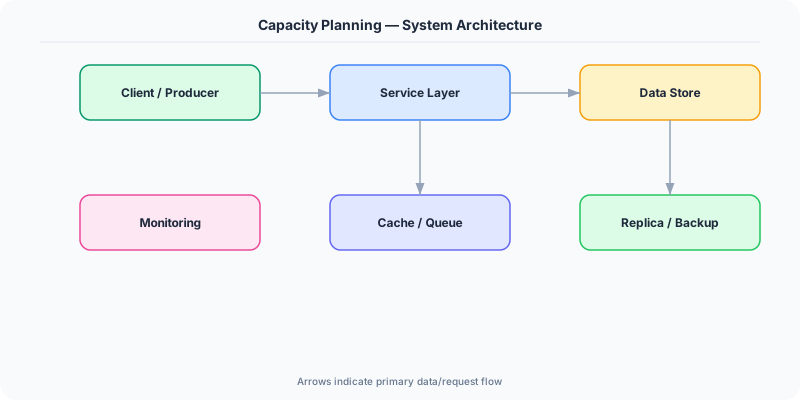
The Building Blocks
- Traffic Estimation: Convert DAU (daily active users) to QPS. Formula: QPS = DAU × actions_per_user / 86,400. Peak QPS is typically 2-3x average. Seasonal events (Black Friday) can be 10x.
- Storage Estimation: Calculate data per user × total users × retention period. Example: 1M users × 5KB/day × 365 days = 1.8TB/year. Include replication factor (3x for durability).
- Bandwidth Estimation: QPS × average response size = bandwidth. 1000 QPS × 10KB response = 10MB/s = 80Mbps. Add 20% overhead for TCP/TLS headers.
- Compute Estimation: If one server handles 1000 QPS, and peak is 10,000 QPS, you need 10 servers + 50% headroom = 15 servers. Account for redundancy (N+2 for high availability).
- Growth Modeling: Estimate growth rate (10% monthly, 2x yearly) and plan capacity 6-12 months ahead. Use auto-scaling for elastic demand and reserved instances for baseline load.
Under the Hood
A structured approach to capacity planning in a system design interview: Start with the requirements — 10M monthly active users, 1M DAU. Each user makes 20 requests per day. That is 20M requests per day, or ~230 QPS average. Peak traffic is 3x: ~700 QPS. If each request takes 50ms of server CPU time, one core handles 20 QPS. 700 QPS needs 35 cores. With 8-core servers, that is 5 servers. Add 50% headroom: 8 servers.
For storage: if each user generates 10KB of data per day, that is 10M users × 10KB = 100GB per day, or 36TB per year. With 3x replication, you need 108TB of disk. At $0.08/GB/month for SSD, that is $8,640/month.
For bandwidth: 700 QPS × 5KB average response = 3.5MB/s = 28Mbps. This is negligible for modern infrastructure. The bottleneck is almost never bandwidth — it is usually CPU (computation) or IOPS (database).
The critical insight: identify the bottleneck. If the database handles 5,000 QPS with proper indexing, and your peak is 700 QPS, the database is not the bottleneck. Focus capacity planning on whatever hits its limit first.
How Companies Actually Do This
Netflix capacity-plans 6 months ahead for subscriber growth and seasonal peaks (holidays, new show releases). They pre-provision GPU transcoding capacity because it cannot scale instantly.
Amazon plans infrastructure for Prime Day starting in January. The 2023 Prime Day handled 375M items sold in 48 hours, requiring pre-provisioned capacity far beyond normal daily traffic.
Google designs data centers 2-3 years ahead of demand. Their capacity planning considers not just current growth rates but projected growth of new products (AI/ML workloads).
Common Pitfalls
- Planning for average traffic instead of peak — a system that handles average load but crashes at 3x during Black Friday is a capacity planning failure
- Ignoring storage growth — compute scales easily with auto-scaling, but database storage grows linearly and requires proactive planning (sharding, archival, compression)
- Over-precision in interviews — spending 10 minutes calculating exact bytes instead of using round numbers and showing the reasoning process
Interview Questions Worth Practicing
- Estimate the storage and bandwidth needs for a URL shortener handling 100M URLs per month.
- How would you capacity-plan for a chat application with 50M daily active users?
- What is the difference between planning for average load vs peak load, and why does it matter?
The Tradeoffs
- Over-provisioning vs Under-provisioning: Over-provisioning wastes money but ensures reliability. Under-provisioning saves money but risks outages during traffic spikes. Most teams aim for 50-70% utilization.
- Reserved vs On-Demand: Reserved instances are 40-60% cheaper but require commitment. On-demand handles unpredictable spikes but costs more. Hybrid: reserved for baseline, on-demand for peaks.
- Precision vs Speed: Detailed capacity models take weeks to build but are accurate. Quick estimates take minutes and are directionally correct. In interviews, quick estimates with clear reasoning win.
How to Explain This in an Interview
Here is how I would explain Capacity Planning in a system design interview:
Capacity planning is estimating how many resources a system needs now and in the future. In an interview, I follow a structured chain: start with DAU, derive QPS (DAU × requests_per_user / 86,400), multiply by average payload size for storage and bandwidth, then calculate server count based on single-server throughput. I always plan for peak (3x average) and add 50% headroom. For example, a URL shortener with 100M monthly users: that is ~3.3M DAU, ~40 QPS for writes and ~4000 QPS for reads (100:1 read/write ratio). Each URL entry is ~500 bytes, so 100M URLs = 50GB. Reads are cacheable, so a Redis layer handles 90% of read traffic. The key insight I emphasize: identify the bottleneck first — it is usually IOPS or CPU, not bandwidth.
Related Topics
The Real-World Incident That Made This Famous
Understanding Capacity Planning became critical after multiple high-profile production incidents at major tech companies. When systems handle millions of users, even small misunderstandings about Capacity Planning can lead to cascading failures that cost millions in lost revenue and erode user trust. Companies like Netflix, Google, Amazon, and Meta have all invested heavily in mastering Capacity Planning because they learned the hard way that ignoring it leads to outages.
The key lesson from these incidents: Capacity Planning is not just a theoretical concept — it is a practical skill that separates engineers who build resilient systems from those who build fragile ones. Every major outage report from the past decade involves at least one Capacity Planning-related design decision that was either implemented incorrectly or overlooked entirely during the initial architecture review.
How Senior Engineers Think About This
Senior engineers approach Capacity Planning differently from textbook definitions. Instead of memorizing rules, they build mental models. They ask: "What problem does Capacity Planning solve? When does it fail? What are the alternatives?" This problem-first thinking leads to better design decisions because every system has unique constraints.
When evaluating Capacity Planning in a system design context, experienced engineers consider the failure modes first. What happens when this component goes down? How does the system degrade? Is the degradation graceful or catastrophic? These questions reveal more about your understanding than any textbook definition.
The key difference between junior and senior engineers when it comes to Capacity Planning: juniors focus on the happy path, while seniors design for what happens when things go wrong. They consider operational cost, team expertise, monitoring requirements, and how the decision will look six months from now when traffic has grown 10x.
Common Interview Mistakes
Mistake 1: Giving a textbook definition without context. Interviewers want to see you connect Capacity Planning to real systems and real problems. Instead of reciting definitions, explain when and why you would use Capacity Planning in the system you are designing.
Mistake 2: Not discussing trade-offs. Every design decision involving Capacity Planning has trade-offs. Discuss what you gain and what you give up. Acknowledge the downsides and explain why the benefits outweigh them for your specific use case.
Mistake 3: Overcomplicating the solution. Start with the simplest approach to Capacity Planning that meets the requirements, then add complexity only when justified. Many candidates jump to complex implementations when a simpler solution would work perfectly.
Production Checklist
- Define clear metrics for measuring the effectiveness of your Capacity Planning implementation
- Set up monitoring and alerting that specifically tracks Capacity Planning-related failures
- Document your Capacity Planning design decisions in Architecture Decision Records (ADRs)
- Test failure scenarios related to Capacity Planning in staging before production deployment
- Review and update your Capacity Planning implementation quarterly as system requirements evolve
- Train new team members on the specific Capacity Planning patterns used in your system
- Establish runbooks for common Capacity Planning-related incidents and recovery procedures
Practical Implementation for .NET Developers
In .NET, use BenchmarkDotNet to measure single-request latency and throughput. Use Application Insights to track real production QPS, P99 latency, and resource utilization. For load testing, NBomber (a .NET load testing framework) simulates traffic patterns. Azure Auto Scale with VMSS handles elastic compute. For capacity modeling, Azure Advisor provides right-sizing recommendations based on actual utilization metrics from Azure Monitor.
ASP.NET Core setup: Create a service class that encapsulates the logic, register it with dependency injection, and inject it into your controllers or minimal API endpoints. The built-in DI container handles lifecycle management.
Entity Framework Core: For database interactions, EF Core provides the ORM layer. Use migrations for schema management and raw SQL for performance-critical queries. Consider Dapper for read-heavy paths where EF Core overhead matters.
Azure integration: If deploying to Azure, leverage managed services — Azure Cache for Redis, Azure SQL, Azure Service Bus, Azure Cosmos DB. These eliminate operational overhead and provide built-in monitoring through Application Insights.
Testing: Use xUnit with Testcontainers for integration tests that spin up real databases in Docker. Mock external dependencies with NSubstitute. The WebApplicationFactory class lets you test your entire HTTP pipeline in-process.
Monitoring: Add Application Insights telemetry to track request latency, dependency calls, and custom metrics. Use structured logging with Serilog to make production debugging possible:
Log.Information("Processing {Operation} for {ResourceId}", operation, resourceId);
This gives you searchable, structured logs in Azure Monitor or Seq.