Feature Flags
Feature flags toggle functionality on or off at runtime without code deployment. They enable trunk-based development, A/B testing, gradual rollouts, and.
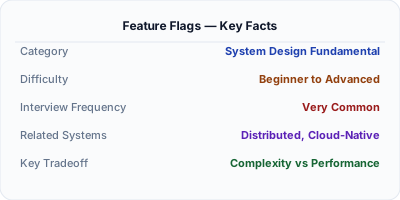
Feature flags (feature toggles) let you enable or disable functionality at runtime without deploying new code. A payment redesign ships behind a flag: internal users see it first, then beta users, then 1% of traffic, then everyone. If it breaks, flip the flag off instantly — no rollback deployment needed. Feature flags enable trunk-based development (no long-lived branches), A/B testing (show variant A to 50%, variant B to 50%), and operational kill switches (disable expensive features during peak load). Every major tech company uses them.
| Aspect | Details |
|---|---|
| What it is | Configuration switches that control whether a feature is active for specific users, percentages, or conditions — changeable at runtime without deployment |
| When to use | Progressive rollouts, A/B testing, trunk-based development, kill switches for operational safety, multi-tenant feature gating |
| When NOT to use | Stable features that do not need toggling — flags left in the code forever become technical debt (flag fatigue) |
| Real-world example | Facebook evaluates feature flags 10 trillion times per day via their Gatekeeper system, controlling every aspect of the user experience |
| Interview tip | Discuss flag lifecycle: create, test, roll out, clean up. Emphasize that flags are temporary — permanent flags become technical debt |
| Common mistake | Never cleaning up old flags — stale flags accumulate, making code harder to read and increasing the risk of flag conflicts |
| Key tradeoff | Deployment velocity and safety vs code complexity from conditional branches and the operational cost of managing flag state |
Why This Matters
Without feature flags, deploying code means releasing it to all users simultaneously. If it breaks, you need a full rollback. Feature flags decouple deployment from release: code ships but is hidden behind a flag. This enables continuous deployment (merge to main, deploy daily), safe experimentation (A/B test pricing changes), and operational safety (turn off recommendation engine during Black Friday to save database load). Facebook, Google, and Netflix evaluate billions of flag decisions per day.
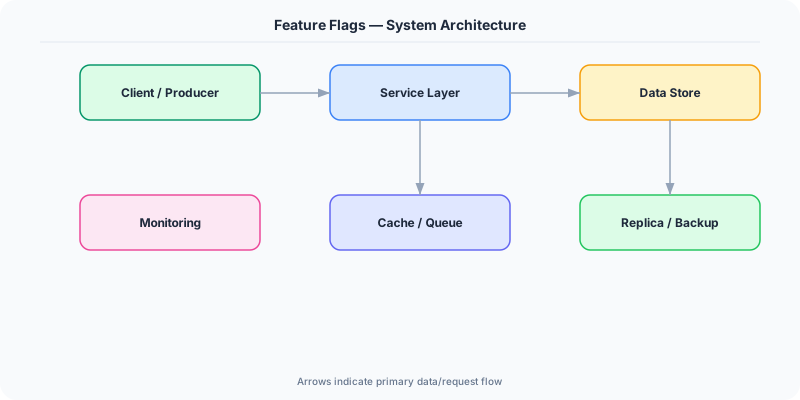
The Building Blocks
- Boolean Flags: Simple on/off switches. The simplest flag type: isNewCheckoutEnabled = true/false. Controls whether the new checkout flow is active.
- Percentage Rollout: Flags that activate for a percentage of users. Start at 1%, monitor, increase to 10%, 50%, 100%. Uses consistent hashing so the same user always sees the same variant.
- User Targeting: Flags active for specific users, groups, or attributes. Enable for internal employees first, then beta users, then specific regions, then everyone.
- A/B Testing: Flags that split users into variants (control vs treatment) to measure the impact of a change on business metrics (conversion rate, revenue, engagement).
- Kill Switches: Flags designed for instant deactivation of expensive or non-critical features during incidents. Turn off recommendations during database overload.
Under the Hood
A feature flag system consists of a flag store (database or service like LaunchDarkly), an SDK in each application that evaluates flags, and a management UI for operations. When code reaches a flag check, the SDK evaluates the flag's rules against the current context (user ID, region, percentage bucket).
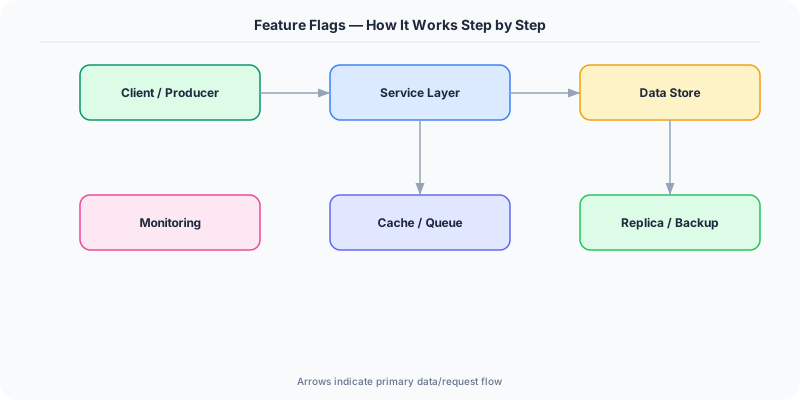
For percentage rollout, the SDK hashes the user ID to a number between 0-100. If the flag is set to 25%, users whose hash is 0-25 see the feature. This is deterministic — the same user always sees the same result. When the percentage increases to 50%, users 0-25 still see the feature (no disruption), and users 25-50 now see it too. This consistent hashing prevents users from flipping between variants.
The critical operational concern is flag evaluation performance. Facebook evaluates flags 10 trillion times per day — the SDK must be fast. Most SDKs cache the flag configuration locally and evaluate in-memory (microseconds). Configuration updates are pushed via streaming (SSE or WebSocket) so changes take effect within seconds, not on the next poll interval. For latency-critical paths, the local cache is essential — never call the flag service on the hot path.
How Companies Actually Do This
Facebook Gatekeeper evaluates 10 trillion flag decisions per day. Every feature, experiment, and operational control is managed through feature flags, from news feed algorithms to UI changes.
Netflix uses feature flags for every deployment. Their system supports percentage rollouts, user targeting, and A/B testing. Kill switches disable non-essential features during infrastructure incidents.
Google uses Experiments framework for feature flags and A/B testing across all products. Chrome, Search, and YouTube all gate features behind flags before full release.
Common Pitfalls
- Leaving old flags in the code indefinitely — after full rollout, remove the flag and its conditional branches. Stale flags create code complexity and potential conflicts
- Using feature flags for long-term configuration — flags should be temporary (weeks to months). Permanent configuration belongs in config files or environment variables
- Not testing both flag states — if the flag is off in production but never tested in CI, the 'off' path may be broken when you need to use it as a kill switch
Interview Questions Worth Practicing
- How would you implement feature flags for a service handling 100K requests per second?
- What is the lifecycle of a feature flag, and how do you prevent flag accumulation?
- How do feature flags enable both A/B testing and operational safety?
The Tradeoffs
- Deployment Safety vs Code Complexity: Flags enable instant rollback and gradual rollout, but every flag adds a conditional branch. With 50 active flags, the code has 2^50 possible states.
- Speed vs Governance: Self-service flag creation lets teams move fast, but without governance (naming conventions, expiry dates, ownership), flags accumulate into unmaintainable mess.
- Client-Side vs Server-Side: Client-side flags enable instant UI changes without API calls but expose flag names to users. Server-side flags are more secure but require API round-trips.
How to Explain This in an Interview
Here is how I would explain Feature Flags in a system design interview:
Feature flags let you toggle functionality at runtime without deployment. I would implement them as a three-layer system: a flag store (LaunchDarkly or a Redis-backed service), an in-app SDK that caches flags locally for microsecond evaluation, and a management UI. For a rollout, I start the flag at 0%, enable for internal users, then gradually increase to 1%, 10%, 100% using consistent hashing so users do not flip between variants. For operational safety, I use kill switches that disable non-critical features (recommendations, analytics) during incidents to reduce database load. The critical discipline is flag hygiene: every flag has an owner and expiry date. After full rollout, the flag and its conditional branches are removed. Stale flags are the primary cost of this pattern.
Related Topics
The Real-World Incident That Made This Famous
Understanding Feature Flags became critical after multiple high-profile production incidents at major tech companies. When systems handle millions of users, even small misunderstandings about Feature Flags can lead to cascading failures that cost millions in lost revenue and erode user trust. Companies like Netflix, Google, Amazon, and Meta have all invested heavily in mastering Feature Flags because they learned the hard way that ignoring it leads to outages.
The key lesson from these incidents: Feature Flags is not just a theoretical concept — it is a practical skill that separates engineers who build resilient systems from those who build fragile ones. Every major outage report from the past decade involves at least one Feature Flags-related design decision that was either implemented incorrectly or overlooked entirely during the initial architecture review.
How Senior Engineers Think About This
Senior engineers approach Feature Flags differently from textbook definitions. Instead of memorizing rules, they build mental models. They ask: "What problem does Feature Flags solve? When does it fail? What are the alternatives?" This problem-first thinking leads to better design decisions because every system has unique constraints.
When evaluating Feature Flags in a system design context, experienced engineers consider the failure modes first. What happens when this component goes down? How does the system degrade? Is the degradation graceful or catastrophic? These questions reveal more about your understanding than any textbook definition.
The key difference between junior and senior engineers when it comes to Feature Flags: juniors focus on the happy path, while seniors design for what happens when things go wrong. They consider operational cost, team expertise, monitoring requirements, and how the decision will look six months from now when traffic has grown 10x.
Common Interview Mistakes
Mistake 1: Giving a textbook definition without context. Interviewers want to see you connect Feature Flags to real systems and real problems. Instead of reciting definitions, explain when and why you would use Feature Flags in the system you are designing.
Mistake 2: Not discussing trade-offs. Every design decision involving Feature Flags has trade-offs. Discuss what you gain and what you give up. Acknowledge the downsides and explain why the benefits outweigh them for your specific use case.
Mistake 3: Overcomplicating the solution. Start with the simplest approach to Feature Flags that meets the requirements, then add complexity only when justified. Many candidates jump to complex implementations when a simpler solution would work perfectly.
Production Checklist
- Define clear metrics for measuring the effectiveness of your Feature Flags implementation
- Set up monitoring and alerting that specifically tracks Feature Flags-related failures
- Document your Feature Flags design decisions in Architecture Decision Records (ADRs)
- Test failure scenarios related to Feature Flags in staging before production deployment
- Review and update your Feature Flags implementation quarterly as system requirements evolve
- Train new team members on the specific Feature Flags patterns used in your system
- Establish runbooks for common Feature Flags-related incidents and recovery procedures
Practical Implementation for .NET Developers
In .NET, use Microsoft.FeatureManagement for built-in feature flag support. Define flags in appsettings.json or Azure App Configuration. Use [FeatureGate("NewCheckout")] on controllers or IFeatureManager.IsEnabledAsync("NewCheckout") in code. For percentage rollout, implement IFeatureFilter with consistent hashing. For cloud-scale flags, Azure App Configuration provides centralized management with real-time updates via IConfigurationRefresher. LaunchDarkly's .NET SDK provides streaming updates, A/B testing, and user targeting out of the box.
ASP.NET Core setup: Create a service class that encapsulates the logic, register it with dependency injection, and inject it into your controllers or minimal API endpoints. The built-in DI container handles lifecycle management.
Entity Framework Core: For database interactions, EF Core provides the ORM layer. Use migrations for schema management and raw SQL for performance-critical queries. Consider Dapper for read-heavy paths where EF Core overhead matters.
Azure integration: If deploying to Azure, leverage managed services — Azure Cache for Redis, Azure SQL, Azure Service Bus, Azure Cosmos DB. These eliminate operational overhead and provide built-in monitoring through Application Insights.
Testing: Use xUnit with Testcontainers for integration tests that spin up real databases in Docker. Mock external dependencies with NSubstitute. The WebApplicationFactory class lets you test your entire HTTP pipeline in-process.
Monitoring: Add Application Insights telemetry to track request latency, dependency calls, and custom metrics. Use structured logging with Serilog to make production debugging possible:
Log.Information("Processing {Operation} for {ResourceId}", operation, resourceId);
This gives you searchable, structured logs in Azure Monitor or Seq.