Canary Release
Canary release gradually rolls out a new version to a small percentage of users first, monitoring for issues before expanding to 100%, reducing the blast.
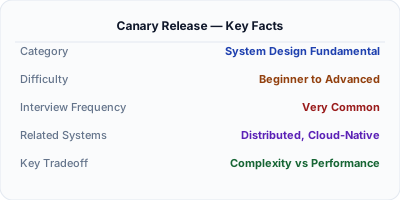
Canary release deploys a new version to a small percentage of users (1-5%) while the majority stays on the current version. If metrics look healthy — error rate, latency, business KPIs — the rollout gradually expands: 5%, 25%, 50%, 100%. If anything degrades, the canary is killed and all traffic returns to the stable version. Named after coal mine canaries that detected danger before miners, this pattern minimizes the blast radius of bad deployments.
| Aspect | Details |
|---|---|
| What it is | A progressive deployment strategy that routes a small percentage of traffic to the new version, expanding gradually based on health metrics |
| When to use | User-facing deployments where bad releases could impact millions of users — web apps, mobile backends, API services |
| When NOT to use | Infrastructure changes where partial deployment does not make sense, or when the change is too small to justify gradual rollout |
| Real-world example | Google deploys all production changes via canary — 0.1% of traffic first, monitored for 30 minutes, then expanding in stages over hours |
| Interview tip | Describe the automated metrics that trigger rollback: error rate, P99 latency, conversion rate — not just 'we watch dashboards' |
| Common mistake | Using canary without automated rollback criteria — manual monitoring at 3 AM leads to slow detection and human error |
| Key tradeoff | Safety of gradual rollout vs speed of full deployment and complexity of traffic splitting infrastructure |
Why This Matters
A bad deployment to 100% of users causes a full outage. A bad deployment to 1% of users is a minor incident. Canary releases reduce the blast radius from full outage to small degradation. Google, Facebook, and Netflix all use automated canary analysis to gate every production deployment. The system compares canary metrics (error rate, latency, CPU usage) against the baseline and automatically promotes or kills the canary. This eliminates the human judgment bottleneck and catches issues that only manifest under real production traffic.
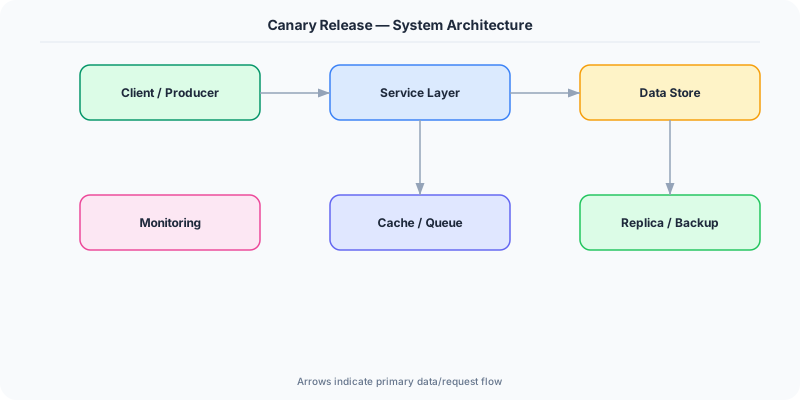
The Building Blocks
- Traffic Splitting: The load balancer or service mesh routes a configurable percentage of traffic to the canary. Weighted routing rules direct 1% to the new version and 99% to the current.
- Canary Analysis: Automated comparison of canary metrics vs baseline. If the canary's error rate is >1.5x the baseline, the rollout is halted and rolled back automatically.
- Progressive Rollout: A multi-step promotion schedule: 1% → 5% → 25% → 50% → 100%. Each step requires passing the analysis criteria for a specified duration (e.g., 10 minutes per step).
- Metric Collection: Real-time metrics from both canary and baseline instances: HTTP error rates, P50/P99 latency, CPU/memory usage, business KPIs (conversion rate, click-through).
- Automated Rollback: If canary analysis detects degradation, the system automatically routes 100% of traffic back to the stable version without human intervention.
Under the Hood
The rollout starts by deploying the new version to a small instance pool (the canary). The load balancer (or service mesh like Istio) is configured to send 1% of traffic to the canary pool and 99% to the baseline. Both pools report metrics to the same monitoring system.
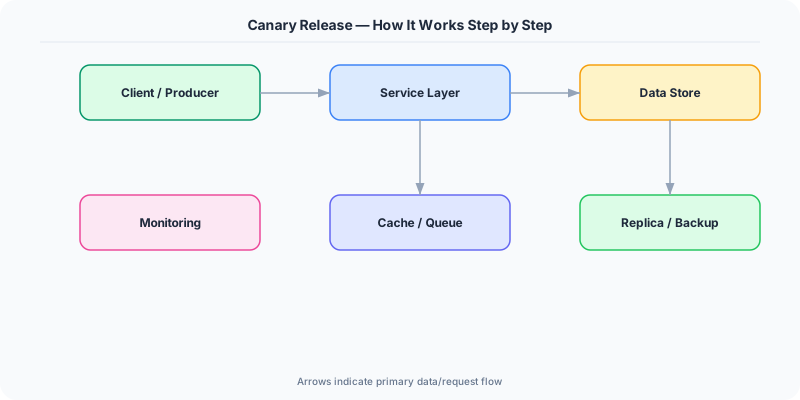
The canary analysis engine compares metrics over a time window (typically 10-30 minutes per stage). For each metric (error rate, P99 latency, success rate), it tests whether the canary is statistically worse than the baseline. A common approach uses Mann-Whitney U-test: if the canary's latency distribution is significantly higher than the baseline's, the canary fails. Netflix's Kayenta uses this approach to eliminate false positives from normal variance.
If the canary passes all criteria, the system promotes to the next stage: 5% traffic. The process repeats at each stage. If any stage fails, traffic is immediately routed 100% to the baseline, and the canary instances are terminated. The entire rollout — from 1% to 100% — typically takes 1-4 hours for critical services, ensuring thorough validation at each stage.
How Companies Actually Do This
Google uses automated canary analysis for all production deployments. Their Canarying tool tests 0.1% of traffic for 30 minutes with statistical analysis before allowing promotion to wider rollout.
Netflix built Kayenta, an open-source automated canary analysis tool. It compares canary metrics against baseline using statistical tests and automatically approves or rejects the deployment.
Facebook uses their Gatekeeper system for progressive rollout. New features start at 0.1% of users (a single data center), expand region by region, and reach 100% over days.
Common Pitfalls
- Setting the canary percentage too high initially — if 20% of traffic hits a buggy canary, that is a significant incident, not a canary test
- Comparing canary metrics against itself instead of the baseline — you need a control group (baseline) to detect relative degradation, not absolute thresholds
- Not including business metrics in canary analysis — the canary might have normal error rates but a 10% drop in conversion rate that technical metrics miss
Interview Questions Worth Practicing
- How would you set up automated canary analysis for a microservice deployment?
- What metrics would you include in canary analysis beyond error rates?
- How do you handle canary deployments for stateful services or database migrations?
The Tradeoffs
- Safety vs Speed: Gradual rollout with analysis at each stage catches issues early, but a full deployment takes hours instead of minutes.
- Blast Radius vs Confidence: Small canary percentages (1%) limit blast radius but may not surface issues that only appear at higher traffic volumes (race conditions, cache effects).
- Automated vs Manual: Automated canary analysis removes human judgment (faster, more consistent) but may miss subtle issues that require human interpretation (UX regressions, data quality).
How to Explain This in an Interview
Here is how I would explain Canary Release in a system design interview:
Canary release deploys a new version to a small percentage of users first, expanding gradually based on health metrics. I start with 1% of traffic to the canary, compare its error rate and P99 latency against the baseline using statistical analysis, and if healthy, promote to 5%, 25%, 50%, 100%. Each stage has a 15-minute evaluation window. If the canary's error rate is 1.5x worse than baseline, automated rollback kicks in immediately. This limits blast radius: a bad deployment affects 1% of users for 15 minutes instead of 100% of users for however long it takes a human to notice. I include business metrics too — conversion rate, not just error rate — because a silently broken feature has healthy error rates but destroys revenue.
Related Topics
The Real-World Incident That Made This Famous
Understanding Canary Release became critical after multiple high-profile production incidents at major tech companies. When systems handle millions of users, even small misunderstandings about Canary Release can lead to cascading failures that cost millions in lost revenue and erode user trust. Companies like Netflix, Google, Amazon, and Meta have all invested heavily in mastering Canary Release because they learned the hard way that ignoring it leads to outages.
The key lesson from these incidents: Canary Release is not just a theoretical concept — it is a practical skill that separates engineers who build resilient systems from those who build fragile ones. Every major outage report from the past decade involves at least one Canary Release-related design decision that was either implemented incorrectly or overlooked entirely during the initial architecture review.
How Senior Engineers Think About This
Senior engineers approach Canary Release differently from textbook definitions. Instead of memorizing rules, they build mental models. They ask: "What problem does Canary Release solve? When does it fail? What are the alternatives?" This problem-first thinking leads to better design decisions because every system has unique constraints.
When evaluating Canary Release in a system design context, experienced engineers consider the failure modes first. What happens when this component goes down? How does the system degrade? Is the degradation graceful or catastrophic? These questions reveal more about your understanding than any textbook definition.
The key difference between junior and senior engineers when it comes to Canary Release: juniors focus on the happy path, while seniors design for what happens when things go wrong. They consider operational cost, team expertise, monitoring requirements, and how the decision will look six months from now when traffic has grown 10x.
Common Interview Mistakes
Mistake 1: Giving a textbook definition without context. Interviewers want to see you connect Canary Release to real systems and real problems. Instead of reciting definitions, explain when and why you would use Canary Release in the system you are designing.
Mistake 2: Not discussing trade-offs. Every design decision involving Canary Release has trade-offs. Discuss what you gain and what you give up. Acknowledge the downsides and explain why the benefits outweigh them for your specific use case.
Mistake 3: Overcomplicating the solution. Start with the simplest approach to Canary Release that meets the requirements, then add complexity only when justified. Many candidates jump to complex implementations when a simpler solution would work perfectly.
Production Checklist
- Define clear metrics for measuring the effectiveness of your Canary Release implementation
- Set up monitoring and alerting that specifically tracks Canary Release-related failures
- Document your Canary Release design decisions in Architecture Decision Records (ADRs)
- Test failure scenarios related to Canary Release in staging before production deployment
- Review and update your Canary Release implementation quarterly as system requirements evolve
- Train new team members on the specific Canary Release patterns used in your system
- Establish runbooks for common Canary Release-related incidents and recovery procedures
Practical Implementation for .NET Developers
In .NET on Kubernetes, use Flagger with Istio for automated canary deployments: define a Canary resource with analysis webhooks pointing to Prometheus metrics. For Azure, use Azure App Service Traffic Manager with weighted routing or Azure Front Door's weighted backend pools. In code, use feature management (Microsoft.FeatureManagement) to control feature exposure per user segment. For metrics, push custom counters via System.Diagnostics.Metrics to Prometheus or Application Insights for canary comparison.
ASP.NET Core setup: Create a service class that encapsulates the logic, register it with dependency injection, and inject it into your controllers or minimal API endpoints. The built-in DI container handles lifecycle management.
Entity Framework Core: For database interactions, EF Core provides the ORM layer. Use migrations for schema management and raw SQL for performance-critical queries. Consider Dapper for read-heavy paths where EF Core overhead matters.
Azure integration: If deploying to Azure, leverage managed services — Azure Cache for Redis, Azure SQL, Azure Service Bus, Azure Cosmos DB. These eliminate operational overhead and provide built-in monitoring through Application Insights.
Testing: Use xUnit with Testcontainers for integration tests that spin up real databases in Docker. Mock external dependencies with NSubstitute. The WebApplicationFactory class lets you test your entire HTTP pipeline in-process.
Monitoring: Add Application Insights telemetry to track request latency, dependency calls, and custom metrics. Use structured logging with Serilog to make production debugging possible:
Log.Information("Processing {Operation} for {ResourceId}", operation, resourceId);
This gives you searchable, structured logs in Azure Monitor or Seq.