Authentication
Authentication verifies who a user is. In distributed systems, stateless token-based auth (JWT, OAuth 2.0) replaces server-side sessions for horizontal.
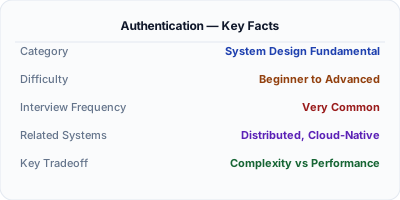
Authentication answers one question: who are you? In monoliths, a server-side session cookie was enough. In distributed systems with multiple services behind a load balancer, stateless tokens (JWT, OAuth 2.0) replaced sessions because any server can validate a token without hitting a shared session store. Getting authentication wrong means either security breaches (weak validation) or poor user experience (constant re-logins). Every system design interview involving users starts here.
| Aspect | Details |
|---|---|
| What it is | The process of verifying a user's identity — confirming they are who they claim to be |
| When to use | Any system with user accounts, API access control, service-to-service trust boundaries |
| When NOT to use | Internal-only tools behind a VPN where network access itself is the trust boundary |
| Real-world example | Auth0 handles 4.5 billion login transactions per month for 16,000+ customers |
| Interview tip | Distinguish authentication (who are you?) from authorization (what can you do?) |
| Common mistake | Storing passwords in plain text or using homegrown crypto instead of bcrypt/argon2 |
| Key tradeoff | Security vs user friction — more verification steps are safer but slow down the user experience |
Why This Matters
Every production system needs authentication. A misconfigured auth layer is the number one cause of data breaches (OWASP Top 10, A07:2021). In microservice architectures, authentication happens at the API gateway and is propagated to downstream services via signed tokens. Understanding JWT structure, OAuth 2.0 flows, and token refresh patterns is essential for any system design that involves users or API consumers.
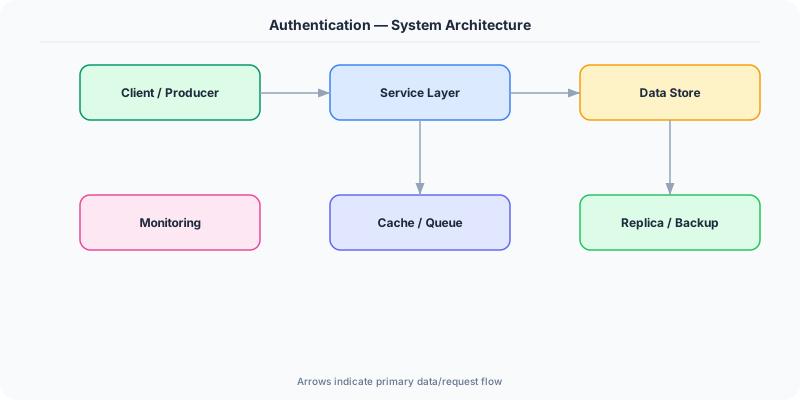
The Building Blocks
- Passwords + Hashing: Users provide a password, the server hashes it with bcrypt or Argon2 (never MD5/SHA-1), and compares against the stored hash. Salt prevents rainbow table attacks.
- JWT (JSON Web Token): A self-contained token with three parts: header (algorithm), payload (claims like user_id, exp), and signature (HMAC or RSA). Any service can validate it without a database call.
- OAuth 2.0: Delegated authorization framework. The user authenticates with an identity provider (Google, GitHub), which issues an access token. Your service trusts the token, never sees the password.
- Refresh Tokens: Short-lived access tokens (15 min) paired with long-lived refresh tokens (30 days). When the access token expires, the client uses the refresh token to get a new one without re-login.
- Multi-Factor Authentication: Something you know (password) + something you have (TOTP code, hardware key). TOTP uses a shared secret and the current time to generate 6-digit codes that change every 30 seconds.
- Session Management: Server-side sessions store state in Redis/Memcached. The client holds only a session ID cookie. More secure than JWT (revocable instantly) but requires a shared session store for horizontal scaling.
Under the Hood
When a user logs in, the server validates credentials against the user database (password hash comparison using bcrypt with a work factor of 12). On success, it generates a JWT: base64-encode the header and payload, sign with HMAC-SHA256 or RSA-256 using a server secret, and return the token to the client.
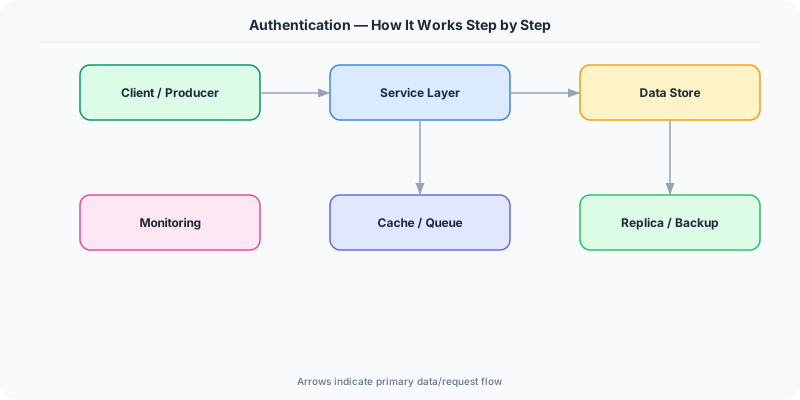
On subsequent requests, the client sends the JWT in the Authorization header. The API gateway validates the signature (no database call needed for HMAC), checks the expiration claim, extracts the user_id, and forwards the request to downstream services with the validated claims. This is why JWTs enable horizontal scaling — any server can validate the token independently.
The security critical detail: JWTs cannot be revoked before expiration. If a token is stolen, it remains valid until it expires. This is why access tokens should be short-lived (15 minutes) and paired with refresh tokens stored securely (HttpOnly cookies with Secure and SameSite flags).
How Companies Actually Do This
Auth0/Okta provides authentication-as-a-service for 16,000+ companies. They handle the complexity of password storage, MFA, social logins, and compliance (SOC2, HIPAA) so engineering teams do not build it from scratch.
Google uses OAuth 2.0 to let third-party apps access user data (Gmail, Drive) without exposing passwords. Their OpenID Connect layer adds identity verification on top of OAuth's authorization flow.
Netflix authenticates 200M+ subscribers across devices using short-lived tokens with device-specific refresh tokens. Each device session is independently revocable without affecting other logged-in devices.
Common Pitfalls
- Storing passwords with MD5 or SHA-1 instead of bcrypt/Argon2 — these are fast hashes designed for speed, not security, and are trivially crackable with GPU hardware
- Using long-lived JWTs (24h+) without a refresh token rotation — a stolen token gives an attacker access for the entire validity period with no way to revoke it
- Not validating the JWT algorithm header — the 'none' algorithm attack tricks servers into accepting unsigned tokens if the validation library is misconfigured
Interview Questions Worth Practicing
- How would you design an authentication system for a microservice architecture with 50 services?
- What are the tradeoffs between JWT-based auth and server-side sessions?
- How do you handle token revocation if a user's account is compromised?
The Tradeoffs
- Stateless (JWT) vs Stateful (Sessions): JWTs scale horizontally without shared state, but cannot be revoked instantly. Sessions can be revoked immediately but require a shared store (Redis) that becomes a dependency.
- Security vs UX Friction: MFA, short token lifetimes, and device verification are more secure but add login friction. The right balance depends on what you are protecting.
- Centralized vs Distributed Auth: A single auth service is simpler to secure and audit, but becomes a single point of failure. Distributed validation (JWT) removes the SPOF but makes revocation harder.
How to Explain This in an Interview
Here is how I would explain Authentication in a system design interview:
Authentication is verifying identity — who are you? I would design it with a dedicated auth service behind the API gateway. Users log in with credentials (hashed with bcrypt), and the service issues a short-lived JWT (15 min) plus a refresh token (HttpOnly cookie, 30 days). The API gateway validates the JWT signature on every request — no database call needed, so it scales horizontally. For token revocation (compromised accounts), I would maintain a small blocklist in Redis that the gateway checks. This gives us stateless validation 99.9% of the time with the ability to force-revoke when needed. I would add MFA for sensitive operations (payments, password changes) using TOTP or WebAuthn.
Related Topics
The Real-World Incident That Made This Famous
Understanding Authentication became critical after multiple high-profile production incidents at major tech companies. When systems handle millions of users, even small misunderstandings about Authentication can lead to cascading failures that cost millions in lost revenue and erode user trust. Companies like Netflix, Google, Amazon, and Meta have all invested heavily in mastering Authentication because they learned the hard way that ignoring it leads to outages.
The key lesson from these incidents: Authentication is not just a theoretical concept — it is a practical skill that separates engineers who build resilient systems from those who build fragile ones. Every major outage report from the past decade involves at least one Authentication-related design decision that was either implemented incorrectly or overlooked entirely during the initial architecture review.
How Senior Engineers Think About This
Senior engineers approach Authentication differently from textbook definitions. Instead of memorizing rules, they build mental models. They ask: "What problem does Authentication solve? When does it fail? What are the alternatives?" This problem-first thinking leads to better design decisions because every system has unique constraints.
When evaluating Authentication in a system design context, experienced engineers consider the failure modes first. What happens when this component goes down? How does the system degrade? Is the degradation graceful or catastrophic? These questions reveal more about your understanding than any textbook definition.
The key difference between junior and senior engineers when it comes to Authentication: juniors focus on the happy path, while seniors design for what happens when things go wrong. They consider operational cost, team expertise, monitoring requirements, and how the decision will look six months from now when traffic has grown 10x.
Common Interview Mistakes
Mistake 1: Giving a textbook definition without context. Interviewers want to see you connect Authentication to real systems and real problems. Instead of reciting definitions, explain when and why you would use Authentication in the system you are designing.
Mistake 2: Not discussing trade-offs. Every design decision involving Authentication has trade-offs. Discuss what you gain and what you give up. Acknowledge the downsides and explain why the benefits outweigh them for your specific use case.
Mistake 3: Overcomplicating the solution. Start with the simplest approach to Authentication that meets the requirements, then add complexity only when justified. Many candidates jump to complex implementations when a simpler solution would work perfectly.
Production Checklist
- Define clear metrics for measuring the effectiveness of your Authentication implementation
- Set up monitoring and alerting that specifically tracks Authentication-related failures
- Document your Authentication design decisions in Architecture Decision Records (ADRs)
- Test failure scenarios related to Authentication in staging before production deployment
- Review and update your Authentication implementation quarterly as system requirements evolve
- Train new team members on the specific Authentication patterns used in your system
- Establish runbooks for common Authentication-related incidents and recovery procedures
Practical Implementation for .NET Developers
In ASP.NET Core, use AddAuthentication().AddJwtBearer() to configure JWT validation. The middleware validates the token signature, expiration, and issuer on every request. Use [Authorize] attributes on controllers. For identity management, ASP.NET Core Identity provides user storage, password hashing (PBKDF2 by default — switch to Argon2 via a custom IPasswordHasher<T>), and MFA support. For OAuth 2.0 flows, use AddOpenIdConnect() to integrate with external providers like Azure AD, Google, or Okta.
ASP.NET Core setup: Create a service class that encapsulates the logic, register it with dependency injection, and inject it into your controllers or minimal API endpoints. The built-in DI container handles lifecycle management.
Entity Framework Core: For database interactions, EF Core provides the ORM layer. Use migrations for schema management and raw SQL for performance-critical queries. Consider Dapper for read-heavy paths where EF Core overhead matters.
Azure integration: If deploying to Azure, leverage managed services — Azure Cache for Redis, Azure SQL, Azure Service Bus, Azure Cosmos DB. These eliminate operational overhead and provide built-in monitoring through Application Insights.
Testing: Use xUnit with Testcontainers for integration tests that spin up real databases in Docker. Mock external dependencies with NSubstitute. The WebApplicationFactory class lets you test your entire HTTP pipeline in-process.
Monitoring: Add Application Insights telemetry to track request latency, dependency calls, and custom metrics. Use structured logging with Serilog to make production debugging possible:
Log.Information("Processing {Operation} for {ResourceId}", operation, resourceId);
This gives you searchable, structured logs in Azure Monitor or Seq.