Design WhatsApp
System design interview solution for Design WhatsApp. Includes requirements, API design, data model, architecture, scaling strategy, and tradeoffs.
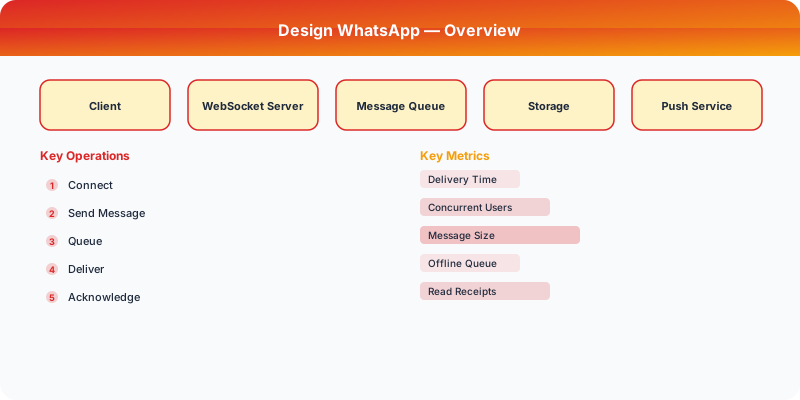
Problem Statement
Design a system similar to WhatsApp. The system should handle millions of users and provide a reliable, scalable experience.
Step 1: Clarifying Questions
Before diving into the design, ask these clarifying questions:
- What is the expected scale (users, requests per second)?
- What are the most critical features to support?
- What are the latency requirements?
- Do we need to support real-time features?
- What consistency guarantees are needed?
Step 2: Functional Requirements
- Core feature set for WhatsApp
- User-facing APIs and interactions
- Data storage and retrieval
- Search and discovery (if applicable)
- Notifications (if applicable)
Step 3: Non-Functional Requirements
- Scalability: Handle millions of concurrent users
- Availability: 99.99% uptime (four nines)
- Latency: Sub-200ms for read operations
- Consistency: Eventually consistent where acceptable, strongly consistent for critical paths
- Durability: No data loss
Step 4: Back-of-the-Envelope Estimation
| Metric | Estimate |
|---|---|
| Daily Active Users | 10M |
| Read:Write Ratio | 10:1 |
| Average Request Size | 1 KB |
| Storage per year | ~10 TB |
| Peak QPS | 100K |
Step 5: API Design
POST /api/v1/resource
GET  /api/v1/resource/{id}
PUT  /api/v1/resource/{id}
DELETE /api/v1/resource/{id}
Step 6: Data Model
Define the core entities and their relationships. Consider the access patterns when choosing between SQL and NoSQL.
Step 7: High-Level Architecture
The system consists of these major components:
- Client Layer — Web/mobile clients
- API Gateway — Rate limiting, authentication, routing
- Application Servers — Business logic
- Database Layer — Primary storage
- Cache Layer — Redis/Memcached for hot data
- Message Queue — Async processing
Step 8: Detailed Component Design

Write Path
How data flows from client to persistent storage.
Read Path
How data is retrieved, including cache interactions.
Step 9: Scaling Strategy
- Horizontal scaling of application servers behind a load balancer
- Database sharding by user ID or geographic region
- Read replicas for read-heavy workloads
- CDN for static content delivery
- Auto-scaling based on traffic patterns
Step 10: Reliability and Fault Tolerance
- Data replication across availability zones
- Circuit breakers for dependent services
- Graceful degradation under high load
- Health checks and automated failover
Step 11: Monitoring and Observability
- Request latency (p50, p95, p99)
- Error rates by endpoint
- Database query performance
- Cache hit/miss ratios
- Queue depth and processing lag
Key Tradeoffs
| Decision | Option A | Option B | Chosen |
|---|---|---|---|
| Database | SQL | NoSQL | Depends on access patterns |
| Consistency | Strong | Eventual | Eventual for most reads |
| Communication | Sync | Async | Async for non-critical paths |
How to Present This in an Interview
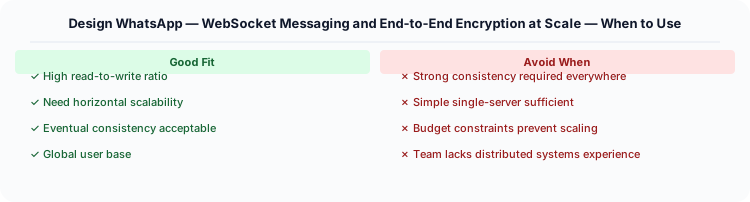
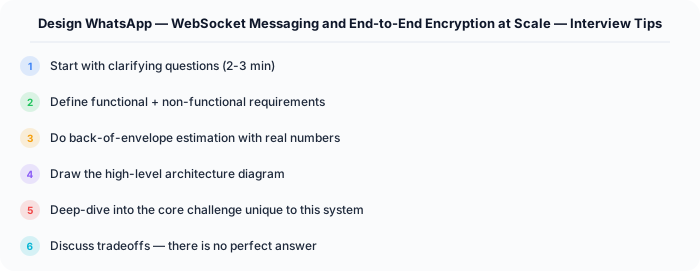
- Start with clarifying questions (2 min)
- Define requirements (3 min)
- Do estimation (2 min)
- Design API and data model (5 min)
- Draw high-level architecture (10 min)
- Deep dive into critical components (10 min)
- Discuss tradeoffs and bottlenecks (5 min)
Practical Implementation for .NET Developers
In a .NET application, you would typically implement this pattern using the following approach:
ASP.NET Core setup: Create a service class that encapsulates the logic, register it with dependency injection, and inject it into your controllers or minimal API endpoints. The built-in DI container handles lifecycle management.
Entity Framework Core: For database interactions, EF Core provides the ORM layer. Use migrations for schema management and raw SQL for performance-critical queries. Consider Dapper for read-heavy paths where EF Core's overhead matters.
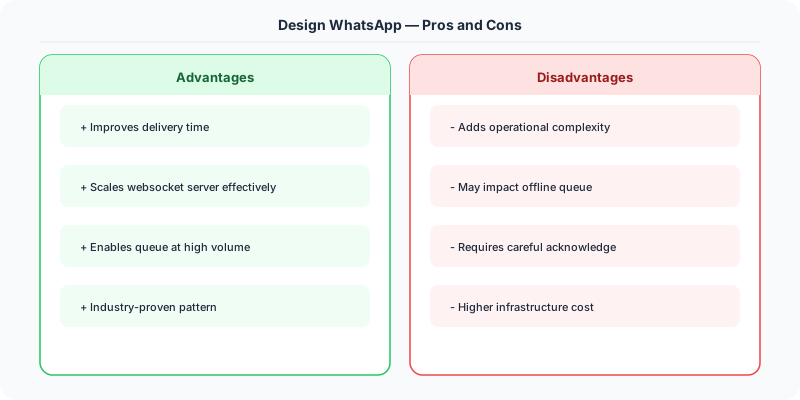
Azure integration: If deploying to Azure, leverage managed services — Azure Cache for Redis, Azure SQL, Azure Service Bus, Azure Cosmos DB. These eliminate operational overhead and provide built-in monitoring through Application Insights.
Testing: Use xUnit with Testcontainers for integration tests that spin up real databases in Docker. Mock external dependencies with NSubstitute. The WebApplicationFactory class lets you test your entire HTTP pipeline in-process.
Monitoring: Add Application Insights telemetry to track request latency, dependency calls, and custom metrics. Use structured logging with Serilog to make production debugging possible:
Log.Information("Processing order {OrderId} for {CustomerId}", orderId, customerId);
This gives you searchable, structured logs in Azure Monitor or Seq.
Deep-Dive: Clarifying Questions for WhatsApp
- What is the message volume? WhatsApp processes over 100 billion messages per day across 2 billion users. Average user sends about 50 messages/day.
- Do we need end-to-end encryption? WhatsApp uses the Signal Protocol for E2E encryption. Messages are encrypted on the sender's device and can only be decrypted on the recipient's device. The server NEVER sees plaintext.
- How do we handle offline delivery? If the recipient is offline, messages must be stored (encrypted) on the server and delivered when they reconnect. How long do we retain undelivered messages?
- Do we need group messaging? Groups up to 1,024 members with shared encryption keys that rotate when members leave.
- Do we need read receipts and typing indicators? Blue double-check marks, "typing..." indicators, and "last seen" status are real-time signals that require persistent connections.
- What media types? Text, images (up to 16 MB), videos (up to 16 MB), voice messages, documents, location sharing, contacts.
Specific Functional Requirements
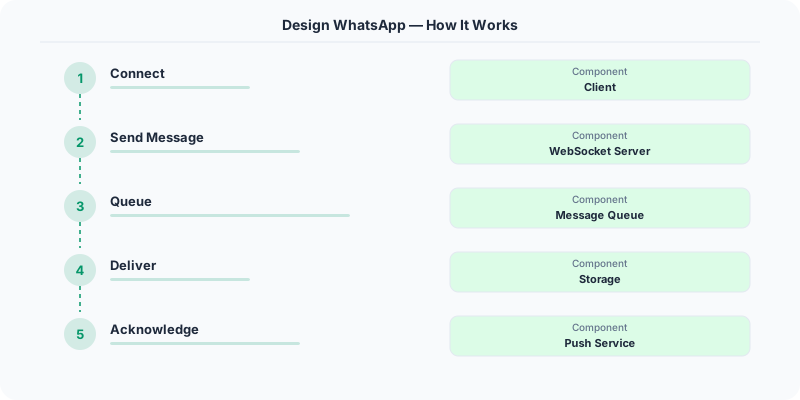
- One-to-One Messaging: Send text, images, videos, voice notes, and documents to individual users with end-to-end encryption
- Group Messaging: Create groups of up to 1,024 members with shared message history
- Offline Message Delivery: Queue messages for offline users and deliver them when they reconnect, with message ordering preserved
- Read Receipts: Show sent (single check), delivered (double check), and read (blue double check) status per message
- Typing Indicators: Show real-time "typing..." status to the conversation partner
- Media Upload/Download: Handle image, video, and document sharing with automatic compression and thumbnail generation
- Last Seen and Online Status: Show when a user was last active on the platform
Specific API Design
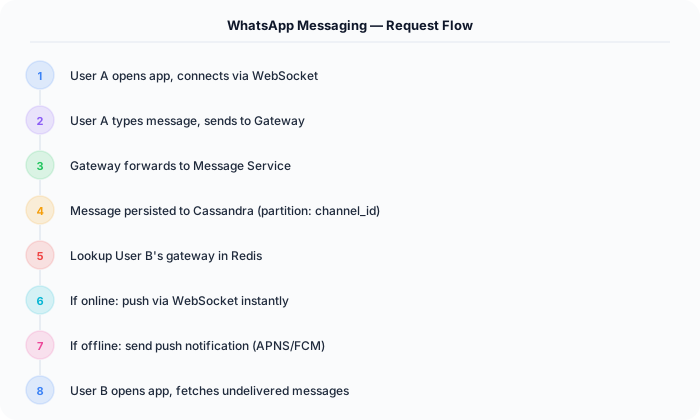
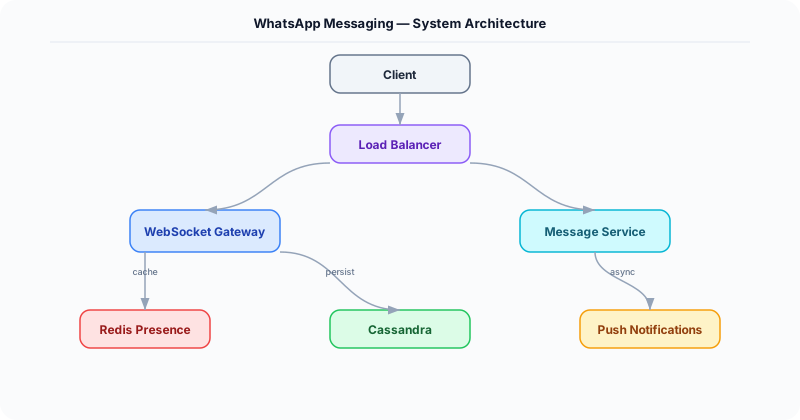
WhatsApp uses a persistent WebSocket connection for real-time messaging, NOT HTTP polling.
WebSocket /ws/connect
  Auth: Bearer token (established on connection)

Client sends: { "type": "message", "to": "user_456", "id": "msg_abc", "content": { "type": "text", "body": "encrypted_base64..." } }
Server acknowledges: { "type": "ack", "id": "msg_abc", "status": "sent", "timestamp": 1234567890 }
Server delivers to recipient: { "type": "message", "from": "user_123", "id": "msg_abc", "content": {...} }
Recipient acknowledges: { "type": "ack", "id": "msg_abc", "status": "delivered" }
Recipient reads: { "type": "ack", "id": "msg_abc", "status": "read" }

Typing indicator: { "type": "typing", "to": "user_456", "status": "started" }
For media: upload encrypted media to blob storage via HTTP, then send the decryption key and media URL in the WebSocket message.
Specific Data Model
Message Store (Cassandra): Optimized for write-heavy, append-only workload. Messages are partitioned by (recipient_id, conversation_id) for efficient "get messages for conversation" queries.
| Column | Type | Notes |
|---|---|---|
| conversation_id | UUID | Partition key |
| message_id | TIMEUUID | Clustering key (time-sorted) |
| sender_id | BIGINT | Who sent it |
| content | BLOB | Encrypted message content |
| content_type | ENUM | text, image, video, audio, document |
| media_url | VARCHAR | S3 URL for media attachments |
| status | ENUM | sent, delivered, read |
| created_at | TIMESTAMP | Server-side timestamp |
Connection Registry (Redis): Maps online users to the WebSocket server they are connected to.
- Key: user_id, Value: { websocket_server_id, connected_at, last_heartbeat }
- When sending a message, look up the recipient's WebSocket server and route the message there
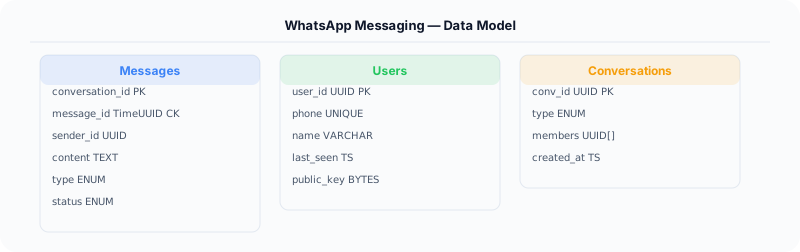
User Last Seen (Redis): Key = user_id, Value = timestamp of last activity. Updated on every message or heartbeat.
Specific Back-of-the-Envelope Numbers
Traffic:
- 2 billion users, 500M DAU
- 100 billion messages/day = ~1.15 million messages/second
- Each message triggers: 1 write (store), 1 read (deliver), 2-3 status updates = ~4M ops/second
- Concurrent WebSocket connections: 500M peak
Storage:
- Average text message: 100 bytes (encrypted) + 200 bytes metadata = 300 bytes
- 100B messages/day * 300 bytes = 30 TB/day for text messages
- Messages retained for 30 days (until delivered) or 90 days for group messages
- Media: 5B media messages/day * 500 KB average = 2.5 PB/day (stored in object storage with CDN)
Connection infrastructure:
- 500M concurrent WebSocket connections
- Each connection: ~10 KB memory overhead = 5 TB of RAM just for connections
- Need ~50,000 WebSocket servers (10K connections each)
Latency targets:
- Message delivery: under 200ms for online recipients
- Offline message delivery: within 5 seconds of reconnection
- Typing indicator: under 100ms end-to-end