Design Zoom
Design Zoom with WebRTC, SFU architecture, screen sharing, recording, and NAT traversal.
Problem Statement
Design a video conferencing platform like Zoom supporting 1-on-1 calls, group meetings (up to 1000 participants), screen sharing, meeting recording, and virtual backgrounds. The system must handle real-time audio/video with <200ms end-to-end latency, adapt to varying network conditions, and traverse NATs/firewalls.
Requirements
Functional
- Create/join meetings with a meeting ID; host controls (mute, remove, breakout rooms)
- Real-time audio and video streaming between all participants
- Screen sharing: one participant shares their screen, visible to all
- Meeting recording: save audio/video/screen share to cloud storage for later playback
Non-Functional
- Latency: <150ms glass-to-glass for audio, <200ms for video (same continent)
- Scale: 300M daily meeting participants, 100K concurrent meetings, up to 1000 participants per meeting
- Reliability: Graceful degradation -- reduce video quality before dropping participants
- NAT traversal: Works behind corporate firewalls and symmetric NATs
Core Architecture
-
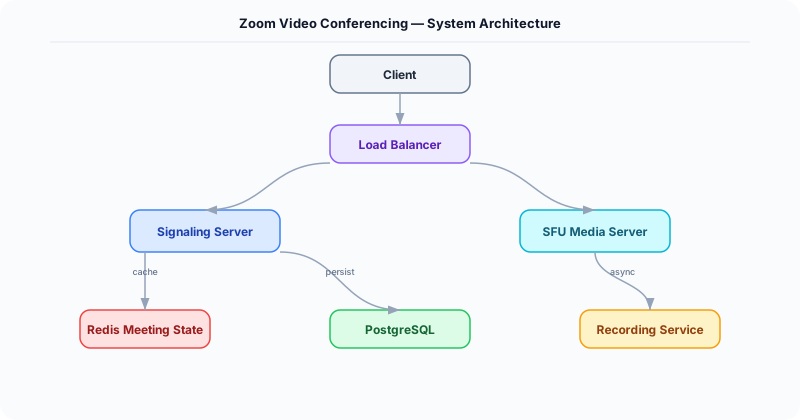
Signaling Server -- WebSocket-based server that handles meeting creation, participant join/leave, and SDP (Session Description Protocol) exchange for WebRTC handshake. Does not carry media -- only control messages. Coordinates which SFU node each participant should connect to.
-
SFU (Selective Forwarding Unit) -- The media server. Each participant sends one audio and one video stream to the SFU. The SFU selectively forwards streams to other participants without transcoding (unlike an MCU). For large meetings (>50 participants), the SFU only forwards the active speaker's video and thumbnail-quality streams for the rest. Deployed in multiple regions; participants connect to the nearest SFU.
-
TURN/STUN Servers for NAT Traversal -- STUN servers help clients discover their public IP and port (works for ~80% of NATs). For symmetric NATs and firewalls that block UDP, TURN servers relay media traffic through a publicly reachable server. TURN is expensive (all media flows through it), so it is used only as a fallback.
-
Recording Service -- A headless participant joins the meeting on a server, receives all streams via the SFU, and composites them into a single video file (speaker view or gallery view). Audio streams are mixed server-side. The recording is encoded to H.264 and uploaded to S3 in chunks. Available for download/playback within minutes of meeting end.
-
Adaptive Bitrate Controller -- Each client monitors network conditions (packet loss, RTT, available bandwidth) using RTCP feedback. When bandwidth drops, the client: (1) reduces video resolution (1080p -> 720p -> 360p -> audio-only), (2) drops non-speaker video streams, (3) increases audio FEC (Forward Error Correction) to protect speech quality. This happens within 2 seconds of detecting congestion.
Database Choice
PostgreSQL for user accounts, meeting metadata (scheduled meetings, participants, settings), and recording metadata. Redis for real-time meeting state: active participants, mute status, speaker detection, and room assignments. S3 for recorded meeting files. The media pipeline itself uses no database -- media streams are forwarded in real-time through the SFU without storage (except for recording).
Key API Endpoints
POST /api/v1/meetings
  -> Body: \{ host_id: "U1", scheduled_time: "...", settings: \{ max_participants: 100, recording: true \} \}
  -> Returns: \{ meeting_id: "M-123456", join_url: "https://meet.example.com/M-123456" \}

WebSocket /ws/signaling/\{meeting_id\}
  -> Client sends: \{ type: "join", sdp_offer: "v=0..." \}
  -> Server responds: \{ type: "answer", sdp_answer: "v=0...", ice_candidates: [...] \}
  -> Server pushes: \{ type: "participant_joined", user_id: "U2", stream_id: "S2" \}

POST /api/v1/meetings/\{meeting_id\}/recordings
  -> Returns: \{ recording_url: "https://s3.../M-123456.mp4", duration_min: 45, size_mb: 680 \}
Scaling Insight
The SFU architecture is what makes large meetings possible. In a peer-to-peer mesh, each participant sends their stream to every other participant (N^2 connections). In a meeting of 100 people, that is 9,900 streams -- impossible. With an SFU, each participant sends 1 stream and receives N-1 streams from the SFU. For large meetings (>49 participants), the SFU sends only the active speaker at full quality and others at thumbnail quality, reducing downstream bandwidth from 49 HD streams to 1 HD + 48 thumbnail streams (~90% bandwidth reduction).
Key Tradeoffs
| Decision | Option A | Option B | Chosen |
|---|---|---|---|
| Media server | MCU (mix all streams) | SFU (forward selectively) | SFU -- no transcoding cost, lower latency, scales to 1000 participants |
| Transport | TCP (reliable) | UDP (low latency) | UDP (via WebRTC) -- lost packets are acceptable for real-time media; retransmission causes stutter |
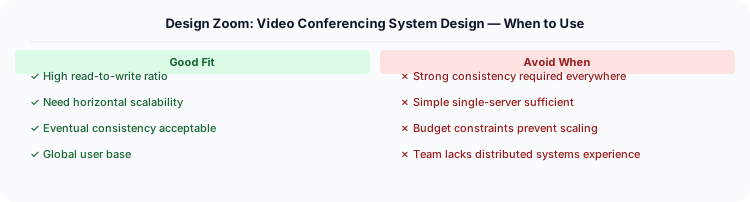
| NAT traversal | TURN always (reliable) | STUN first, TURN fallback | STUN first -- 80% of clients connect directly, TURN only for the 20% behind strict NATs |
Practical Implementation for .NET Developers
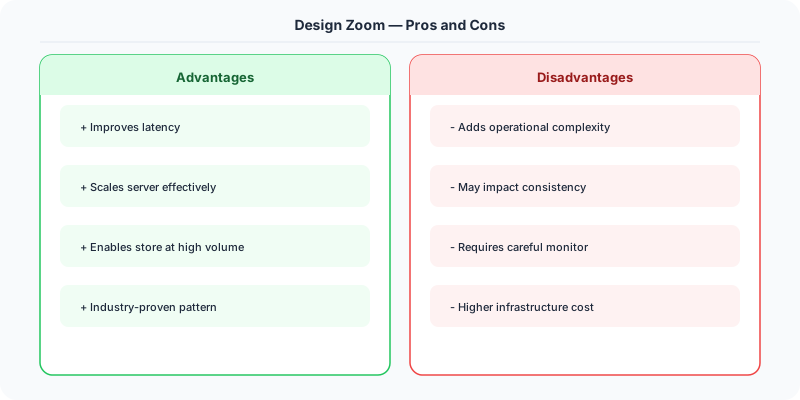
In a .NET application, you would typically implement this pattern using the following approach:
ASP.NET Core setup: Create a service class that encapsulates the logic, register it with dependency injection, and inject it into your controllers or minimal API endpoints. The built-in DI container handles lifecycle management.
Entity Framework Core: For database interactions, EF Core provides the ORM layer. Use migrations for schema management and raw SQL for performance-critical queries. Consider Dapper for read-heavy paths where EF Core's overhead matters.
Azure integration: If deploying to Azure, leverage managed services — Azure Cache for Redis, Azure SQL, Azure Service Bus, Azure Cosmos DB. These eliminate operational overhead and provide built-in monitoring through Application Insights.
Testing: Use xUnit with Testcontainers for integration tests that spin up real databases in Docker. Mock external dependencies with NSubstitute. The WebApplicationFactory class lets you test your entire HTTP pipeline in-process.
Monitoring: Add Application Insights telemetry to track request latency, dependency calls, and custom metrics. Use structured logging with Serilog to make production debugging possible:
Log.Information("Processing order {OrderId} for {CustomerId}", orderId, customerId);

This gives you searchable, structured logs in Azure Monitor or Seq.
System-Specific Clarifying Questions
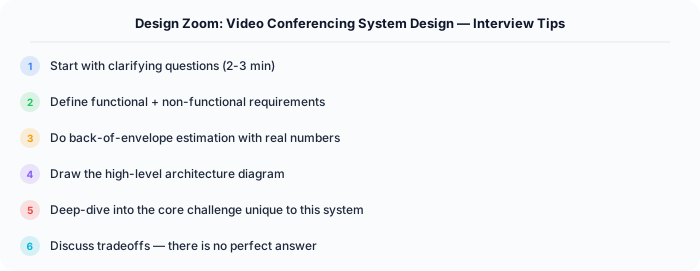
Before designing Zoom, ask questions specific to THIS system:
- Who are the primary users? Understanding the user base shapes every technical decision — consumer apps have different requirements than enterprise B2B systems.
- What is the read-to-write ratio? This determines whether you optimize for fast reads (caching, denormalization) or fast writes (write-ahead logs, async processing).
- What is the geographic distribution? Users in one country vs. global users fundamentally changes your data replication and CDN strategy.
- What is the acceptable latency? Some features need sub-100ms responses, others can tolerate seconds. This determines your caching and architecture strategy.
- What is the consistency requirement? Some data (payments, inventory) needs strong consistency. Other data (social feeds, recommendations) can be eventually consistent.
Architecture Deep Dive
The architecture for Zoom should be designed around the specific access patterns of the system. Do not apply generic templates — every system has unique hotspots, bottlenecks, and scaling challenges.
Write Path: How does data enter the system? Is it bursty (event-driven, flash sales) or steady (sensor data, logs)? Bursty writes need queuing and backpressure. Steady writes can go directly to the database.
Read Path: How is data consumed? Is it fan-out (one write, many reads like social feeds) or point lookups (one read for specific data like user profiles)? Fan-out reads benefit from pre-computation and caching. Point lookups benefit from efficient indexing.
Hot Spots: Where are the bottlenecks? For Zoom, identify the component that will fail first under load and design mitigation strategies: caching, sharding, rate limiting, or async processing.