Design a Ticket Booking System
Design a ticket booking system (BookMyShow/Ticketmaster) with seat selection, temporary holds, concurrent booking prevention, and event management.
Problem Statement
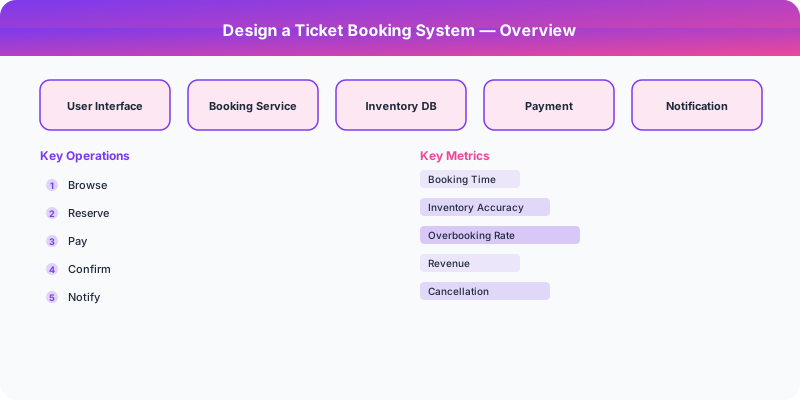
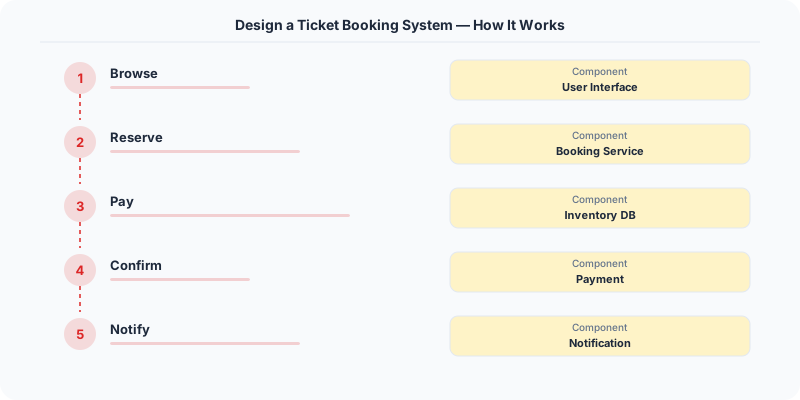
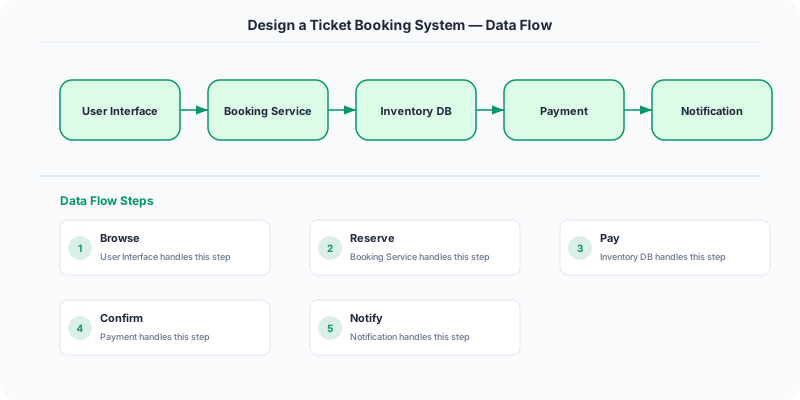
Design a ticket booking system like Ticketmaster or BookMyShow for events (concerts, movies, sports). Users browse events, view a venue seat map, select and temporarily hold seats, complete payment, and receive e-tickets. The system must handle extreme concurrency during on-sale moments when millions of users compete for limited seats.
Requirements
Functional
- Browse events by category, location, and date; view venue seat maps with availability
- Select seats: temporarily hold selected seats for 7 minutes during checkout
- Complete booking: charge payment and issue e-tickets (QR code) atomically
- Waiting room/queue: during high-demand events, queue users and admit in controlled batches
Non-Functional
- Consistency: No double-booking -- a seat is sold to exactly one customer
- Scale: 10M concurrent users during major on-sale events, 50K seat-selection attempts/second
- Latency: Seat map loads in <1 second, seat hold confirmation in <500ms
- Fairness: First-come-first-served with a virtual queue to prevent system overload
Core Architecture
-
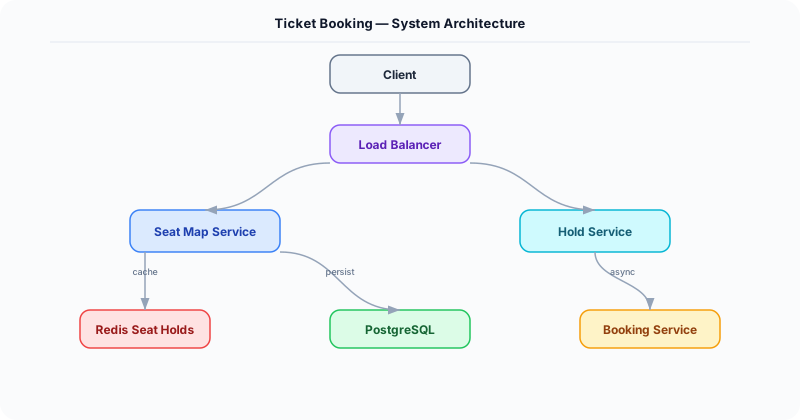
Seat Inventory Service -- Manages seat state per event: AVAILABLE, HELD, BOOKED. Uses Redis for real-time seat map state (hash map: seat_id -> status). Seat holds use Redis SETEX with a 7-minute TTL -- automatically released if checkout is not completed. The atomic Lua script: check seat is AVAILABLE, set to HELD with TTL, return success/failure.
-
Virtual Waiting Room -- During high-demand on-sales, users are placed in a queue (backed by Redis sorted set with join timestamp as score). A rate controller admits N users/second to the seat selection page. Users see their position and estimated wait time. This prevents the thundering herd from overwhelming the seat inventory service.
-
Checkout and Payment Service -- Once seats are held, the user has 7 minutes to complete payment. Flow: validate hold is still active, charge payment via Stripe/payment gateway, atomically transition seats from HELD to BOOKED in a database transaction, generate e-ticket with QR code, send confirmation email. If payment fails, seats revert to AVAILABLE (TTL expiry or explicit release).
- Event Management Service -- CRUD for events, venues, and seating layouts. Venues have reusable seat map templates (e.g., "Madison Square Garden Layout A"). Events are created by linking a venue layout with pricing tiers (Section A = $200, Section B = $150). Handles event scheduling, artist info, and category tagging.
Database Choice
Redis for real-time seat availability and holds -- atomic operations (Lua scripts) prevent race conditions at 50K ops/second. TTL-based holds auto-expire without cleanup jobs. PostgreSQL for permanent booking records, user accounts, event metadata, and payment records -- ACID for the final booking transaction. Kafka for booking events consumed by email notification, analytics, and fraud detection services.
Key API Endpoints
GET /api/v1/events/\{event_id\}/seats
  -> Returns: \{ sections: [\{ name: "A", seats: [\{ id: "A-15", status: "available", price: 200 \}] \}] \}

POST /api/v1/events/\{event_id\}/hold
  -> Body: \{ seat_ids: ["A-15", "A-16"], session_id: "S-abc" \}
  -> Returns: \{ hold_id: "H-789", expires_at: "...", seats: ["A-15", "A-16"] \}

POST /api/v1/bookings
  -> Body: \{ hold_id: "H-789", payment_method_id: "PM-1" \}
  -> Returns: \{ booking_id: "BK-456", seats: ["A-15", "A-16"], qr_code_url: "...", total: 400.00 \}
Scaling Insight
The Redis-based seat hold with TTL is the critical design choice. Using database row locks for seat holds would create massive contention during on-sale events (50K concurrent seat-selection attempts). Redis handles this with single-threaded atomic operations at 100K+ ops/second. The 7-minute TTL auto-releases abandoned holds without any background cleanup job. Combined with the virtual waiting room (which limits concurrency to a manageable 5K users simultaneously selecting seats), the system handles million-user on-sale events smoothly.
Key Tradeoffs
| Decision | Option A | Option B | Chosen |
|---|---|---|---|
| Seat hold mechanism | Database row lock | Redis SETEX with TTL | Redis -- 10x throughput, automatic expiry, no lock contention |
| On-sale traffic management | Let everyone in (hope for the best) | Virtual waiting room | Waiting room -- controlled admission prevents system overload, fairer experience |
| Seat map rendering | Server-side rendered image | Client-side SVG with data overlay | Client-side SVG -- interactive, real-time status updates via WebSocket, lower server cost |
Practical Implementation for .NET Developers
In a .NET application, you would typically implement this pattern using the following approach:
ASP.NET Core setup: Create a service class that encapsulates the logic, register it with dependency injection, and inject it into your controllers or minimal API endpoints. The built-in DI container handles lifecycle management.
Entity Framework Core: For database interactions, EF Core provides the ORM layer. Use migrations for schema management and raw SQL for performance-critical queries. Consider Dapper for read-heavy paths where EF Core's overhead matters.
Azure integration: If deploying to Azure, leverage managed services — Azure Cache for Redis, Azure SQL, Azure Service Bus, Azure Cosmos DB. These eliminate operational overhead and provide built-in monitoring through Application Insights.
Testing: Use xUnit with Testcontainers for integration tests that spin up real databases in Docker. Mock external dependencies with NSubstitute. The WebApplicationFactory class lets you test your entire HTTP pipeline in-process.
Monitoring: Add Application Insights telemetry to track request latency, dependency calls, and custom metrics. Use structured logging with Serilog to make production debugging possible:
Log.Information("Processing order {OrderId} for {CustomerId}", orderId, customerId);
This gives you searchable, structured logs in Azure Monitor or Seq.

System-Specific Clarifying Questions
Before designing Ticket Booking, ask questions specific to THIS system:
- Who are the primary users? Understanding the user base shapes every technical decision — consumer apps have different requirements than enterprise B2B systems.
- What is the read-to-write ratio? This determines whether you optimize for fast reads (caching, denormalization) or fast writes (write-ahead logs, async processing).
- What is the geographic distribution? Users in one country vs. global users fundamentally changes your data replication and CDN strategy.
- What is the acceptable latency? Some features need sub-100ms responses, others can tolerate seconds. This determines your caching and architecture strategy.
- What is the consistency requirement? Some data (payments, inventory) needs strong consistency. Other data (social feeds, recommendations) can be eventually consistent.
Architecture Deep Dive
The architecture for Ticket Booking should be designed around the specific access patterns of the system. Do not apply generic templates — every system has unique hotspots, bottlenecks, and scaling challenges.
Write Path: How does data enter the system? Is it bursty (event-driven, flash sales) or steady (sensor data, logs)? Bursty writes need queuing and backpressure. Steady writes can go directly to the database.
Read Path: How is data consumed? Is it fan-out (one write, many reads like social feeds) or point lookups (one read for specific data like user profiles)? Fan-out reads benefit from pre-computation and caching. Point lookups benefit from efficient indexing.
Hot Spots: Where are the bottlenecks? For Ticket Booking, identify the component that will fail first under load and design mitigation strategies: caching, sharding, rate limiting, or async processing.