Design Dropbox
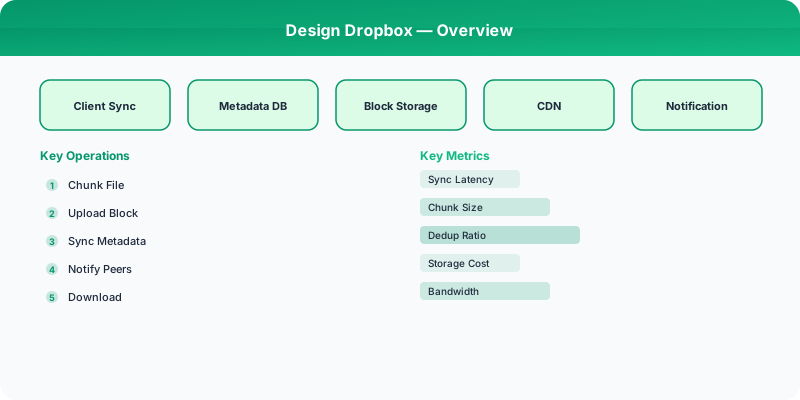
Design Dropbox with file sync, chunking, deduplication, conflict resolution, and delta sync. Covers the sync protocol and metadata management.
Problem Statement
Design a cloud file storage and synchronization service like Dropbox. Users store files in the cloud, sync them across multiple devices in near real-time, share files/folders with others, and access file version history. The system must handle large files efficiently using chunking, minimize bandwidth with delta sync, and resolve conflicts when the same file is edited on two devices offline.
Requirements
Functional
- Upload/download files; sync file changes across all connected devices in near real-time
- Chunk large files (4 MB chunks) for resumable uploads and efficient delta sync
- Content-based deduplication: identical file chunks stored only once across all users
- Conflict resolution: when the same file is edited on two offline devices, create a conflict copy
Non-Functional
- Sync latency: Changes propagated to online devices within 5 seconds
- Storage efficiency: Deduplication reduces storage by 50%+ across all users
- Scale: 700M users, 500B files, 1.2 exabytes of data
- Reliability: No data loss -- files replicated across 3+ data centers
Core Architecture
-
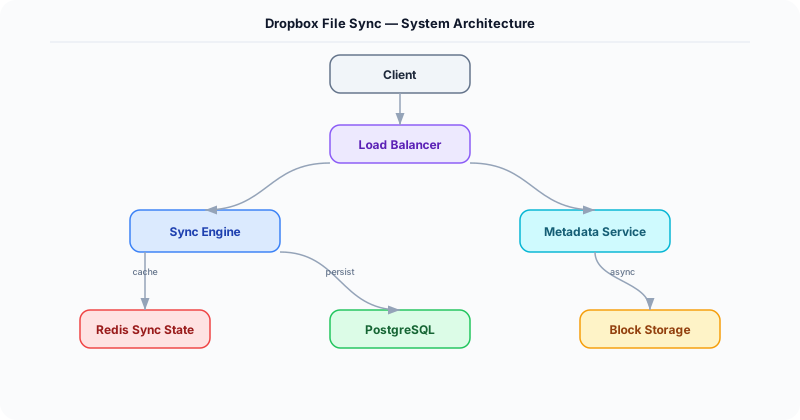
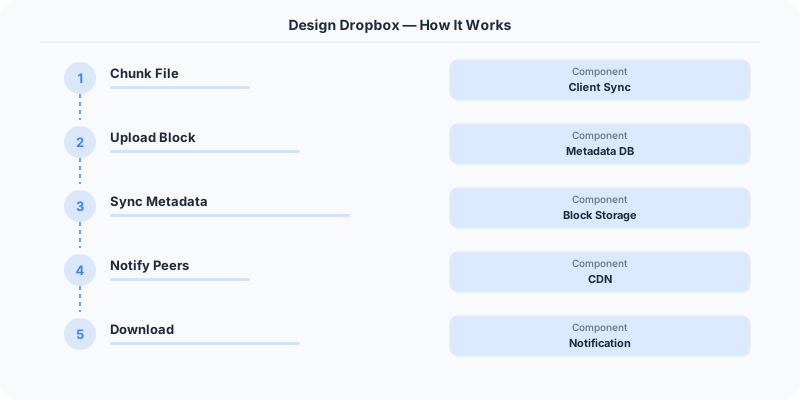
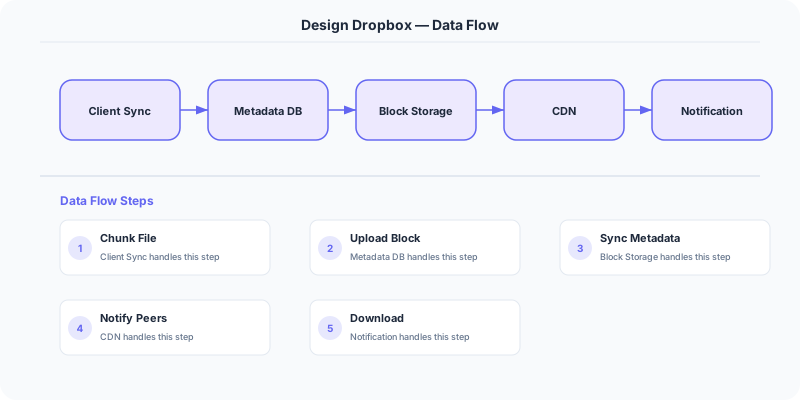
Chunking Engine (Client-side) -- Splits files into 4 MB chunks using content-defined chunking (Rabin fingerprinting). This means inserting 1 byte at the start of a 1 GB file only changes 1-2 chunks, not all of them. Each chunk is hashed (SHA-256). Before uploading, the client sends chunk hashes to the server -- only missing chunks are uploaded (delta sync).
-
Metadata Service -- Stores the file tree: files, folders, versions, and the mapping from files to ordered lists of chunk hashes. Uses PostgreSQL sharded by user_id. Each file edit creates a new version entry pointing to the new set of chunk hashes. Provides the "diff" API: given a client's known version, return all changes since.
-
Block Storage Service -- Stores raw chunk data in S3/GCS, keyed by chunk hash (SHA-256). Content-addressable storage means identical chunks are naturally deduplicated -- if 1M users have the same PDF, it is stored once. Chunks are encrypted at rest (AES-256) with per-user keys managed by a KMS.
-
Sync Service -- Maintains a long-polling or WebSocket connection per online client. When one device uploads changes, the metadata service publishes an event. The sync service notifies all other devices of the same user to pull the updated file metadata and download any new chunks.
-
Conflict Resolver -- If two devices edit the same file while offline, both upload their changes with the same parent version. The server detects the conflict (two writes with the same parent version), keeps one as the primary (first to sync), and saves the other as "filename (conflicted copy - Device - Date)". The user manually resolves.
Database Choice
PostgreSQL (sharded by user_id) for file metadata, folder structure, sharing permissions, and version history. Sharding by user_id ensures all of a user's files are on the same shard for fast tree queries. S3/GCS for chunk blob storage (content-addressed by SHA-256 hash). Redis for online presence (which devices are connected) and change notification pub/sub. Kafka for change events between metadata service and sync service.
Key API Endpoints
POST /api/v1/files/upload_session
  -> Body: \{ path: "/docs/report.pdf", chunk_hashes: ["abc123...", "def456..."] \}
  -> Returns: \{ upload_id: "UP-789", chunks_needed: ["def456..."] \} (only missing chunks)

PUT /api/v1/files/upload_session/\{upload_id\}/chunk
  -> Body: <binary chunk data>
  -> Headers: X-Chunk-Hash: def456...

GET /api/v1/files/changes?cursor=\{version_id\}
  -> Returns: \{ changes: [\{ path: "/docs/report.pdf", action: "modified", version: 42, chunk_hashes: [...] \}], new_cursor: "..." \}
Scaling Insight
Content-defined chunking with deduplication is the most impactful optimization. Rabin fingerprinting sets chunk boundaries based on content (not fixed offsets), so inserting data at the start of a file only affects the first 1-2 chunks. Combined with content-addressed storage (SHA-256 hash as key), identical chunks across all users are stored once. At Dropbox's scale, this reduces storage from 1.2 EB to ~500 PB -- saving hundreds of millions of dollars in storage costs annually.
Key Tradeoffs
| Decision | Option A | Option B | Chosen |
|---|---|---|---|
| Chunking | Fixed-size (simple) | Content-defined (Rabin fingerprint) | Content-defined -- minimizes re-upload on edits, better deduplication across files |
| Sync protocol | Poll for changes (simple) | Long-poll / WebSocket (real-time) | Long-poll -- near-instant sync, lower server load than polling |
| Conflict resolution | Last-write-wins (data loss risk) | Conflict copy (user decides) | Conflict copy -- preserves both versions, no data loss |
Practical Implementation for .NET Developers
In a .NET application, you would typically implement this pattern using the following approach:
ASP.NET Core setup: Create a service class that encapsulates the logic, register it with dependency injection, and inject it into your controllers or minimal API endpoints. The built-in DI container handles lifecycle management.
Entity Framework Core: For database interactions, EF Core provides the ORM layer. Use migrations for schema management and raw SQL for performance-critical queries. Consider Dapper for read-heavy paths where EF Core's overhead matters.
Azure integration: If deploying to Azure, leverage managed services — Azure Cache for Redis, Azure SQL, Azure Service Bus, Azure Cosmos DB. These eliminate operational overhead and provide built-in monitoring through Application Insights.
Testing: Use xUnit with Testcontainers for integration tests that spin up real databases in Docker. Mock external dependencies with NSubstitute. The WebApplicationFactory class lets you test your entire HTTP pipeline in-process.
Monitoring: Add Application Insights telemetry to track request latency, dependency calls, and custom metrics. Use structured logging with Serilog to make production debugging possible:
Log.Information("Processing order {OrderId} for {CustomerId}", orderId, customerId);
This gives you searchable, structured logs in Azure Monitor or Seq.
Deep-Dive: Clarifying Questions for Dropbox
- How does file sync work? When a user modifies a file on one device, how quickly does it appear on other devices? Dropbox targets under 5 seconds for small files.
- Do we need file chunking? Large files (1 GB+) should be split into chunks (typically 4 MB) so that modifying one part of a large file only uploads the changed chunks, not the entire file.
- How do we handle sync conflicts? Two users editing the same file on different devices simultaneously. Dropbox creates a "conflicted copy" rather than silently overwriting.
- Do we need deduplication? If 1,000 users upload the same 1 GB file, we should store it once. Content-addressable storage (hash the file content, use the hash as the key) enables this.
- What about bandwidth optimization? Users on slow connections should still be able to sync. Delta sync (only upload the bytes that changed) is critical.
- How do we handle versioning? Keep previous versions of files so users can restore accidentally deleted or overwritten content.
Specific Functional Requirements
- File Upload and Download: Upload files up to 50 GB with resumable uploads for large files
- Real-Time Sync: Changes on one device appear on all linked devices within seconds
- File Chunking: Split files into 4 MB chunks for efficient delta sync — only upload changed chunks
- Deduplication: Content-addressable storage using SHA-256 hashes to eliminate duplicate file storage
- Conflict Resolution: Detect concurrent edits and create "conflicted copies" with clear naming
- Version History: Keep 30-180 days of file versions depending on plan, with ability to restore any version
- Sharing: Share files and folders via links or direct sharing with permission levels (view, edit)
Specific API Endpoints
POST /api/v2/files/upload_session/start
  Response: { "session_id": "sess_abc123" }

PUT /api/v2/files/upload_session/append
  Headers: { "Dropbox-API-Arg": { "session_id": "sess_abc123", "offset": 0 } }
  Body: [4 MB chunk binary data]
  Response: HTTP 200

POST /api/v2/files/upload_session/finish
  Body: { "session_id": "sess_abc123", "commit": { "path": "/documents/report.pdf", "mode": "update", "content_hash": "sha256:abc..." } }
  Response: { "id": "id:abc123", "path": "/documents/report.pdf", "size": 15728640, "content_hash": "abc..." }

POST /api/v2/files/list_folder/longpoll
  Body: { "cursor": "cursor_abc" }
  Response: { "changes": true }  (long-poll returns when changes are available)

POST /api/v2/files/list_folder/continue
  Body: { "cursor": "cursor_abc" }
  Response: { "entries": [{ "tag": "file", "name": "report.pdf", "path": "...", "content_hash": "..." }], "cursor": "new_cursor", "has_more": false }
Specific Data Model

File Metadata (PostgreSQL, sharded by user_id)
| Column | Type | Notes |
|---|---|---|
| file_id | UUID | Primary key |
| user_id | BIGINT | Shard key |
| path | VARCHAR | Full file path within user's Dropbox |
| content_hash | VARCHAR(64) | SHA-256 of file content, used for dedup |
| size_bytes | BIGINT | |
| version | INT | Incremented on each edit |
| is_deleted | BOOLEAN | Soft delete for version history |
| modified_at | TIMESTAMP | Client-side modification time |
| server_modified_at | TIMESTAMP | When the server received the change |
Chunk Store (Object Storage — S3/GCS)
- Key: SHA-256 hash of chunk content (content-addressable)
- Value: 4 MB chunk data (encrypted at rest)
- Deduplication is automatic: identical chunks across all users share one physical copy
File-to-Chunks Mapping (PostgreSQL)
| Column | Type | Notes |
|---|---|---|
| file_id | UUID | |
| version | INT | |
| chunk_index | INT | Position in file |
| chunk_hash | VARCHAR(64) | Reference to chunk in object storage |
Sync Journal (Cassandra): Ordered log of all changes per namespace (user or shared folder). Clients maintain a cursor and poll for changes since their last sync point.
Specific Back-of-the-Envelope Numbers
Traffic:
- 700M+ registered users, ~15M paying users
- Average user syncs ~2 GB/month of changed data
- Assume 50M active daily users, each syncing ~100 MB/day average
- File operations: 50M users * 20 file operations/day = 1 billion file ops/day = ~12,000 ops/second
Storage:
- Total stored data: estimated at 1+ exabyte across all users
- Deduplication saves ~30-60% of raw storage (many users store common files: OS installers, popular downloads)
- Chunk store: average 4 MB chunks, 250 billion+ chunks stored
Sync performance:
- Small file change (under 4 MB): single chunk upload, under 5 seconds sync time
- Large file change (100 MB file, 1 MB changed): only 1 chunk re-uploaded out of 25, 96% bandwidth saved
- Delta sync for a 1 GB file with 1% change: upload 10 MB instead of 1 GB
Bandwidth:
- 50M users * 100 MB/day = 5 PB/day of upload bandwidth
- Download traffic is typically 2-3x upload (multiple devices syncing) = 10-15 PB/day
- Peak: 3-5x average during business hours in each timezone