Serialization
Serialization converts in-memory objects to a transferable format (JSON, Protobuf, Avro, MessagePack).
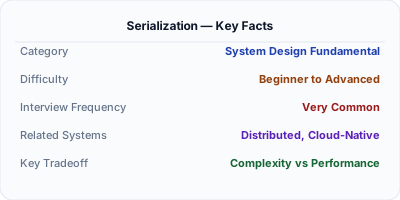
Serialization converts in-memory objects into a byte format that can be stored or transmitted; deserialization reverses the process. JSON is the default for REST APIs (human-readable, universally supported). Protocol Buffers and Avro are binary formats used for internal service communication (5-10x smaller, 10-100x faster to parse). The choice of serialization format affects payload size, parsing speed, schema evolution, and cross-language compatibility — making it a foundational decision in distributed system design.
| Aspect | Details |
|---|---|
| What it is | The process of converting objects to bytes for transfer or storage, and the inverse (deserialization) to reconstruct the original object |
| When to use | Every distributed system — API responses, message queue payloads, cache storage, database writes, cross-service communication |
| When NOT to use | In-process communication within a single service — no serialization needed when data stays in memory |
| Real-world example | LinkedIn uses Avro for all Kafka messages — schema evolution with backward/forward compatibility enables 2000+ microservices to evolve independently |
| Interview tip | Compare JSON (readable, universal) vs Protobuf (fast, typed) vs Avro (schema evolution) — show you understand the tradeoff spectrum |
| Common mistake | Using JSON for high-throughput internal communication — binary formats like Protobuf are 5-10x smaller and 10-100x faster to parse |
| Key tradeoff | Human readability and debugging ease (JSON) vs performance and type safety (binary formats like Protobuf) |
Why This Matters
Serialization happens on every network call, every cache write, and every message queue publish. At 100K requests per second, the difference between JSON (1ms to parse) and Protobuf (0.01ms to parse) is 100 seconds of CPU time per second — that is the difference between 10 servers and 100 servers. Beyond performance, schema evolution matters: how do you add a field to a message without breaking existing consumers? Avro and Protobuf handle this natively. JSON requires ad-hoc versioning. The serialization format is one of the highest-impact infrastructure decisions in a distributed system.
The Building Blocks
- JSON: Text-based, human-readable, universally supported. No schema required. Slow to parse and large on the wire. The default for REST APIs and browser communication.
- Protocol Buffers: Google's binary format with .proto schema files. 3-10x smaller than JSON, 10-100x faster to parse. Requires code generation. Schema evolution via field numbers.
- Apache Avro: Binary format with schema stored alongside data. Used extensively with Kafka. Supports schema evolution with schema registry. Popular in data engineering pipelines.
- MessagePack: Binary format that is backward-compatible with JSON (same data model) but 30-50% smaller and faster. Drop-in replacement for JSON in many cases.
- Schema Registry: A centralized service (like Confluent Schema Registry) that stores and validates schemas, ensuring producers and consumers agree on message format and enabling safe schema evolution.
Under the Hood
When an application serializes an object, the serializer walks the object graph and converts each field to its wire format. For JSON, this means writing field names as strings ("user_id": 12345) — the field name is repeated in every message. For Protobuf, field names are replaced by numeric tags (field 1 = 12345) — the schema maps tag numbers to names at compile time, so the wire format contains only tag numbers and values.
This is why Protobuf is smaller: a JSON object with 10 string field names averaging 15 characters wastes 150 bytes on names alone. Protobuf uses 1-2 bytes per field tag. For a message sent millions of times, this difference is enormous.
Schema evolution is the critical long-term concern. If service A adds a new field to its messages, service B (still running old code) must not break. Protobuf handles this naturally: old code ignores unknown field tags. Avro uses schema compatibility rules (backward, forward, full) enforced by a schema registry. JSON has no built-in evolution mechanism — consumers must be coded defensively to ignore unknown fields and handle missing ones.
How Companies Actually Do This
LinkedIn standardized on Avro for all Kafka messages with a centralized schema registry. This enables 2000+ microservices to evolve message schemas independently with guaranteed compatibility.
Google uses Protocol Buffers for all internal communication. Every Google service speaks Protobuf. The format was designed for Google's scale — billions of messages per second across data centers.
Uber uses a mix: JSON for external APIs (developer-friendly), Protobuf for internal gRPC calls (performance), and Avro for Kafka streams (schema evolution with schema registry).
Common Pitfalls
- Using JSON for high-throughput internal service communication — the parsing overhead at scale wastes significant CPU compared to binary alternatives
- Changing Protobuf field numbers or Avro field names — this breaks backward compatibility. Add new fields with new numbers; never reuse deleted field numbers
- Not using a schema registry with Avro — without schema validation, a producer can send incompatible messages that crash consumers downstream
Interview Questions Worth Practicing
- When would you choose Protobuf over JSON for a microservices architecture?
- How does schema evolution work in Protocol Buffers vs Apache Avro?
- What is the performance difference between JSON and binary serialization, and when does it matter?
The Tradeoffs
- Readability vs Performance: JSON is human-readable and debuggable with curl, but 5-10x larger and 10-100x slower than binary formats. Binary requires tooling to inspect.
- Schema Enforcement vs Flexibility: Protobuf/Avro enforce schemas at compile or registry level, catching errors early. JSON's schema-free nature is flexible but errors surface at runtime.
- Ecosystem vs Efficiency: JSON is supported everywhere (browsers, languages, tools). Binary formats require code generation, schema management, and language-specific libraries.
How to Explain This in an Interview
Here is how I would explain Serialization in a system design interview:
Serialization converts objects to bytes for network transfer. For external APIs, I use JSON — it is universal, human-readable, and every client supports it. For internal service-to-service communication at high throughput, I switch to Protocol Buffers — they are 5-10x more compact and faster because field names are replaced by numeric tags. For Kafka message streams where schema evolution is critical, I use Avro with a schema registry so producers and consumers can evolve independently. The key decision point is traffic volume: at 100 QPS, JSON overhead is negligible. At 100K QPS, the CPU savings from Protobuf pay for the schema management overhead many times over.
Related Topics
The Real-World Incident That Made This Famous
Understanding Serialization became critical after multiple high-profile production incidents at major tech companies. When systems handle millions of users, even small misunderstandings about Serialization can lead to cascading failures that cost millions in lost revenue and erode user trust. Companies like Netflix, Google, Amazon, and Meta have all invested heavily in mastering Serialization because they learned the hard way that ignoring it leads to outages.
The key lesson from these incidents: Serialization is not just a theoretical concept — it is a practical skill that separates engineers who build resilient systems from those who build fragile ones. Every major outage report from the past decade involves at least one Serialization-related design decision that was either implemented incorrectly or overlooked entirely during the initial architecture review.
How Senior Engineers Think About This
Senior engineers approach Serialization differently from textbook definitions. Instead of memorizing rules, they build mental models. They ask: "What problem does Serialization solve? When does it fail? What are the alternatives?" This problem-first thinking leads to better design decisions because every system has unique constraints.
When evaluating Serialization in a system design context, experienced engineers consider the failure modes first. What happens when this component goes down? How does the system degrade? Is the degradation graceful or catastrophic? These questions reveal more about your understanding than any textbook definition.
The key difference between junior and senior engineers when it comes to Serialization: juniors focus on the happy path, while seniors design for what happens when things go wrong. They consider operational cost, team expertise, monitoring requirements, and how the decision will look six months from now when traffic has grown 10x.
Common Interview Mistakes
Mistake 1: Giving a textbook definition without context. Interviewers want to see you connect Serialization to real systems and real problems. Instead of reciting definitions, explain when and why you would use Serialization in the system you are designing.
Mistake 2: Not discussing trade-offs. Every design decision involving Serialization has trade-offs. Discuss what you gain and what you give up. Acknowledge the downsides and explain why the benefits outweigh them for your specific use case.
Mistake 3: Overcomplicating the solution. Start with the simplest approach to Serialization that meets the requirements, then add complexity only when justified. Many candidates jump to complex implementations when a simpler solution would work perfectly.
Production Checklist
- Define clear metrics for measuring the effectiveness of your Serialization implementation
- Set up monitoring and alerting that specifically tracks Serialization-related failures
- Document your Serialization design decisions in Architecture Decision Records (ADRs)
- Test failure scenarios related to Serialization in staging before production deployment
- Review and update your Serialization implementation quarterly as system requirements evolve
- Train new team members on the specific Serialization patterns used in your system
- Establish runbooks for common Serialization-related incidents and recovery procedures
Practical Implementation for .NET Developers
In .NET, System.Text.Json is the built-in high-performance JSON serializer (source-generated for AOT). For Protobuf, use Google.Protobuf with Grpc.Tools for code generation from .proto files. For Avro, use Apache.Avro with the Confluent Schema Registry client (Confluent.SchemaRegistry.Serdes.Avro). For MessagePack, use MessagePack-CSharp which provides near-Protobuf performance with JSON-like ease of use. For extreme performance, source generators ([JsonSerializable]) eliminate reflection overhead entirely.
ASP.NET Core setup: Create a service class that encapsulates the logic, register it with dependency injection, and inject it into your controllers or minimal API endpoints. The built-in DI container handles lifecycle management.
Entity Framework Core: For database interactions, EF Core provides the ORM layer. Use migrations for schema management and raw SQL for performance-critical queries. Consider Dapper for read-heavy paths where EF Core overhead matters.
Azure integration: If deploying to Azure, leverage managed services — Azure Cache for Redis, Azure SQL, Azure Service Bus, Azure Cosmos DB. These eliminate operational overhead and provide built-in monitoring through Application Insights.
Testing: Use xUnit with Testcontainers for integration tests that spin up real databases in Docker. Mock external dependencies with NSubstitute. The WebApplicationFactory class lets you test your entire HTTP pipeline in-process.
Monitoring: Add Application Insights telemetry to track request latency, dependency calls, and custom metrics. Use structured logging with Serilog to make production debugging possible:
Log.Information("Processing {Operation} for {ResourceId}", operation, resourceId);
This gives you searchable, structured logs in Azure Monitor or Seq.