Encryption
Encryption protects data confidentiality at rest (AES-256), in transit (TLS), and end-to-end (E2E).
Encryption transforms readable data (plaintext) into unreadable data (ciphertext) using a key, so only authorized parties can access it. There are three contexts in system design: encryption at rest (AES-256 for stored data), encryption in transit (TLS for network communication), and end-to-end encryption (E2E, where only sender and receiver can decrypt). Every production system needs at least the first two. Understanding encryption is essential for system design interviews involving user data, payment processing, or compliance (GDPR, HIPAA, PCI-DSS).
| Aspect | Details |
|---|---|
| What it is | Transforming data into an unreadable format using cryptographic algorithms and keys, ensuring only authorized parties can access the original data |
| When to use | Always — every production system should encrypt data in transit (TLS) and sensitive data at rest (AES-256). E2E for messaging, healthcare, finance |
| When NOT to use | Public, non-sensitive data that is already freely available — encryption adds latency and CPU cost without benefit if the data is not confidential |
| Real-world example | WhatsApp uses end-to-end encryption for 100 billion messages per day — even WhatsApp servers cannot read message content |
| Interview tip | Distinguish symmetric (AES, same key) from asymmetric (RSA/ECDSA, key pairs) and know when each is used (TLS handshake uses both) |
| Common mistake | Rolling your own cryptography instead of using proven libraries — custom crypto is almost always broken. Use libsodium, OpenSSL, or platform-provided APIs |
| Key tradeoff | Security vs performance — encryption adds CPU overhead (1-5% for TLS, more for at-rest encryption) and complexity (key management, rotation) |
Why This Matters
Data breaches cost companies an average of $4.45 million (IBM 2023 report). Encryption is the primary defense. Encryption in transit (TLS) prevents eavesdropping on network traffic. Encryption at rest protects data if storage is compromised (stolen disks, backup leaks). End-to-end encryption ensures that even the service provider cannot read user data. Compliance regulations (GDPR, HIPAA, PCI-DSS) mandate encryption. In system design interviews, any discussion of sensitive data (passwords, payments, health records) requires demonstrating understanding of encryption at multiple layers.
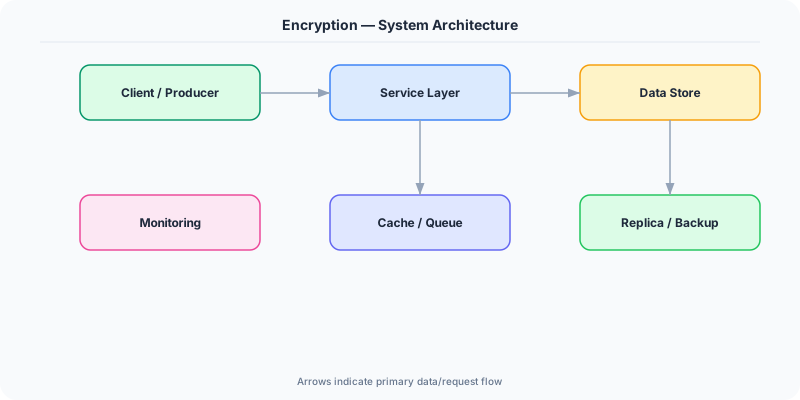
The Building Blocks
- Symmetric Encryption (AES): Same key for encryption and decryption. AES-256 is the standard. Fast (hardware-accelerated on modern CPUs). Used for bulk data encryption at rest and in E2E payloads.
- Asymmetric Encryption (RSA/ECDSA): Public key encrypts, private key decrypts (or signs). Slower than symmetric. Used for key exchange in TLS handshake and digital signatures for authentication.
- TLS (Transport Layer Security): Encrypts all data in transit between client and server. TLS 1.3 reduces handshake to 1 round-trip. Uses asymmetric crypto for key exchange, then symmetric for data.
- Key Management: Secure generation, storage, rotation, and revocation of encryption keys. Use AWS KMS, Azure Key Vault, or HashiCorp Vault. Never store keys alongside encrypted data.
- End-to-End Encryption: Only sender and receiver hold decryption keys. The server relays ciphertext without ability to read it. Signal Protocol (used by WhatsApp) is the standard implementation.
Under the Hood
TLS establishes an encrypted channel in three steps: the client sends a ClientHello with supported cipher suites, the server responds with its certificate and chosen cipher, and they perform a key exchange (ECDHE in TLS 1.3) to derive a shared symmetric key. All subsequent data is encrypted with AES-256-GCM using this key. TLS 1.3 completes this in a single round-trip (1-RTT), or even zero round-trips for resumed sessions (0-RTT).
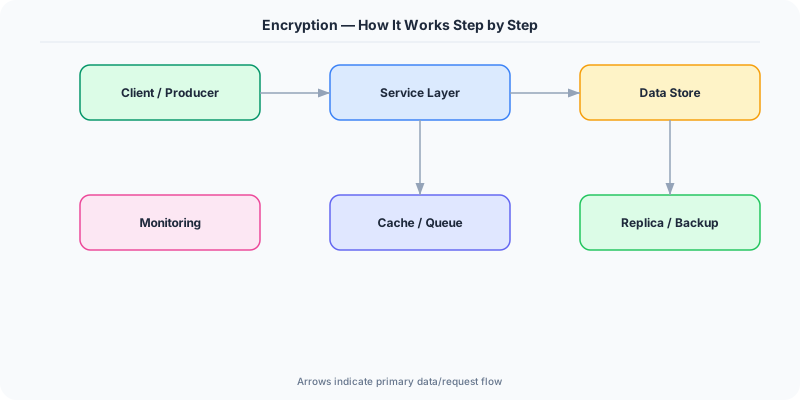
For encryption at rest, the standard approach is envelope encryption: a data encryption key (DEK) encrypts the data, and a key encryption key (KEK) stored in a KMS encrypts the DEK. The encrypted DEK is stored alongside the data. To decrypt, the application calls the KMS to decrypt the DEK, then uses the DEK to decrypt the data. This design means the KMS never sees the actual data, and rotating the KEK does not require re-encrypting all data.
End-to-end encryption adds another layer: each user has a key pair (public and private). Alice encrypts a message with Bob's public key; only Bob's private key can decrypt it. The server stores only ciphertext. The Signal Protocol extends this with forward secrecy: each message uses a new ephemeral key, so compromising one key does not compromise past messages. This is how WhatsApp encrypts 100 billion messages per day.
How Companies Actually Do This
WhatsApp encrypts 100 billion messages daily using the Signal Protocol. Even Meta servers cannot read message content. Each conversation uses a unique session key with forward secrecy.
AWS provides KMS (Key Management Service) for envelope encryption. S3 server-side encryption, RDS encryption at rest, and EBS volume encryption all use KMS-managed keys.
Google encrypts all data at rest by default across all Google Cloud services. They use a multi-layer key hierarchy with hardware security modules (HSMs) at the root of trust.
Common Pitfalls
- Storing encryption keys alongside encrypted data — if an attacker gets the database, they get the keys too. Use a dedicated KMS (AWS KMS, Azure Key Vault)
- Implementing custom cryptographic algorithms — virtually all homegrown crypto has vulnerabilities. Use proven libraries: libsodium, OpenSSL, or platform APIs
- Not rotating encryption keys — compromised keys remain dangerous indefinitely. Automate key rotation with envelope encryption so re-encrypting data is just re-wrapping the DEK
Interview Questions Worth Practicing
- How does TLS establish an encrypted connection, and what changed in TLS 1.3?
- What is envelope encryption, and why is it used for data at rest?
- How does end-to-end encryption differ from transport encryption, and when is each sufficient?
The Tradeoffs
- Security vs Performance: Encryption adds CPU overhead (1-5% for TLS, more for at-rest) and latency (TLS handshake adds a round-trip). Modern hardware acceleration (AES-NI) minimizes this.
- E2E Privacy vs Server Functionality: End-to-end encryption means the server cannot read data, which prevents server-side search, spam filtering, and content moderation.
- Key Complexity vs Protection: Stronger key management (HSMs, automatic rotation, envelope encryption) provides better security but adds operational complexity and dependency on KMS availability.
How to Explain This in an Interview
Here is how I would explain Encryption in a system design interview:
Encryption protects data at three layers. In transit: TLS encrypts all network communication — the client and server perform a key exchange (ECDHE in TLS 1.3) and derive a shared AES-256 key for the session. At rest: I use envelope encryption — a data key encrypts the data, and a KMS-managed key encrypts the data key. This way, key rotation does not require re-encrypting all data. End-to-end: for messaging or health data, only the sender and receiver hold keys. The server stores ciphertext it cannot read. The critical rule is never implement custom crypto — use proven libraries and managed services (AWS KMS, Azure Key Vault). In a system design, I always specify which layer handles encryption and where keys are stored.
Related Topics
The Real-World Incident That Made This Famous
Understanding Encryption became critical after multiple high-profile production incidents at major tech companies. When systems handle millions of users, even small misunderstandings about Encryption can lead to cascading failures that cost millions in lost revenue and erode user trust. Companies like Netflix, Google, Amazon, and Meta have all invested heavily in mastering Encryption because they learned the hard way that ignoring it leads to outages.
The key lesson from these incidents: Encryption is not just a theoretical concept — it is a practical skill that separates engineers who build resilient systems from those who build fragile ones. Every major outage report from the past decade involves at least one Encryption-related design decision that was either implemented incorrectly or overlooked entirely during the initial architecture review.
How Senior Engineers Think About This
Senior engineers approach Encryption differently from textbook definitions. Instead of memorizing rules, they build mental models. They ask: "What problem does Encryption solve? When does it fail? What are the alternatives?" This problem-first thinking leads to better design decisions because every system has unique constraints.
When evaluating Encryption in a system design context, experienced engineers consider the failure modes first. What happens when this component goes down? How does the system degrade? Is the degradation graceful or catastrophic? These questions reveal more about your understanding than any textbook definition.
The key difference between junior and senior engineers when it comes to Encryption: juniors focus on the happy path, while seniors design for what happens when things go wrong. They consider operational cost, team expertise, monitoring requirements, and how the decision will look six months from now when traffic has grown 10x.
Common Interview Mistakes
Mistake 1: Giving a textbook definition without context. Interviewers want to see you connect Encryption to real systems and real problems. Instead of reciting definitions, explain when and why you would use Encryption in the system you are designing.
Mistake 2: Not discussing trade-offs. Every design decision involving Encryption has trade-offs. Discuss what you gain and what you give up. Acknowledge the downsides and explain why the benefits outweigh them for your specific use case.
Mistake 3: Overcomplicating the solution. Start with the simplest approach to Encryption that meets the requirements, then add complexity only when justified. Many candidates jump to complex implementations when a simpler solution would work perfectly.
Production Checklist
- Define clear metrics for measuring the effectiveness of your Encryption implementation
- Set up monitoring and alerting that specifically tracks Encryption-related failures
- Document your Encryption design decisions in Architecture Decision Records (ADRs)
- Test failure scenarios related to Encryption in staging before production deployment
- Review and update your Encryption implementation quarterly as system requirements evolve
- Train new team members on the specific Encryption patterns used in your system
- Establish runbooks for common Encryption-related incidents and recovery procedures
Practical Implementation for .NET Developers
In .NET, use System.Security.Cryptography for AES encryption: Aes.Create() with 256-bit keys. For TLS, ASP.NET Core handles it automatically via Kestrel with UseHttps(). For key management, use Azure.Security.KeyVault.Keys or AWSSDK.KeyManagementService. The Microsoft.AspNetCore.DataProtection API provides envelope encryption for secrets with automatic key rotation. For E2E encryption in .NET, use libsodium via the Sodium.Core NuGet package which provides NaCl primitives (ChaCha20-Poly1305, X25519 key exchange).
ASP.NET Core setup: Create a service class that encapsulates the logic, register it with dependency injection, and inject it into your controllers or minimal API endpoints. The built-in DI container handles lifecycle management.
Entity Framework Core: For database interactions, EF Core provides the ORM layer. Use migrations for schema management and raw SQL for performance-critical queries. Consider Dapper for read-heavy paths where EF Core overhead matters.
Azure integration: If deploying to Azure, leverage managed services — Azure Cache for Redis, Azure SQL, Azure Service Bus, Azure Cosmos DB. These eliminate operational overhead and provide built-in monitoring through Application Insights.
Testing: Use xUnit with Testcontainers for integration tests that spin up real databases in Docker. Mock external dependencies with NSubstitute. The WebApplicationFactory class lets you test your entire HTTP pipeline in-process.
Monitoring: Add Application Insights telemetry to track request latency, dependency calls, and custom metrics. Use structured logging with Serilog to make production debugging possible:
Log.Information("Processing {Operation} for {ResourceId}", operation, resourceId);
This gives you searchable, structured logs in Azure Monitor or Seq.