Vector Databases
Vector databases store and query high-dimensional vector embeddings using approximate nearest neighbor (ANN) search, enabling semantic similarity search.
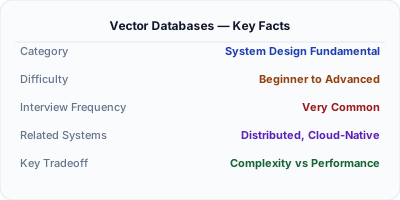
Vector databases store data as high-dimensional numerical vectors (embeddings) and enable similarity search — finding the vectors closest to a query vector in semantic space. Unlike keyword search that matches exact terms, vector search understands meaning: a query for "affordable sedan" finds results about "budget-friendly cars" even without shared keywords. Systems like Pinecone, Weaviate, Milvus, and pgvector power retrieval-augmented generation (RAG) for LLMs, recommendation engines, image search, and anomaly detection by making nearest-neighbor search fast at billion-vector scale.
| Aspect | Details |
|---|---|
| What it is | A database that stores high-dimensional vectors (embeddings) and provides fast approximate nearest neighbor search for semantic similarity queries |
| When to use | RAG for LLM applications, semantic search, recommendation systems, image similarity, anomaly detection, and any use case requiring meaning-based retrieval |
| When NOT to use | Exact-match lookups, transactional data, structured filtering without a vector component, or small datasets where brute-force distance computation is fast enough |
| Real-world example | Spotify uses vector similarity search to find songs that sound similar based on audio embeddings, powering 'Songs Like This' and Discover Weekly recommendations |
| Interview tip | Explain the full pipeline: data → embedding model → vectors → indexed in vector DB → query embedding → ANN search → top-K results. Interviewers want to see you understand the end-to-end flow |
| Common mistake | Assuming vector search always returns relevant results — the quality depends entirely on the embedding model; a bad model produces bad vectors, and no index can fix that |
| Key tradeoff | ANN algorithms trade perfect accuracy (finding the true nearest neighbors) for speed — typical recall is 95-99%, meaning 1-5% of true nearest neighbors may be missed |
Why This Matters
Vector databases are critical because modern AI applications represent data as embeddings — dense numerical vectors where semantic similarity maps to geometric proximity. An embedding model converts text, images, or audio into vectors, and the fundamental operation is finding the K most similar vectors to a query. Brute-force search is O(N*D) per query (N vectors, D dimensions), which is unusable at scale. Vector databases use approximate nearest neighbor (ANN) indexes to make this sub-linear, enabling semantic search across billions of vectors in milliseconds. With the explosion of LLM-powered applications, vector databases have become essential infrastructure for RAG, where they retrieve relevant context to ground LLM responses in factual data.
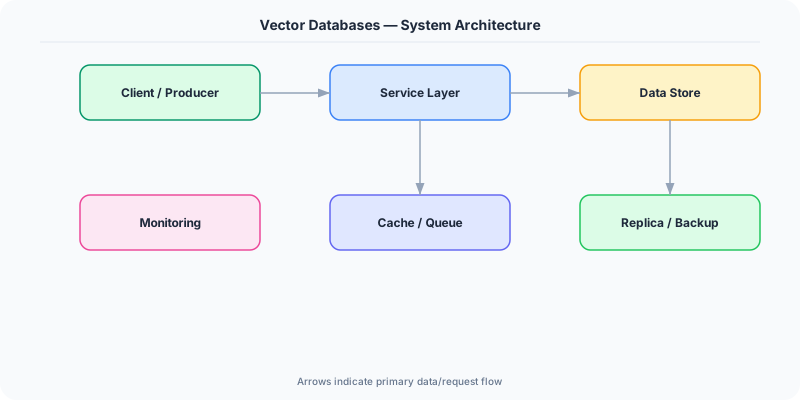
The Building Blocks
- Embeddings: Numerical vector representations (typically 384-1536 dimensions) generated by models like OpenAI's text-embedding-ada-002 or sentence-transformers, where similar concepts have nearby vectors.
- ANN Indexes: Approximate nearest neighbor index structures like HNSW (hierarchical navigable small world graphs) and IVF (inverted file indexes) enable sub-linear similarity search at the cost of slight recall loss.
- Distance Metrics: Similarity is measured by cosine similarity (angle between vectors), Euclidean distance (L2 norm), or dot product. The choice depends on how embeddings were trained.
- Metadata Filtering: Vector databases support hybrid queries — combining vector similarity with metadata filters (e.g., 'find similar documents where category = finance and date > 2024') for precise retrieval.
- HNSW Graphs: The most popular ANN structure: a multi-layer graph where each layer is a navigable small-world network. Search starts at the top (sparse) layer and greedily descends to find nearest neighbors.
Under the Hood
When a vector is inserted, it's added to an ANN index that enables fast similarity search. HNSW (Hierarchical Navigable Small World) is the most widely used index. It builds a multi-layer graph where each vector is a node with edges to its nearest neighbors. The top layer is sparse (few nodes, long-range connections for coarse navigation), and each successive layer is denser. Inserting a vector involves finding its nearest neighbors in each layer via greedy traversal and adding bidirectional edges.
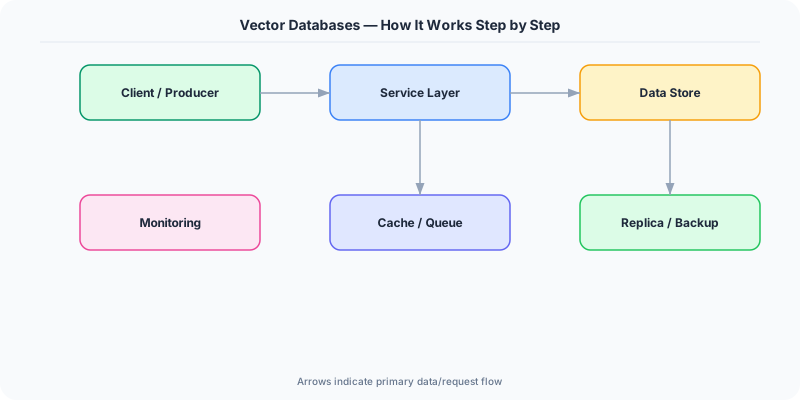
At query time, search begins at the top layer's entry point and greedily moves to the node nearest to the query vector. It drops to the next layer using that node as the entry point and repeats, refining the search. At the bottom layer (containing all vectors), it explores a neighborhood of ef_search candidates and returns the top-K. This achieves O(log N) search complexity with high recall (typically 95-99%), compared to brute-force O(N).
IVF (Inverted File) indexes take a different approach: they partition the vector space into clusters using k-means, then at query time only search the nearest nprobe clusters. Product quantization (PQ) compresses vectors by splitting each into subvectors and quantizing them to codebook entries, reducing memory by 4-64x at the cost of some accuracy. In practice, many vector databases combine IVF for coarse search with PQ for compression and HNSW for fine-grained search within partitions, balancing speed, memory, and recall.
How Companies Actually Do This
Spotify Encodes songs as audio embedding vectors and uses approximate nearest neighbor search to power similarity-based recommendations, finding songs that 'sound like' a user's favorites based on audio features, not just metadata.
Pinterest Uses vector embeddings for visual search — when a user clicks 'More like this' on a pin, Pinterest encodes the image as a vector and searches billions of pin embeddings to find visually similar content in real-time.
Notion Uses vector search for their AI Q&A feature, embedding workspace documents into vectors and using RAG to retrieve relevant context when users ask questions, enabling answers grounded in their actual documents.
Common Pitfalls
- Embedding model mismatch — using an embedding model trained on general English text to embed code or medical documents produces poor vectors; choose a model trained on data similar to your domain
- Ignoring recall vs latency tradeoff when tuning ANN parameters — setting HNSW's ef_search too low makes queries fast but misses relevant results; too high gives perfect recall but defeats the purpose of ANN
- Not updating embeddings when the model changes — if you retrain or switch embedding models, all existing vectors must be re-embedded; mixing vectors from different models in the same index produces garbage results
Interview Questions Worth Practicing
- How would you design a RAG system that retrieves relevant context for an LLM from 10 million company documents?
- Explain how HNSW works and why it achieves sub-linear query time for nearest neighbor search.
- How would you handle a scenario where vector search returns semantically similar but factually irrelevant results?
The Tradeoffs
- Recall vs Speed: ANN indexes sacrifice perfect recall (finding the absolute nearest neighbors) for dramatically faster queries — typical configurations achieve 95-99% recall at 100x the speed of brute-force
- Memory vs Accuracy: Quantization compresses vectors 4-64x to fit more in RAM but introduces approximation error that reduces search quality
- Generality vs Relevance: Generic embedding models work across domains but domain-specific models produce much better search results for specialized content like medical, legal, or code search
How to Explain This in an Interview
Here is how I would explain Vector Databases in a system design interview:
Start with the core idea: modern AI represents data as high-dimensional vectors (embeddings) where semantic similarity corresponds to geometric proximity. The fundamental operation is finding the K vectors most similar to a query vector. Brute-force comparison against every vector is O(N), which is impractical at scale. Vector databases solve this with ANN indexes — HNSW builds a multi-layer navigable graph achieving O(log N) search, while IVF partitions the space into clusters and only searches nearby ones. Walk through the RAG pipeline: documents are chunked, each chunk is embedded into a vector, vectors are indexed. At query time, the user's question is embedded, the ANN index finds the most similar document chunks, and those chunks are passed as context to the LLM. Mention the key tuning decisions: embedding model choice (determines vector quality), distance metric (cosine for normalized embeddings), and HNSW parameters (ef_construction for index quality, ef_search for query recall vs speed). The biggest pitfall is a bad embedding model — no index can compensate for poor vectors.
Related Topics
The Real-World Incident That Made This Famous
Understanding Vector Databases became critical after multiple high-profile production incidents at major tech companies. When systems handle millions of users, even small misunderstandings about Vector Databases can lead to cascading failures that cost millions in lost revenue and erode user trust. Companies like Netflix, Google, Amazon, and Meta have all invested heavily in mastering Vector Databases because they learned the hard way that ignoring it leads to outages.
The key lesson from these incidents: Vector Databases is not just a theoretical concept — it is a practical skill that separates engineers who build resilient systems from those who build fragile ones. Every major outage report from the past decade involves at least one Vector Databases-related design decision that was either implemented incorrectly or overlooked entirely during the initial architecture review.
How Senior Engineers Think About This
Senior engineers approach Vector Databases differently from textbook definitions. Instead of memorizing rules, they build mental models. They ask: "What problem does Vector Databases solve? When does it fail? What are the alternatives?" This problem-first thinking leads to better design decisions because every system has unique constraints.
When evaluating Vector Databases in a system design context, experienced engineers consider the failure modes first. What happens when this component goes down? How does the system degrade? Is the degradation graceful or catastrophic? These questions reveal more about your understanding than any textbook definition.
The key difference between junior and senior engineers when it comes to Vector Databases: juniors focus on the happy path, while seniors design for what happens when things go wrong. They consider operational cost, team expertise, monitoring requirements, and how the decision will look six months from now when traffic has grown 10x.
Common Interview Mistakes
Mistake 1: Giving a textbook definition without context. Interviewers want to see you connect Vector Databases to real systems and real problems. Instead of reciting definitions, explain when and why you would use Vector Databases in the system you are designing.
Mistake 2: Not discussing trade-offs. Every design decision involving Vector Databases has trade-offs. Discuss what you gain and what you give up. Acknowledge the downsides and explain why the benefits outweigh them for your specific use case.
Mistake 3: Overcomplicating the solution. Start with the simplest approach to Vector Databases that meets the requirements, then add complexity only when justified. Many candidates jump to complex implementations when a simpler solution would work perfectly.
Production Checklist
- Define clear metrics for measuring the effectiveness of your Vector Databases implementation
- Set up monitoring and alerting that specifically tracks Vector Databases-related failures
- Document your Vector Databases design decisions in Architecture Decision Records (ADRs)
- Test failure scenarios related to Vector Databases in staging before production deployment
- Review and update your Vector Databases implementation quarterly as system requirements evolve
- Train new team members on the specific Vector Databases patterns used in your system
- Establish runbooks for common Vector Databases-related incidents and recovery procedures
Practical Implementation for .NET Developers
In .NET, use pgvector via Npgsql — the Npgsql.EntityFrameworkCore.PostgreSQL package supports vector columns and similarity operators. For Pinecone, use the Pinecone.NET client. Azure AI Search provides vector search via the Azure.Search.Documents SDK with hybrid keyword+vector queries. For local development, Microsoft.SemanticKernel provides a memory abstraction over multiple vector stores. Qdrant has an official Qdrant.Client NuGet package. Use Microsoft.ML.OnnxRuntime to run embedding models locally for generating vectors without external API calls.
ASP.NET Core setup: Create a service class that encapsulates the logic, register it with dependency injection, and inject it into your controllers or minimal API endpoints. The built-in DI container handles lifecycle management.
Entity Framework Core: For database interactions, EF Core provides the ORM layer. Use migrations for schema management and raw SQL for performance-critical queries. Consider Dapper for read-heavy paths where EF Core overhead matters.
Azure integration: If deploying to Azure, leverage managed services — Azure Cache for Redis, Azure SQL, Azure Service Bus, Azure Cosmos DB. These eliminate operational overhead and provide built-in monitoring through Application Insights.
Testing: Use xUnit with Testcontainers for integration tests that spin up real databases in Docker. Mock external dependencies with NSubstitute. The WebApplicationFactory class lets you test your entire HTTP pipeline in-process.
Monitoring: Add Application Insights telemetry to track request latency, dependency calls, and custom metrics. Use structured logging with Serilog to make production debugging possible:
Log.Information("Processing {Operation} for {ResourceId}", operation, resourceId);
This gives you searchable, structured logs in Azure Monitor or Seq.