LSM Trees
LSM Trees (Log-Structured Merge Trees) are write-optimized data structures that buffer writes in memory and flush sorted runs to disk, powering databases.
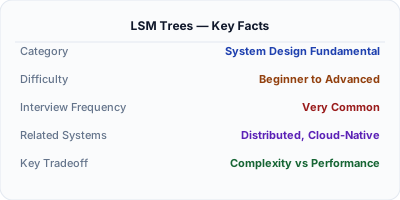
LSM Trees are write-optimized storage structures that turn random writes into sequential I/O by buffering mutations in an in-memory sorted structure (memtable) and periodically flushing them as immutable sorted runs (SSTables) to disk. Reads merge results across multiple levels of sorted files. This design makes LSM Trees the foundation of write-heavy databases like Apache Cassandra, RocksDB, LevelDB, and ScyllaDB, where sustained high write throughput matters more than single-read latency.
| Aspect | Details |
|---|---|
| What it is | A multi-level storage structure that buffers writes in memory and flushes them as sorted, immutable files to disk, merging files through compaction |
| When to use | Write-heavy workloads like time-series data, event logging, messaging systems, or any use case with high ingestion rates and sequential access patterns |
| When NOT to use | Read-heavy workloads with many point lookups on cold data — B-trees provide faster reads because data is in one sorted location, not spread across levels |
| Real-world example | Apache Cassandra uses LSM Trees to sustain millions of writes per second across its distributed nodes, making it ideal for time-series and IoT workloads |
| Interview tip | Compare LSM Trees vs B-Trees — explain that LSM optimizes writes (sequential I/O) while B-Trees optimize reads (single-location lookups), and the right choice depends on workload |
| Common mistake | Ignoring compaction tuning — poorly configured compaction leads to space amplification (too many redundant files) or write stalls (compaction can't keep up with ingestion) |
| Key tradeoff | LSM Trees trade read amplification (checking multiple levels) and space amplification (redundant data across levels) for extremely high write throughput |
Why This Matters
LSM Trees matter because traditional B-tree storage engines hit a wall under sustained write-heavy workloads. Each B-tree write requires finding the correct page and updating it in place, which translates to random disk I/O. LSM Trees avoid this entirely by writing to an in-memory buffer and periodically flushing sorted data sequentially — a pattern that's 100x faster on both SSDs and HDDs. Understanding LSM Trees is essential for anyone designing high-ingestion systems, choosing between storage engines (InnoDB vs RocksDB, WiredTiger vs LSM), or diagnosing write stalls and read amplification in production.
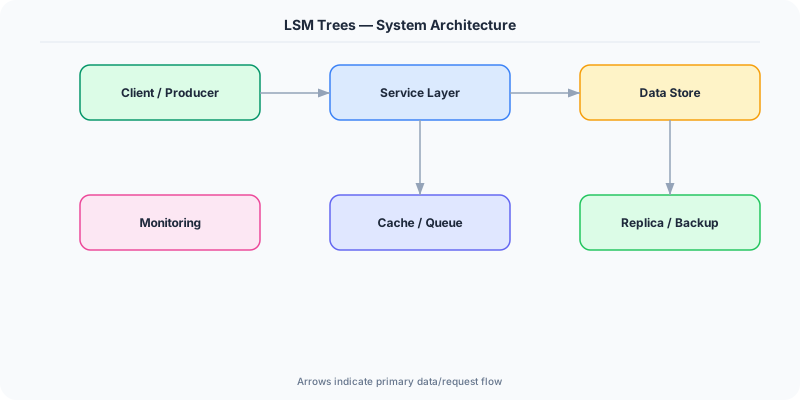
The Building Blocks
- Memtable: An in-memory sorted data structure (typically a skip list or red-black tree) that absorbs all incoming writes. Writes are also appended to a write-ahead log for durability.
- SSTables: When the memtable reaches a size threshold, it's flushed to disk as an immutable Sorted String Table — a file of key-value pairs in sorted order with an index for binary search.
- Compaction: Background compaction merges overlapping SSTables across levels, eliminating duplicate and deleted keys. Strategies include size-tiered (better write throughput) and leveled (better read performance).
- Bloom Filters: Each SSTable includes a Bloom filter that quickly answers 'is this key possibly in this file?' — avoiding expensive disk reads for keys that aren't present in a given level.
- Write-Ahead Log: Every write is first appended to a WAL before hitting the memtable, ensuring durability — if the process crashes, the WAL replays uncommitted writes on recovery.
Under the Hood
When a write arrives, it's first appended to the write-ahead log (sequential append, very fast) and then inserted into the memtable (an in-memory sorted structure). The memtable allows efficient in-memory reads and maintains sort order for the eventual flush. When the memtable exceeds a size threshold (typically 64-256MB), it becomes immutable and a new memtable takes its place. The immutable memtable is flushed to disk as a Level-0 SSTable.
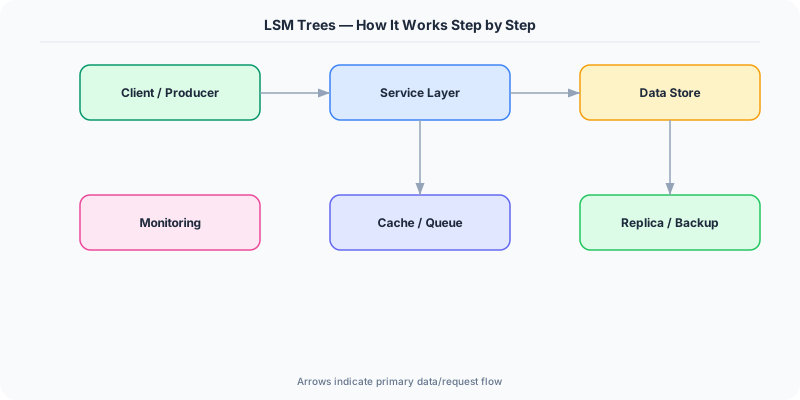
SSTables are organized in levels. Level-0 files may have overlapping key ranges (they're direct memtable flushes), but levels 1 and above are non-overlapping — each key exists in exactly one file per level. Compaction merges files from Level-N into Level-N+1, performing a merge-sort that eliminates obsolete versions and tombstones (deletion markers). Size-tiered compaction groups similarly-sized files for merging (simple, good write throughput, but temporarily doubles space usage). Leveled compaction maintains strict non-overlap per level (better read performance and space efficiency, but more frequent compaction writes).
Reads check the memtable first, then Level-0 SSTables, then progressively deeper levels. Bloom filters on each SSTable skip files that definitely don't contain the requested key. In the worst case, a point read may check one file per level — this is read amplification, the primary cost of the LSM design. Databases mitigate this with block caches, Bloom filters, and fence pointers (sparse indexes at the start of each data block).
How Companies Actually Do This
Apache Cassandra Uses LSM Trees as its storage engine, enabling millions of writes per second for use cases like time-series IoT data at Apple (which runs one of the largest Cassandra clusters at 150,000+ nodes).
Meta RocksDB (Meta's embeddable LSM-tree database) powers multiple internal systems including the MySQL storage engine (MyRocks), which reduced storage usage by 50% compared to InnoDB for their massive social graph workload.
CockroachDB Uses Pebble (a Go-native LSM-tree engine inspired by RocksDB) for its storage layer, choosing LSM Trees because distributed databases face heavy write loads from replication and Raft log application.
Common Pitfalls
- Not monitoring compaction debt — when writes arrive faster than compaction can merge files, the number of SSTables per level grows, causing read latency to spike and eventually triggering write stalls
- Using LSM Trees for read-dominated workloads — if your workload is 95% point reads and 5% writes, a B-tree engine will outperform LSM because data is in one location rather than spread across levels
- Ignoring space amplification — during compaction, both old and new SSTables coexist temporarily, so you need 2x the logical data size in free disk space to avoid out-of-disk crashes
Interview Questions Worth Practicing
- Compare LSM Trees and B-Trees — what are the key tradeoffs, and how would workload characteristics influence your choice?
- Explain how compaction works and the difference between size-tiered and leveled compaction strategies.
- How do Bloom filters improve read performance in an LSM Tree, and what are their limitations?
The Tradeoffs
- Write Amplification vs Read Amplification: Leveled compaction reduces read amplification by maintaining sorted levels but increases write amplification through more frequent merges
- Write Throughput vs Read Latency: LSM Trees achieve very high write throughput via sequential I/O but reads may need to check multiple levels, increasing tail latency
- Space Amplification vs Compaction Frequency: Less frequent compaction saves I/O but leaves more redundant data on disk; aggressive compaction reclaims space but consumes CPU and bandwidth
How to Explain This in an Interview
Here is how I would explain LSM Trees in a system design interview:
Start by explaining the core idea: instead of updating data in place like a B-tree, LSM Trees buffer writes in memory and periodically flush them as sorted, immutable files to disk. This turns random writes into sequential writes, which is 10-100x faster. Walk through the flow: writes go to the WAL (for durability) then the memtable (for fast in-memory access). When the memtable fills, it's flushed as an SSTable to Level-0. Compaction merges SSTables across levels, eliminating duplicates and maintaining sort order. For reads, the system checks the memtable, then each level, using Bloom filters to skip irrelevant files. The tradeoff is read amplification — a single key lookup may check multiple files. Close by comparing to B-trees: LSM wins on writes, B-trees win on reads, and the choice depends on your workload's read/write ratio.
Related Topics
The Real-World Incident That Made This Famous
Understanding LSM Trees became critical after multiple high-profile production incidents at major tech companies. When systems handle millions of users, even small misunderstandings about LSM Trees can lead to cascading failures that cost millions in lost revenue and erode user trust. Companies like Netflix, Google, Amazon, and Meta have all invested heavily in mastering LSM Trees because they learned the hard way that ignoring it leads to outages.
The key lesson from these incidents: LSM Trees is not just a theoretical concept — it is a practical skill that separates engineers who build resilient systems from those who build fragile ones. Every major outage report from the past decade involves at least one LSM Trees-related design decision that was either implemented incorrectly or overlooked entirely during the initial architecture review.
How Senior Engineers Think About This
Senior engineers approach LSM Trees differently from textbook definitions. Instead of memorizing rules, they build mental models. They ask: "What problem does LSM Trees solve? When does it fail? What are the alternatives?" This problem-first thinking leads to better design decisions because every system has unique constraints.
When evaluating LSM Trees in a system design context, experienced engineers consider the failure modes first. What happens when this component goes down? How does the system degrade? Is the degradation graceful or catastrophic? These questions reveal more about your understanding than any textbook definition.
The key difference between junior and senior engineers when it comes to LSM Trees: juniors focus on the happy path, while seniors design for what happens when things go wrong. They consider operational cost, team expertise, monitoring requirements, and how the decision will look six months from now when traffic has grown 10x.
Common Interview Mistakes
Mistake 1: Giving a textbook definition without context. Interviewers want to see you connect LSM Trees to real systems and real problems. Instead of reciting definitions, explain when and why you would use LSM Trees in the system you are designing.
Mistake 2: Not discussing trade-offs. Every design decision involving LSM Trees has trade-offs. Discuss what you gain and what you give up. Acknowledge the downsides and explain why the benefits outweigh them for your specific use case.
Mistake 3: Overcomplicating the solution. Start with the simplest approach to LSM Trees that meets the requirements, then add complexity only when justified. Many candidates jump to complex implementations when a simpler solution would work perfectly.
Production Checklist
- Define clear metrics for measuring the effectiveness of your LSM Trees implementation
- Set up monitoring and alerting that specifically tracks LSM Trees-related failures
- Document your LSM Trees design decisions in Architecture Decision Records (ADRs)
- Test failure scenarios related to LSM Trees in staging before production deployment
- Review and update your LSM Trees implementation quarterly as system requirements evolve
- Train new team members on the specific LSM Trees patterns used in your system
- Establish runbooks for common LSM Trees-related incidents and recovery procedures
Practical Implementation for .NET Developers
In .NET, you can use RocksDB via the RocksDbSharp NuGet package, which provides .NET bindings for Facebook's RocksDB engine — useful for building embedded high-write-throughput storage. For LevelDB, the LevelDB.Net package offers similar functionality. If you're using Azure Cosmos DB, its underlying storage uses a modified LSM structure. When implementing custom storage engines in .NET, the System.IO.MemoryMappedFiles namespace and Span<byte> provide efficient memory-mapped I/O for building memtable flush and SSTable read paths.
ASP.NET Core setup: Create a service class that encapsulates the logic, register it with dependency injection, and inject it into your controllers or minimal API endpoints. The built-in DI container handles lifecycle management.
Entity Framework Core: For database interactions, EF Core provides the ORM layer. Use migrations for schema management and raw SQL for performance-critical queries. Consider Dapper for read-heavy paths where EF Core overhead matters.
Azure integration: If deploying to Azure, leverage managed services — Azure Cache for Redis, Azure SQL, Azure Service Bus, Azure Cosmos DB. These eliminate operational overhead and provide built-in monitoring through Application Insights.
Testing: Use xUnit with Testcontainers for integration tests that spin up real databases in Docker. Mock external dependencies with NSubstitute. The WebApplicationFactory class lets you test your entire HTTP pipeline in-process.
Monitoring: Add Application Insights telemetry to track request latency, dependency calls, and custom metrics. Use structured logging with Serilog to make production debugging possible:
Log.Information("Processing {Operation} for {ResourceId}", operation, resourceId);
This gives you searchable, structured logs in Azure Monitor or Seq.