Connection Pooling
Connection pooling reuses a pool of pre-established database connections instead of creating new ones per request, dramatically reducing latency and.
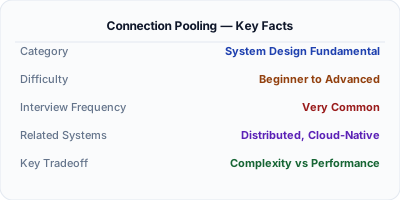
Connection pooling maintains a cache of reusable database connections so that applications don't pay the overhead of establishing a new TCP connection, performing a TLS handshake, and authenticating for every query. Without pooling, a web server handling 1,000 concurrent requests would need 1,000 simultaneous database connections — far exceeding what most databases can handle. Connection pools like PgBouncer, HikariCP, and built-in ADO.NET pooling solve this by multiplexing many application requests across a smaller number of persistent connections.
| Aspect | Details |
|---|---|
| What it is | A technique that maintains a pool of pre-established database connections, lending them to application threads and returning them after use |
| When to use | Any application that makes database queries — connection pooling should be enabled by default in virtually every production system |
| When NOT to use | Long-running batch jobs that hold connections for minutes or hours — these starve the pool; use a separate pool or direct connections instead |
| Real-world example | Heroku uses PgBouncer in front of PostgreSQL to allow thousands of dynos to share a limited number of database connections efficiently |
| Interview tip | Know the numbers — creating a new PostgreSQL connection takes 50-100ms while borrowing from a pool takes under 1ms; this 100x difference matters at scale |
| Common mistake | Setting the pool size too large, which overwhelms the database with connections, or too small, which causes application threads to block waiting for a connection |
| Key tradeoff | Larger pools handle more concurrency but consume more database memory and can cause contention; smaller pools limit concurrency but keep the database healthy |
Why This Matters
Connection pooling is critical because database connections are expensive resources. Each connection consumes memory on both the application server and the database server (PostgreSQL uses ~10MB per connection). Creating a new connection involves DNS resolution, TCP handshake, TLS negotiation, and authentication — typically 50-100ms. At scale, an application handling thousands of requests per second would exhaust the database's connection limit within seconds without pooling. Understanding pool sizing, timeout configuration, and health checking is essential for building reliable, performant systems.
The Building Blocks
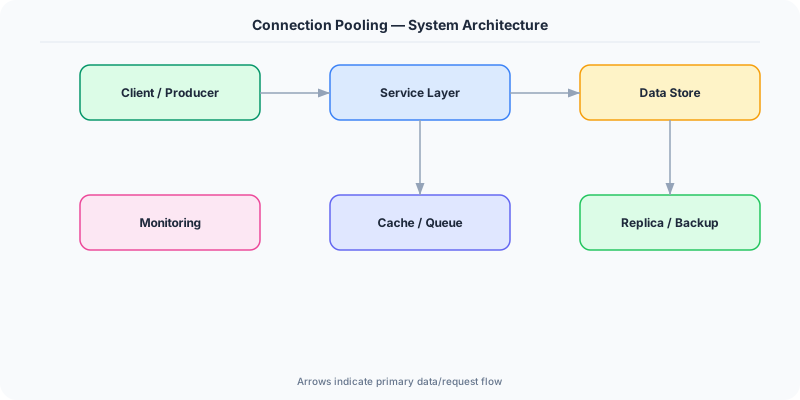
- Pool Initialization: On startup, the pool creates a minimum number of connections (minIdle). These are ready immediately, eliminating cold-start latency for the first requests.
- Borrow & Return: When a thread needs a connection, it borrows one from the pool. After the query completes, the connection is returned (not closed), making it available for the next thread.
- Connection Validation: Pools periodically test idle connections with lightweight queries (like SELECT 1) and discard broken ones, ensuring application code never receives a stale or dead connection.
- Pool Sizing: The optimal pool size depends on the number of CPU cores and disk spindles — HikariCP's formula is connections = (cores * 2) + effective_spindle_count, typically 10-20 for most workloads.
- External Poolers: Dedicated pooling proxies like PgBouncer and ProxySQL sit between the application and database, providing connection multiplexing at the infrastructure level rather than per-application.
Under the Hood
A connection pool maintains a bounded collection of database connections in different states: idle (available), in-use (borrowed by a thread), and being-validated (health check in progress). When a thread requests a connection, the pool checks for available idle connections. If one exists, it's returned immediately (sub-millisecond). If none are available and the pool hasn't reached maxSize, a new connection is created. If the pool is at capacity, the thread blocks until a connection is returned or a timeout expires.
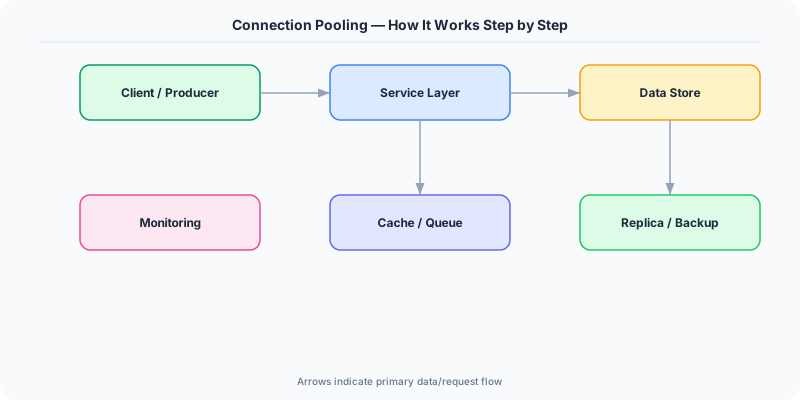
The pool tracks connection age and idle time. Connections that exceed maxLifetime are closed and replaced, preventing issues from server-side timeouts, memory leaks, or network changes. Idle connections exceeding idleTimeout are pruned to free database resources during low-traffic periods. Health checks — either test-on-borrow (adds latency) or background validation (no request-path overhead) — ensure connections are functional.
External poolers like PgBouncer operate in three modes: session (one pool connection per client session), transaction (connections returned after each transaction — most common), and statement (connections returned after each statement). Transaction mode is the most efficient, multiplexing thousands of client connections across dozens of database connections. However, it doesn't support session-level features like prepared statements or SET commands, which can surprise developers.
How Companies Actually Do This
Heroku PgBouncer runs as a buildpack on every Heroku dyno, allowing thousands of dynos to share a single PostgreSQL instance's limited connection slots — without it, popular apps would exhaust the 500-connection limit instantly.
Instagram Uses connection pooling extensively in their Django application layer to handle hundreds of thousands of queries per second against PostgreSQL, with careful pool tuning to prevent thundering herd issues during traffic spikes.
Shopify Uses ProxySQL as a connection pooler and query router in front of MySQL, multiplexing connections from thousands of application pods and routing reads to replicas and writes to the primary.
Common Pitfalls
- Setting pool size equal to max concurrent requests — if you have 200 threads and a pool of 200, the database gets 200 connections per app instance; with 10 instances that's 2,000 connections, likely crashing the database
- Not configuring connection timeouts — without a connectionTimeout, threads block indefinitely waiting for a pool connection during traffic spikes, causing cascading failures
- Leaking connections by not closing them in finally blocks — if exception handling misses a return path, connections are never returned to the pool, eventually exhausting it
Interview Questions Worth Practicing
- How would you determine the optimal connection pool size for an application handling 10,000 requests per second?
- What happens when all connections in a pool are in use and a new request arrives? How would you handle this?
- Explain the difference between application-level connection pooling and an external pooler like PgBouncer. When would you use each?
The Tradeoffs
- Pool Size vs Database Load: Larger pools give applications more concurrent database access but consume more memory and CPU on the database server
- Validation Overhead vs Reliability: Testing connections on every borrow adds ~1ms latency but guarantees working connections; background validation is faster but may miss recently broken connections
- Session vs Transaction Pooling: Transaction pooling multiplexes connections most efficiently but breaks session-level features like prepared statements and temporary tables
How to Explain This in an Interview
Here is how I would explain Connection Pooling in a system design interview:
Explain that database connections are expensive to create (TCP + TLS + auth = ~100ms) and expensive to hold (each consumes ~10MB on the database server). Connection pooling solves both by maintaining a cache of pre-established connections that threads borrow and return. Walk through the lifecycle: the pool initializes with minIdle connections, threads borrow available ones or wait if the pool is exhausted, and connections are validated periodically to discard dead ones. For pool sizing, cite the formula: connections = (CPU cores * 2) + spindles, which means most databases perform best with 10-30 connections per instance. Mention external poolers like PgBouncer for environments where many application instances share a single database. Close with the key pitfall: connection leaks from missing finally blocks silently exhaust the pool over time.
Related Topics
The Real-World Incident That Made This Famous
Understanding Connection Pooling became critical after multiple high-profile production incidents at major tech companies. When systems handle millions of users, even small misunderstandings about Connection Pooling can lead to cascading failures that cost millions in lost revenue and erode user trust. Companies like Netflix, Google, Amazon, and Meta have all invested heavily in mastering Connection Pooling because they learned the hard way that ignoring it leads to outages.
The key lesson from these incidents: Connection Pooling is not just a theoretical concept — it is a practical skill that separates engineers who build resilient systems from those who build fragile ones. Every major outage report from the past decade involves at least one Connection Pooling-related design decision that was either implemented incorrectly or overlooked entirely during the initial architecture review.
How Senior Engineers Think About This
Senior engineers approach Connection Pooling differently from textbook definitions. Instead of memorizing rules, they build mental models. They ask: "What problem does Connection Pooling solve? When does it fail? What are the alternatives?" This problem-first thinking leads to better design decisions because every system has unique constraints.
When evaluating Connection Pooling in a system design context, experienced engineers consider the failure modes first. What happens when this component goes down? How does the system degrade? Is the degradation graceful or catastrophic? These questions reveal more about your understanding than any textbook definition.
The key difference between junior and senior engineers when it comes to Connection Pooling: juniors focus on the happy path, while seniors design for what happens when things go wrong. They consider operational cost, team expertise, monitoring requirements, and how the decision will look six months from now when traffic has grown 10x.
Common Interview Mistakes
Mistake 1: Giving a textbook definition without context. Interviewers want to see you connect Connection Pooling to real systems and real problems. Instead of reciting definitions, explain when and why you would use Connection Pooling in the system you are designing.
Mistake 2: Not discussing trade-offs. Every design decision involving Connection Pooling has trade-offs. Discuss what you gain and what you give up. Acknowledge the downsides and explain why the benefits outweigh them for your specific use case.
Mistake 3: Overcomplicating the solution. Start with the simplest approach to Connection Pooling that meets the requirements, then add complexity only when justified. Many candidates jump to complex implementations when a simpler solution would work perfectly.
Production Checklist
- Define clear metrics for measuring the effectiveness of your Connection Pooling implementation
- Set up monitoring and alerting that specifically tracks Connection Pooling-related failures
- Document your Connection Pooling design decisions in Architecture Decision Records (ADRs)
- Test failure scenarios related to Connection Pooling in staging before production deployment
- Review and update your Connection Pooling implementation quarterly as system requirements evolve
- Train new team members on the specific Connection Pooling patterns used in your system
- Establish runbooks for common Connection Pooling-related incidents and recovery procedures
Practical Implementation for .NET Developers
ADO.NET connection pooling is built in and enabled by default — when you call SqlConnection.Close(), the connection returns to the pool rather than truly closing. Configure it via the connection string: "Max Pool Size=20;Min Pool Size=5;Connection Lifetime=300". In Entity Framework Core, the DbContext is scoped per request by default via AddDbContext, and each context borrows from the underlying ADO.NET pool. For Npgsql (PostgreSQL), the NpgsqlDataSource introduced in Npgsql 7.0 is the recommended pooling entry point. Always wrap connections in using statements to prevent pool exhaustion.
ASP.NET Core setup: Create a service class that encapsulates the logic, register it with dependency injection, and inject it into your controllers or minimal API endpoints. The built-in DI container handles lifecycle management.
Entity Framework Core: For database interactions, EF Core provides the ORM layer. Use migrations for schema management and raw SQL for performance-critical queries. Consider Dapper for read-heavy paths where EF Core overhead matters.
Azure integration: If deploying to Azure, leverage managed services — Azure Cache for Redis, Azure SQL, Azure Service Bus, Azure Cosmos DB. These eliminate operational overhead and provide built-in monitoring through Application Insights.
Testing: Use xUnit with Testcontainers for integration tests that spin up real databases in Docker. Mock external dependencies with NSubstitute. The WebApplicationFactory class lets you test your entire HTTP pipeline in-process.
Monitoring: Add Application Insights telemetry to track request latency, dependency calls, and custom metrics. Use structured logging with Serilog to make production debugging possible:
Log.Information("Processing {Operation} for {ResourceId}", operation, resourceId);
This gives you searchable, structured logs in Azure Monitor or Seq.