Event Sourcing
Event Sourcing stores every state change as an immutable event. The current state is derived by replaying events, providing a complete audit trail and.
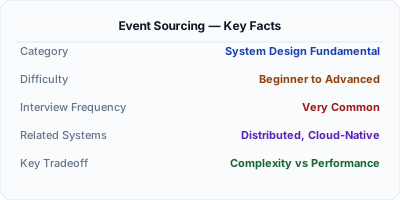
Event Sourcing stores state as a sequence of immutable events rather than overwriting current state. Instead of updating an account balance to $150, you store "deposited $50" and "deposited $100." The current state is computed by replaying all events. This gives you a complete audit trail, the ability to reconstruct state at any point in time, and the ability to derive new read models from the same event stream. Banking, trading, and healthcare systems use event sourcing for its auditability and temporal query capabilities.
| Aspect | Details |
|---|---|
| What it is | A storage pattern where all changes to application state are stored as an immutable sequence of events |
| When to use | Systems requiring audit trails, temporal queries, undo/redo, or complex event-driven projections — finance, healthcare, legal |
| When NOT to use | Simple CRUD apps without audit requirements, or systems where storage cost of every event is prohibitive |
| Real-world example | Event Store (the database) powers financial systems where regulators require a complete, immutable record of every state change |
| Interview tip | Connect event sourcing to CQRS — events are stored for writes, and projections built from events serve reads |
| Common mistake | Treating the event store as a message queue — events are persisted facts, not transient messages. They are replayed, not consumed and deleted |
| Key tradeoff | Complete audit trail and temporal queries vs storage growth, read complexity, and schema evolution challenges |
Why This Matters
Traditional CRUD stores only the current state — yesterday's data is gone unless you built a separate audit log. Event sourcing captures every change as an immutable event, making the complete history the source of truth. This is essential for financial systems (regulators demand full transaction history), collaborative editing (like Google Docs), and debugging production issues (replay events to reproduce the exact state that caused a bug). Event sourcing also enables time-travel queries: what was the account balance at 3 PM last Tuesday?
The Building Blocks
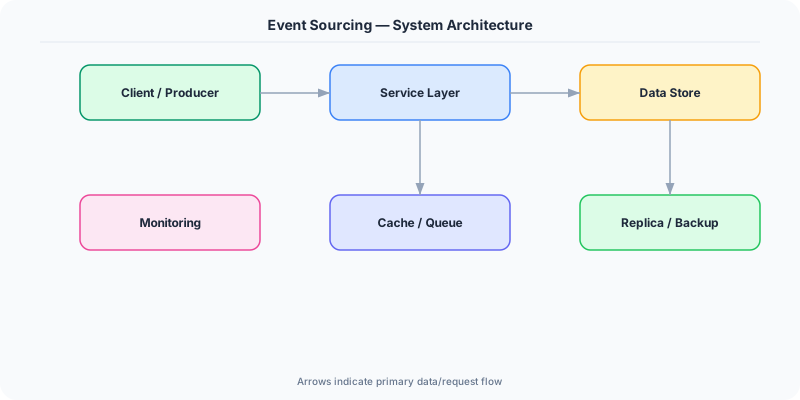
- Event Store: An append-only database of events. Each event has a type (OrderPlaced), payload (order details), timestamp, and sequence number. Events are never updated or deleted.
- Aggregate: A domain entity that processes commands and emits events. The order aggregate receives a PlaceOrder command, validates it, and emits an OrderPlaced event. State is rebuilt by replaying events.
- Snapshots: Periodic snapshots of aggregate state avoid replaying thousands of events on every load. Load the latest snapshot, then replay only events after it.
- Projections: Read models built by processing the event stream. The same events can power multiple projections: an order history view, a revenue dashboard, and an inventory tracker.
- Event Schema Evolution: Events are immutable, but their format evolves. Use upcasting (transforming old events to new format on read) or versioned event types to handle schema changes.
Under the Hood
When a command arrives (e.g., PlaceOrder), the system loads the aggregate by replaying its events from the store. If 500 events exist, it starts from the latest snapshot and replays only subsequent events. The aggregate validates the command against its current state and, if valid, emits new events (OrderPlaced, InventoryReserved). These events are appended to the event store in a single atomic operation.
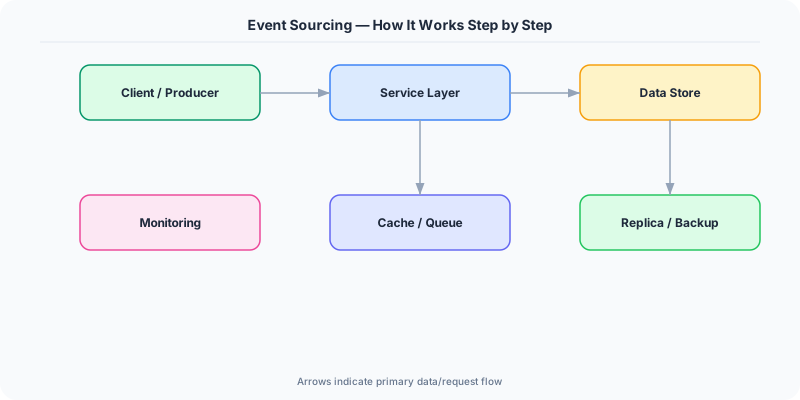
The event store is append-only — think of it as a log. Events are identified by (aggregate_id, sequence_number). Optimistic concurrency ensures that if two commands target the same aggregate simultaneously, the second one fails (expected sequence number mismatch) and must retry.
Projections run asynchronously: a projector reads the event stream, builds a denormalized view, and tracks its position (the last event it processed). If a projector crashes, it resumes from its last position. If a new projection is needed (e.g., a new analytics dashboard), create a new projector that replays the entire event stream from the beginning to build its initial state. This is the true power of event sourcing — the event stream is the single source of truth, and any number of views can be derived from it.
How Companies Actually Do This
Event Store (Greg Young) A purpose-built database for event sourcing that stores events in streams, provides subscriptions for projections, and supports category-based queries natively.
Goldman Sachs uses event sourcing for trade processing. Every trade modification is an event, giving regulators a complete, immutable audit trail and enabling same-day trade reconciliation.
Shopify uses event sourcing for their order management system. Every order state change (placed, paid, shipped, returned) is an event, enabling flexible projections for merchants, analytics, and fulfillment.
Common Pitfalls
- Storing mutable state alongside events — if you update a database row AND emit an event, they can get out of sync. The event store should be the sole source of truth
- Not implementing snapshots for long-lived aggregates — an aggregate with 10,000 events takes seconds to rebuild on every command if there is no snapshot
- Deleting or modifying events to fix bugs — events are immutable facts. Instead, emit a corrective event (e.g., OrderCorrected) that adjusts the state forward
Interview Questions Worth Practicing
- How would you implement event sourcing for a banking system with millions of transactions?
- What are the tradeoffs between event sourcing and traditional CRUD for a given use case?
- How do you handle event schema evolution when events are immutable?
The Tradeoffs
- Auditability vs Storage Cost: Every change is preserved forever, which is ideal for compliance but means storage grows linearly with every mutation. Archival and compaction strategies help.
- Temporal Queries vs Read Complexity: You can query state at any point in time by replaying events up to that timestamp, but simple 'current state' queries require projections or full replay.
- Flexibility vs Schema Evolution: New projections can be built from existing events, but evolving event schemas without breaking existing projections requires careful versioning and upcasting.
How to Explain This in an Interview
Here is how I would explain Event Sourcing in a system design interview:
Event sourcing stores every state change as an immutable event rather than overwriting current state. For a bank account, instead of storing 'balance: $150', I store 'deposited $50' and 'deposited $100' — the balance is computed by replaying events. This gives three advantages: a complete audit trail (every change is recorded), temporal queries (what was the balance last Tuesday?), and the ability to build new read models by replaying the event stream. I would combine it with CQRS — events are the write model, projections are the read model. The tradeoffs are storage growth (every event is kept forever) and read complexity (you need projections for efficient queries). Snapshots mitigate the replay cost for long-lived aggregates.
Related Topics
The Real-World Incident That Made This Famous
Understanding Event Sourcing became critical after multiple high-profile production incidents at major tech companies. When systems handle millions of users, even small misunderstandings about Event Sourcing can lead to cascading failures that cost millions in lost revenue and erode user trust. Companies like Netflix, Google, Amazon, and Meta have all invested heavily in mastering Event Sourcing because they learned the hard way that ignoring it leads to outages.
The key lesson from these incidents: Event Sourcing is not just a theoretical concept — it is a practical skill that separates engineers who build resilient systems from those who build fragile ones. Every major outage report from the past decade involves at least one Event Sourcing-related design decision that was either implemented incorrectly or overlooked entirely during the initial architecture review.
How Senior Engineers Think About This
Senior engineers approach Event Sourcing differently from textbook definitions. Instead of memorizing rules, they build mental models. They ask: "What problem does Event Sourcing solve? When does it fail? What are the alternatives?" This problem-first thinking leads to better design decisions because every system has unique constraints.
When evaluating Event Sourcing in a system design context, experienced engineers consider the failure modes first. What happens when this component goes down? How does the system degrade? Is the degradation graceful or catastrophic? These questions reveal more about your understanding than any textbook definition.
The key difference between junior and senior engineers when it comes to Event Sourcing: juniors focus on the happy path, while seniors design for what happens when things go wrong. They consider operational cost, team expertise, monitoring requirements, and how the decision will look six months from now when traffic has grown 10x.
Common Interview Mistakes
Mistake 1: Giving a textbook definition without context. Interviewers want to see you connect Event Sourcing to real systems and real problems. Instead of reciting definitions, explain when and why you would use Event Sourcing in the system you are designing.
Mistake 2: Not discussing trade-offs. Every design decision involving Event Sourcing has trade-offs. Discuss what you gain and what you give up. Acknowledge the downsides and explain why the benefits outweigh them for your specific use case.
Mistake 3: Overcomplicating the solution. Start with the simplest approach to Event Sourcing that meets the requirements, then add complexity only when justified. Many candidates jump to complex implementations when a simpler solution would work perfectly.
Production Checklist
- Define clear metrics for measuring the effectiveness of your Event Sourcing implementation
- Set up monitoring and alerting that specifically tracks Event Sourcing-related failures
- Document your Event Sourcing design decisions in Architecture Decision Records (ADRs)
- Test failure scenarios related to Event Sourcing in staging before production deployment
- Review and update your Event Sourcing implementation quarterly as system requirements evolve
- Train new team members on the specific Event Sourcing patterns used in your system
- Establish runbooks for common Event Sourcing-related incidents and recovery procedures
Practical Implementation for .NET Developers
In .NET, use Marten (PostgreSQL-based event store with built-in projections and snapshotting) or EventStoreDB via the EventStore.Client NuGet package. For aggregates, define events as records: record OrderPlaced(Guid OrderId, decimal Total). Use MediatR for command handling. Projections can be inline (Marten's IProjection<T>) or async via background workers consuming the event stream. For production, Wolverine (by the Marten team) provides full CQRS + event sourcing with saga support.
ASP.NET Core setup: Create a service class that encapsulates the logic, register it with dependency injection, and inject it into your controllers or minimal API endpoints. The built-in DI container handles lifecycle management.
Entity Framework Core: For database interactions, EF Core provides the ORM layer. Use migrations for schema management and raw SQL for performance-critical queries. Consider Dapper for read-heavy paths where EF Core overhead matters.
Azure integration: If deploying to Azure, leverage managed services — Azure Cache for Redis, Azure SQL, Azure Service Bus, Azure Cosmos DB. These eliminate operational overhead and provide built-in monitoring through Application Insights.
Testing: Use xUnit with Testcontainers for integration tests that spin up real databases in Docker. Mock external dependencies with NSubstitute. The WebApplicationFactory class lets you test your entire HTTP pipeline in-process.
Monitoring: Add Application Insights telemetry to track request latency, dependency calls, and custom metrics. Use structured logging with Serilog to make production debugging possible:
Log.Information("Processing {Operation} for {ResourceId}", operation, resourceId);
This gives you searchable, structured logs in Azure Monitor or Seq.