Blue-Green Deployment
Blue-green deployment maintains two identical production environments. Traffic switches from blue (current) to green (new) instantly, enabling.
Blue-green deployment uses two identical production environments. Blue runs the current version; green gets the new version. After testing green, traffic switches from blue to green in one atomic operation (DNS change or load balancer update). If something breaks, switch back to blue instantly. There is no rollout period — 100% of traffic moves at once. This gives you zero-downtime deployment with instant rollback, at the cost of running double infrastructure during deployment.
| Aspect | Details |
|---|---|
| What it is | A deployment strategy using two identical environments where traffic switches atomically from the current (blue) to the new (green) version |
| When to use | Mission-critical systems requiring zero-downtime deployment with instant rollback capability |
| When NOT to use | Resource-constrained environments where running double infrastructure is too expensive, or when database schema changes make instant rollback impossible |
| Real-world example | Amazon uses blue-green deployment for production services where instant rollback is a safety requirement for customer-facing systems |
| Interview tip | Contrast with canary releases — blue-green is all-or-nothing, canary is gradual. Explain when each is appropriate |
| Common mistake | Forgetting about database schema compatibility — if the new version changes the schema, rolling back to blue may fail because the database is now incompatible |
| Key tradeoff | Instant rollback safety vs double infrastructure cost and database migration complexity |
Why This Matters
Traditional deployments (stop old, start new) create downtime. Rolling deployments can leave the system in a mixed-version state. Blue-green deployment eliminates both problems: the new version is fully deployed and tested on green before any traffic hits it. The switch is atomic — zero mixed-version requests. If a production issue is detected, switching back to blue takes seconds, not the minutes or hours of a rollback deployment. For systems with strict SLA requirements, this instant rollback capability is invaluable.
The Building Blocks
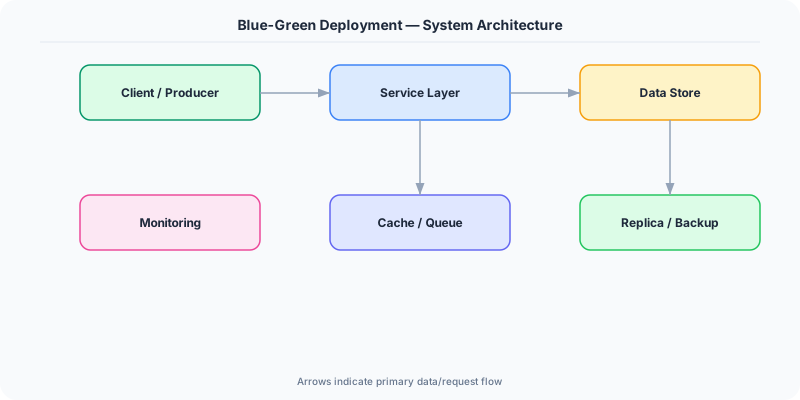
- Blue Environment: The currently active production environment serving all traffic. It remains untouched during the deployment process.
- Green Environment: The identical environment where the new version is deployed and tested. Once validated, it becomes the new blue.
- Traffic Switch: A load balancer rule change or DNS update that redirects 100% of traffic from blue to green in one atomic operation.
- Smoke Tests: Automated tests run against the green environment before traffic switches. Validates critical paths: login, checkout, API health.
- Database Compatibility: Schema changes must be backward-compatible. Both blue and green versions must work with the same database during the transition window.
Under the Hood
Before deployment, blue is live and green is idle (or serving internal test traffic). The deployment pipeline deploys the new version to green, runs automated smoke tests against green's health endpoints, and verifies all critical functionality. If tests pass, the pipeline updates the load balancer to route traffic to green. The switch is a single API call to the load balancer — it takes milliseconds.
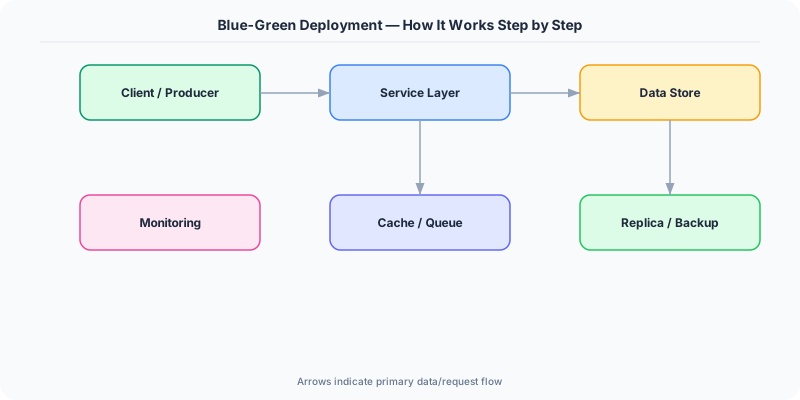
After the switch, blue is idle but kept running for 15-30 minutes. If monitoring detects issues (error rate spike, latency increase), the pipeline switches traffic back to blue. Once the green deployment is confirmed stable, blue's resources are deallocated or repurposed for the next deployment.
The hardest challenge is database migration. If the new version adds a column, the migration runs before the switch. But if you rollback to blue, the old code must tolerate the new column (it should ignore unknown columns). If the new version removes or renames a column, you cannot rollback safely. The solution: always use expand-and-contract migrations — add the new column first, deploy code that uses it, then remove the old column in a separate deployment.
How Companies Actually Do This
Amazon uses blue-green deployment for customer-facing services. Their deployment pipeline automatically rolls back within seconds if CloudWatch alarms fire after the traffic switch.
Netflix implements a variant using red-black deployment (their term for blue-green). New AMIs are spun up alongside existing ones, traffic shifts, and old instances are terminated after a soak period.
Heroku provides built-in blue-green deployment via 'preboot' — new dynos start alongside existing ones, and the router switches traffic atomically once the new dynos are healthy.
Common Pitfalls
- Not testing database schema backward compatibility — if the green version's migration breaks the blue version, rollback is impossible without data loss
- Leaving the blue environment running indefinitely after a successful deployment — this wastes resources and doubles infrastructure cost
- Switching DNS for the traffic change instead of the load balancer — DNS TTL caching means some users stay on blue for minutes or hours after the switch
Interview Questions Worth Practicing
- How does blue-green deployment achieve zero-downtime, and what is required for instant rollback?
- How do you handle database migrations in a blue-green deployment strategy?
- When would you choose blue-green over canary deployment?
The Tradeoffs
- Instant Rollback vs Cost: Keeping a complete duplicate environment enables instant rollback but doubles infrastructure cost during deployment windows.
- Simplicity vs Gradual Validation: All-or-nothing traffic switches are simpler to implement than canary, but you cannot detect issues that only appear under partial load.
- Speed vs Risk: Switching 100% of traffic at once is fast but exposes all users to potential issues simultaneously, unlike canary's gradual approach.
How to Explain This in an Interview
Here is how I would explain Blue-Green Deployment in a system design interview:
Blue-green deployment uses two identical environments. Blue runs the current version, green gets the new one. After deploying and smoke-testing green, I switch the load balancer to route 100% of traffic to green in one atomic operation. If errors spike, I switch back to blue in seconds — instant rollback. The main challenge is database migrations: both versions must be compatible with the same schema, so I use expand-and-contract migrations. The tradeoff vs canary deployment: blue-green is simpler and provides instant rollback, but it is all-or-nothing — you cannot detect issues that only appear under partial load. I use blue-green for backend services and canary for user-facing changes where gradual validation is more important.
Related Topics
The Real-World Incident That Made This Famous
Understanding Blue-Green Deployment became critical after multiple high-profile production incidents at major tech companies. When systems handle millions of users, even small misunderstandings about Blue-Green Deployment can lead to cascading failures that cost millions in lost revenue and erode user trust. Companies like Netflix, Google, Amazon, and Meta have all invested heavily in mastering Blue-Green Deployment because they learned the hard way that ignoring it leads to outages.
The key lesson from these incidents: Blue-Green Deployment is not just a theoretical concept — it is a practical skill that separates engineers who build resilient systems from those who build fragile ones. Every major outage report from the past decade involves at least one Blue-Green Deployment-related design decision that was either implemented incorrectly or overlooked entirely during the initial architecture review.
How Senior Engineers Think About This
Senior engineers approach Blue-Green Deployment differently from textbook definitions. Instead of memorizing rules, they build mental models. They ask: "What problem does Blue-Green Deployment solve? When does it fail? What are the alternatives?" This problem-first thinking leads to better design decisions because every system has unique constraints.
When evaluating Blue-Green Deployment in a system design context, experienced engineers consider the failure modes first. What happens when this component goes down? How does the system degrade? Is the degradation graceful or catastrophic? These questions reveal more about your understanding than any textbook definition.
The key difference between junior and senior engineers when it comes to Blue-Green Deployment: juniors focus on the happy path, while seniors design for what happens when things go wrong. They consider operational cost, team expertise, monitoring requirements, and how the decision will look six months from now when traffic has grown 10x.
Common Interview Mistakes
Mistake 1: Giving a textbook definition without context. Interviewers want to see you connect Blue-Green Deployment to real systems and real problems. Instead of reciting definitions, explain when and why you would use Blue-Green Deployment in the system you are designing.
Mistake 2: Not discussing trade-offs. Every design decision involving Blue-Green Deployment has trade-offs. Discuss what you gain and what you give up. Acknowledge the downsides and explain why the benefits outweigh them for your specific use case.
Mistake 3: Overcomplicating the solution. Start with the simplest approach to Blue-Green Deployment that meets the requirements, then add complexity only when justified. Many candidates jump to complex implementations when a simpler solution would work perfectly.
Production Checklist
- Define clear metrics for measuring the effectiveness of your Blue-Green Deployment implementation
- Set up monitoring and alerting that specifically tracks Blue-Green Deployment-related failures
- Document your Blue-Green Deployment design decisions in Architecture Decision Records (ADRs)
- Test failure scenarios related to Blue-Green Deployment in staging before production deployment
- Review and update your Blue-Green Deployment implementation quarterly as system requirements evolve
- Train new team members on the specific Blue-Green Deployment patterns used in your system
- Establish runbooks for common Blue-Green Deployment-related incidents and recovery procedures
Practical Implementation for .NET Developers
In .NET on Azure, use Azure App Service deployment slots (staging slot = green, production slot = blue) with az webapp deployment slot swap. For Kubernetes, use two Deployments with a Service that targets one at a time via label selectors. The traffic switch is a label update on the Service. For AWS, use CodeDeploy with the blue-green deployment type for ECS or EC2. Health checks via IHealthCheck determine readiness before the swap.
ASP.NET Core setup: Create a service class that encapsulates the logic, register it with dependency injection, and inject it into your controllers or minimal API endpoints. The built-in DI container handles lifecycle management.
Entity Framework Core: For database interactions, EF Core provides the ORM layer. Use migrations for schema management and raw SQL for performance-critical queries. Consider Dapper for read-heavy paths where EF Core overhead matters.
Azure integration: If deploying to Azure, leverage managed services — Azure Cache for Redis, Azure SQL, Azure Service Bus, Azure Cosmos DB. These eliminate operational overhead and provide built-in monitoring through Application Insights.
Testing: Use xUnit with Testcontainers for integration tests that spin up real databases in Docker. Mock external dependencies with NSubstitute. The WebApplicationFactory class lets you test your entire HTTP pipeline in-process.
Monitoring: Add Application Insights telemetry to track request latency, dependency calls, and custom metrics. Use structured logging with Serilog to make production debugging possible:
Log.Information("Processing {Operation} for {ResourceId}", operation, resourceId);
This gives you searchable, structured logs in Azure Monitor or Seq.