WebRTC
WebRTC enables peer-to-peer real-time audio, video, and data communication directly between browsers without plugins or intermediate servers for media.
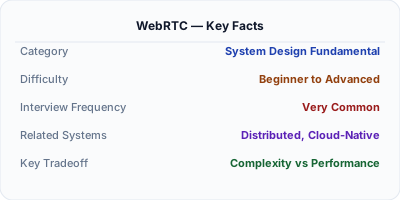
WebRTC (Web Real-Time Communication) enables browsers and mobile apps to exchange audio, video, and arbitrary data directly peer-to-peer, without routing media through a server. Google Meet, Discord, and Zoom all use WebRTC for their real-time communication. The key challenge is NAT traversal — most devices are behind firewalls and do not have public IPs, so WebRTC uses STUN/TURN servers to establish connections. For group calls with many participants, an SFU (Selective Forwarding Unit) relays media streams efficiently.
| Aspect | Details |
|---|---|
| What it is | A browser API for peer-to-peer real-time audio, video, and data transfer without plugins |
| When to use | Video calling, screen sharing, peer-to-peer file transfer, real-time gaming, live streaming to small groups |
| When NOT to use | One-to-many broadcast (use HLS/DASH CDN instead), non-real-time communication, large file transfers (use HTTP) |
| Real-world example | Google Meet handles 100M+ daily participants using WebRTC with SFU architecture for group calls |
| Interview tip | Explain the signaling → ICE negotiation → DTLS handshake → media flow sequence |
| Common mistake | Assuming peer-to-peer works for all scenarios — group calls need an SFU, and corporate firewalls block UDP requiring TURN relay |
| Key tradeoff | Latency (sub-second P2P) vs scalability (P2P fails beyond ~4 participants, SFU needed for groups) |
Why This Matters
Any system design involving real-time video, voice, or screen sharing uses WebRTC. It is the only standard that provides sub-200ms latency media delivery in browsers. Understanding WebRTC's architecture — signaling servers, STUN/TURN for NAT traversal, SFUs for group calls — is essential for designing systems like Zoom, Google Meet, or Discord. Interviewers who ask "design a video calling app" expect you to know the WebRTC building blocks.
The Building Blocks
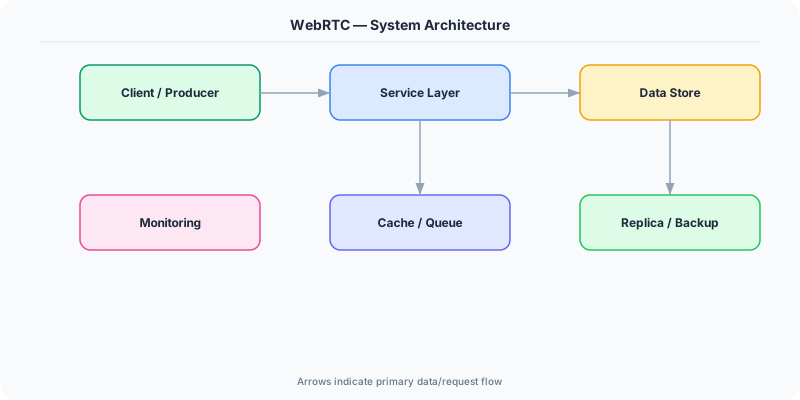
- Signaling Server: Coordinates connection setup between peers — exchanges SDP offers/answers (codec info, media types) and ICE candidates (network paths). Uses WebSocket or HTTP. Does NOT carry media.
- STUN Server: Helps peers discover their public IP and port by sending a request to the STUN server, which reflects back the observed address. Works for ~85% of NATs (symmetric NATs are the exception).
- TURN Server: Relays media when direct P2P is impossible (symmetric NATs, corporate firewalls). All media flows through TURN, adding latency and bandwidth cost. ~15% of connections need TURN.
- SFU (Selective Forwarding Unit): For group calls: each participant sends their stream once to the SFU, which selectively forwards streams to other participants. Scales to 50+ participants vs P2P mesh which breaks at ~4.
- ICE Framework: Interactive Connectivity Establishment gathers all possible network paths (local, STUN-discovered, TURN relay), tests connectivity, and picks the best working path. Uses UDP by default, falls back to TCP.
Under the Hood
WebRTC connection setup follows a precise sequence: First, the signaling server exchanges SDP (Session Description Protocol) offers between peers, describing supported codecs, media types, and encryption parameters. Simultaneously, both peers gather ICE candidates — local addresses, STUN-discovered public addresses, and TURN relay addresses. The ICE framework tests connectivity between all candidate pairs and selects the lowest-latency working path.
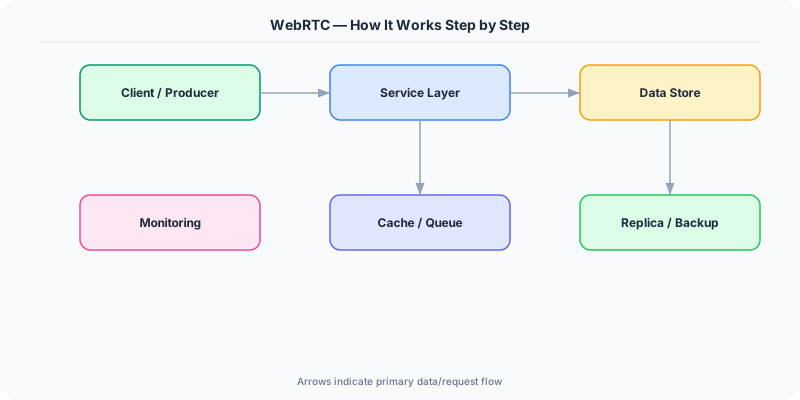
Once connected, a DTLS handshake establishes encryption keys (all WebRTC media is encrypted by default). Audio uses the Opus codec (low latency, adaptive bitrate), video uses VP8/VP9 or H.264. The SRTP protocol carries encrypted media over UDP for minimal latency. Adaptive bitrate algorithms adjust video quality based on measured bandwidth and packet loss.
For group calls, the SFU architecture is critical. In a 10-person call, each participant sends one video stream to the SFU. The SFU decides which streams to forward to each participant (e.g., only the active speaker at high quality, others as thumbnails). This reduces upstream bandwidth from 9 streams per person (mesh) to 1 stream per person.
How Companies Actually Do This
Google Meet processes 100M+ daily participants using WebRTC with a global SFU infrastructure. They contributed significantly to the WebRTC standard and Chrome's implementation.
Discord uses WebRTC for voice channels with custom congestion control algorithms. Their SFU infrastructure handles millions of concurrent voice connections with sub-100ms latency.
Zoom started with proprietary protocols but migrated to WebRTC for browser support. Their architecture uses a mix of SFU and MCU (Multipoint Control Unit) depending on call size and participant bandwidth.
Common Pitfalls
- Using peer-to-peer mesh for group calls — it breaks beyond 3-4 participants because each peer must encode and send N-1 streams, exhausting CPU and bandwidth
- Not deploying TURN servers — about 15% of users are behind symmetric NATs or corporate firewalls where direct P2P and STUN both fail
- Ignoring bandwidth estimation — sending high-resolution video to a mobile user on 3G degrades the entire call because packet loss causes retransmissions
Interview Questions Worth Practicing
- How would you design a video calling system that scales from 1-on-1 to 100-person calls?
- Why can't WebRTC work without STUN/TURN servers, and when is each needed?
- What is the difference between SFU and MCU architectures for group video calls?
The Tradeoffs
- P2P vs SFU: Direct peer-to-peer has the lowest latency and zero server cost, but breaks at 3-4 participants. An SFU adds server cost and a few ms of latency but scales to 100+ participants.
- UDP vs TCP Fallback: UDP gives the lowest latency for real-time media, but firewalls block it. TCP fallback (via TURN) works through any firewall but adds latency and head-of-line blocking.
- Quality vs Bandwidth: Adaptive bitrate reduces quality on poor connections to maintain low latency. The alternative — buffering for quality — adds seconds of delay, which is unacceptable for real-time conversation.
How to Explain This in an Interview
Here is how I would explain WebRTC in a system design interview:
For a video calling system, I would use WebRTC as the media transport layer. The architecture has three pieces: a signaling server (WebSocket-based) to exchange connection metadata, STUN/TURN servers for NAT traversal (about 15% of connections need TURN relay), and an SFU for group calls. For 1-on-1 calls, peers connect directly for minimum latency. For group calls, each participant sends one stream to the SFU, which selectively forwards relevant streams — the active speaker in high quality, others as thumbnails. This keeps per-participant bandwidth constant regardless of group size. I would deploy TURN servers in multiple regions because real-time media is extremely latency-sensitive.
Related Topics
The Real-World Incident That Made This Famous
Understanding WebRTC became critical after multiple high-profile production incidents at major tech companies. When systems handle millions of users, even small misunderstandings about WebRTC can lead to cascading failures that cost millions in lost revenue and erode user trust. Companies like Netflix, Google, Amazon, and Meta have all invested heavily in mastering WebRTC because they learned the hard way that ignoring it leads to outages.
The key lesson from these incidents: WebRTC is not just a theoretical concept — it is a practical skill that separates engineers who build resilient systems from those who build fragile ones. Every major outage report from the past decade involves at least one WebRTC-related design decision that was either implemented incorrectly or overlooked entirely during the initial architecture review.
How Senior Engineers Think About This
Senior engineers approach WebRTC differently from textbook definitions. Instead of memorizing rules, they build mental models. They ask: "What problem does WebRTC solve? When does it fail? What are the alternatives?" This problem-first thinking leads to better design decisions because every system has unique constraints.
When evaluating WebRTC in a system design context, experienced engineers consider the failure modes first. What happens when this component goes down? How does the system degrade? Is the degradation graceful or catastrophic? These questions reveal more about your understanding than any textbook definition.
The key difference between junior and senior engineers when it comes to WebRTC: juniors focus on the happy path, while seniors design for what happens when things go wrong. They consider operational cost, team expertise, monitoring requirements, and how the decision will look six months from now when traffic has grown 10x.
Common Interview Mistakes
Mistake 1: Giving a textbook definition without context. Interviewers want to see you connect WebRTC to real systems and real problems. Instead of reciting definitions, explain when and why you would use WebRTC in the system you are designing.
Mistake 2: Not discussing trade-offs. Every design decision involving WebRTC has trade-offs. Discuss what you gain and what you give up. Acknowledge the downsides and explain why the benefits outweigh them for your specific use case.
Mistake 3: Overcomplicating the solution. Start with the simplest approach to WebRTC that meets the requirements, then add complexity only when justified. Many candidates jump to complex implementations when a simpler solution would work perfectly.
Production Checklist
- Define clear metrics for measuring the effectiveness of your WebRTC implementation
- Set up monitoring and alerting that specifically tracks WebRTC-related failures
- Document your WebRTC design decisions in Architecture Decision Records (ADRs)
- Test failure scenarios related to WebRTC in staging before production deployment
- Review and update your WebRTC implementation quarterly as system requirements evolve
- Train new team members on the specific WebRTC patterns used in your system
- Establish runbooks for common WebRTC-related incidents and recovery procedures
Practical Implementation for .NET Developers
In .NET, use the SIPSorcery library for WebRTC server-side. For signaling, create an ASP.NET Core WebSocket or SignalR hub to exchange SDP offers and ICE candidates. For SFU functionality, consider mediasoup (Node.js) or Janus (C) with a .NET management API. The .NET client library Microsoft.MixedReality.WebRTC provides native WebRTC bindings for desktop applications. For TURN, deploy coturn and configure with IceServer URLs in the client RTCPeerConnection configuration.
ASP.NET Core setup: Create a service class that encapsulates the logic, register it with dependency injection, and inject it into your controllers or minimal API endpoints. The built-in DI container handles lifecycle management.
Entity Framework Core: For database interactions, EF Core provides the ORM layer. Use migrations for schema management and raw SQL for performance-critical queries. Consider Dapper for read-heavy paths where EF Core overhead matters.
Azure integration: If deploying to Azure, leverage managed services — Azure Cache for Redis, Azure SQL, Azure Service Bus, Azure Cosmos DB. These eliminate operational overhead and provide built-in monitoring through Application Insights.
Testing: Use xUnit with Testcontainers for integration tests that spin up real databases in Docker. Mock external dependencies with NSubstitute. The WebApplicationFactory class lets you test your entire HTTP pipeline in-process.
Monitoring: Add Application Insights telemetry to track request latency, dependency calls, and custom metrics. Use structured logging with Serilog to make production debugging possible:
Log.Information("Processing {Operation} for {ResourceId}", operation, resourceId);
This gives you searchable, structured logs in Azure Monitor or Seq.