Denormalization vs Normalization
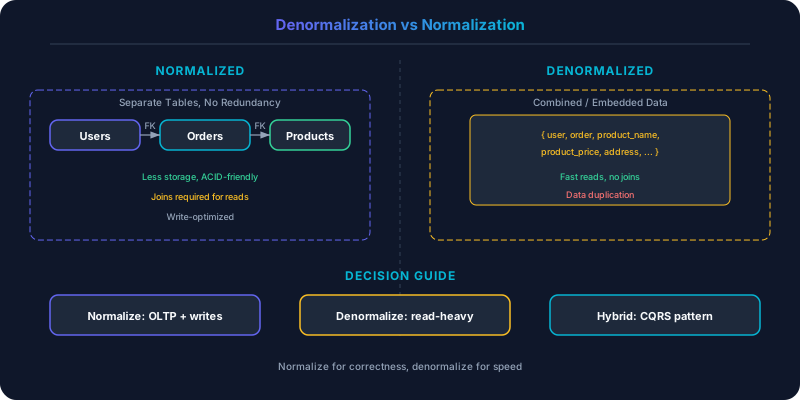
Normalization eliminates data redundancy by decomposing tables and enforcing referential integrity.
Normalization eliminates data redundancy by decomposing tables and enforcing referential integrity. Denormalization duplicates data to avoid expensive joins and improve read performance. The choice fundamentally shapes your database performance and maintenance burden.
Which Should You Pick?
Normalize if:
- Write consistency is critical (one update changes data everywhere)
- Your queries are unpredictable (ad-hoc analytics, reporting)
- Storage efficiency matters
- You use a relational database with a strong query optimizer
- The dataset fits on a single database server
Denormalize if:
- Read performance is the primary concern
- Access patterns are well-defined and stable
- You are using NoSQL databases that do not support joins
- You are sharding data across multiple servers (cross-shard joins are prohibitively expensive)
- Write volume on the duplicated data is low relative to read volume
Understanding Normalization
Normalization organizes data to minimize redundancy. The process follows a set of normal forms (1NF through BCNF and beyond), each eliminating a specific type of redundancy.
In a normalized e-commerce database:
userstable: user_id, name, emailorderstable: order_id, user_id, created_at, totalorder_itemstable: item_id, order_id, product_id, quantity, priceproductstable: product_id, name, description, current_price
To display an order confirmation, you join all four tables. The product name exists in exactly one place. If the name changes, you update one row.
Strengths: Data consistency is trivially maintained — each fact exists once. Storage is efficient — no duplication. The schema supports any query pattern because the data is decomposed into its atomic components. Foreign keys enforce referential integrity at the database level. Schema changes are localized — adding a field to the products table does not affect orders.
Weaknesses: Joins are expensive at scale. A five-table join over millions of rows can take seconds. Under high read concurrency, join-heavy queries saturate CPU and I/O. When you shard the database, joins across shards require distributed queries that are slow and complex. The normalized schema is optimized for storage, not for any specific read pattern.
PostgreSQL's query optimizer is remarkably good at planning multi-table joins. For datasets under a few hundred million rows on modern hardware, normalized schemas with proper indexes perform well. The breaking point comes when the dataset outgrows a single server or when read latency requirements drop below what joins can deliver.
Understanding Denormalization
Denormalization intentionally duplicates data so that reads can be served from a single table (or a single document/partition) without joins.
In a denormalized order:
order_id: "ORD-123"
user_name: "Jane Smith"
user_email: "[email protected]"
shipping_address: "123 Main St"
items:
  - product_name: "Wireless Mouse"
    quantity: 2
    price_at_purchase: 29.99
  - product_name: "USB-C Cable"
    quantity: 1
    price_at_purchase: 12.99
total: 72.97
The order confirmation is a single read. No joins. The product name and user email are duplicated inside the order.
Strengths: Reads are fast — single-row or single-document lookups. The data model matches the read pattern directly. Works naturally with NoSQL databases and sharded architectures where joins are unavailable. Read scaling is straightforward because each read is self-contained.
Weaknesses: Write amplification. When Jane changes her email, you might need to update it in every order, every review, every comment she has made. If you do not update historical records (often the right business decision), the denormalized data reflects the state at write time, which can confuse users. Storage increases because data is duplicated. Schema changes require updating all copies.
Real-World Patterns
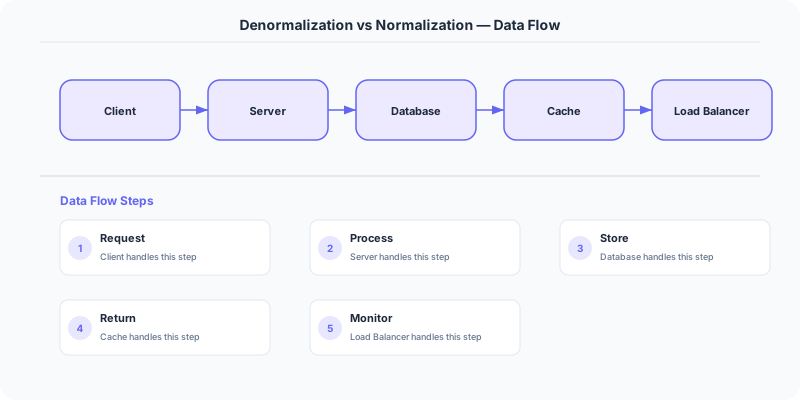
Facebook's TAO stores social graph data in a denormalized format. When you view a friend's profile, the system does not join a users table with a friendships table with a posts table. Instead, the data is pre-assembled into objects (nodes) and associations (edges) that can be fetched with single key lookups. The denormalized cache is maintained by a write-through pipeline that propagates changes.
Amazon DynamoDB practically requires denormalization. Since DynamoDB does not support joins, every query must be servable from a single table access. Amazon's internal teams denormalize aggressively, embedding related data within items and using composite sort keys to support multiple access patterns from a single table.
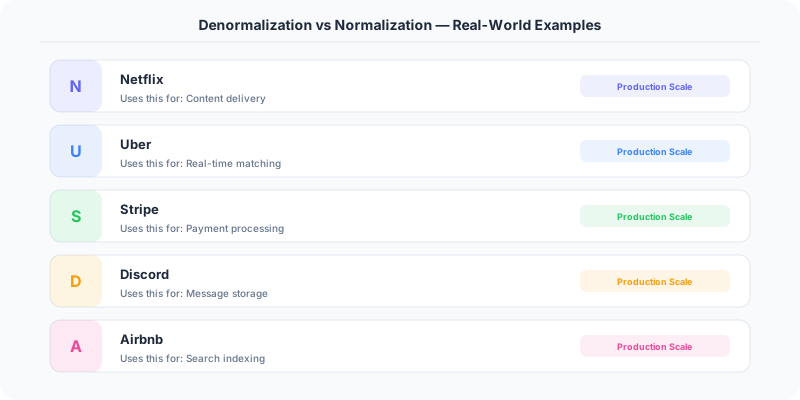
Uber's Schemaless (now Docstore) stores trip data as denormalized JSON blobs. A single trip document contains the rider info, driver info, route, pricing breakdown, and payment details. This design supports the primary access pattern (get trip by trip_id) with a single read, even though the rider and driver information is duplicated across every trip they participate in.
When Denormalization Fails
High-cardinality updates. If the duplicated field changes frequently and exists in millions of records, the update cost dominates. A product that is in 10 million order records and changes its name requires 10 million writes to propagate. In practice, you accept that historical records keep the old name (which is often correct — the order should show what the customer actually purchased).
Inconsistency windows. After updating the source of truth, the denormalized copies are temporarily inconsistent. If Jane changes her email and immediately views an old order, she might see the old email. For most applications this is acceptable. For compliance and financial reporting, it is not.
Unbounded growth. Embedding a list inside a document (all comments on a post, all items in a user's order history) works until the list grows large. MongoDB's 16MB document limit, DynamoDB's 400KB item limit, and Cassandra's partition size recommendations all set practical bounds.
The Middle Ground: Materialized Views
Many systems achieve denormalized read performance with normalized write semantics by using materialized views. The source of truth is a normalized schema. A background process (triggered by change data capture, event streams, or scheduled batch jobs) builds denormalized read models.
This is the core idea behind CQRS (Command Query Responsibility Segregation): writes go to a normalized model, reads come from a denormalized model, and an event stream keeps them synchronized.
PostgreSQL's materialized views, DynamoDB Streams with Lambda, and Debezium-based CDC pipelines all implement this pattern. The tradeoff: added pipeline complexity and eventual consistency between the write model and the read model.
Side-by-Side Comparison
| Dimension | Normalization | Denormalization |
|---|---|---|
| Data Duplication | None | Intentional |
| Read Performance | Join-dependent | Single-access |
| Write Performance | Single update | Multi-record update |
| Storage | Efficient | Higher |
| Consistency | Immediate | Eventual (for copies) |
| Query Flexibility | High (any join) | Low (predefined patterns) |
| Sharding Support | Difficult (cross-shard joins) | Natural |
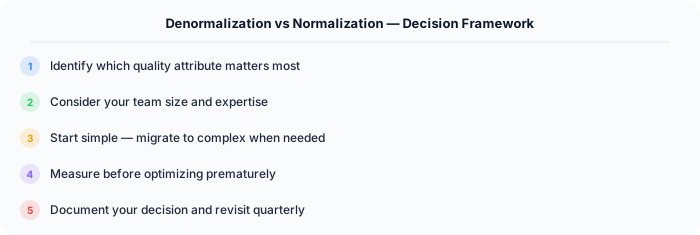
Start normalized. Denormalize specific read paths when you have evidence that joins are a bottleneck. Never denormalize speculatively. Track which fields are duplicated and establish a clear strategy for propagating changes — whether that is write-time updates, background synchronization, or accepting point-in-time snapshots.
Practical Implementation for .NET Developers
In a .NET application, you would typically implement this pattern using the following approach:
ASP.NET Core setup: Create a service class that encapsulates the logic, register it with dependency injection, and inject it into your controllers or minimal API endpoints. The built-in DI container handles lifecycle management.
Entity Framework Core: For database interactions, EF Core provides the ORM layer. Use migrations for schema management and raw SQL for performance-critical queries. Consider Dapper for read-heavy paths where EF Core's overhead matters.
Azure integration: If deploying to Azure, leverage managed services — Azure Cache for Redis, Azure SQL, Azure Service Bus, Azure Cosmos DB. These eliminate operational overhead and provide built-in monitoring through Application Insights.
Testing: Use xUnit with Testcontainers for integration tests that spin up real databases in Docker. Mock external dependencies with NSubstitute. The WebApplicationFactory class lets you test your entire HTTP pipeline in-process.
Monitoring: Add Application Insights telemetry to track request latency, dependency calls, and custom metrics. Use structured logging with Serilog to make production debugging possible:
Log.Information("Processing order {OrderId} for {CustomerId}", orderId, customerId);
This gives you searchable, structured logs in Azure Monitor or Seq.