Twitter's Timeline Architecture
How Twitter delivers hundreds of millions of personalized home timelines per day using a hybrid fanout architecture that pre-computes timelines for most.
Company Context
Twitter (now X) serves over 500 million tweets per day to hundreds of millions of active users. The home timeline — the reverse-chronological (and later algorithmic) feed of tweets from accounts a user follows — is the core product experience. Rendering a timeline must happen in under 200 milliseconds, even for users who follow thousands of accounts.
The timeline problem is deceptively hard. A naive approach — "query all tweets from accounts this user follows, sort by time, return the top 200" — requires a massive fan-in operation that would crush the database under real-world traffic patterns.
The Problem at Scale
Consider the numbers: an average user follows 200 accounts. Rendering their timeline means fetching recent tweets from 200 accounts and merging them by timestamp. At 200 million daily active users, that is 40 billion tweet-lookup operations per day just for timeline rendering. Users refresh multiple times per day, multiplying the load further.
On top of this, Twitter has extreme write-to-read asymmetry for popular accounts. A celebrity with 50 million followers posting one tweet generates 50 million timeline entries. Whether this work happens at write time or read time fundamentally shapes the architecture.
Architecture Solution
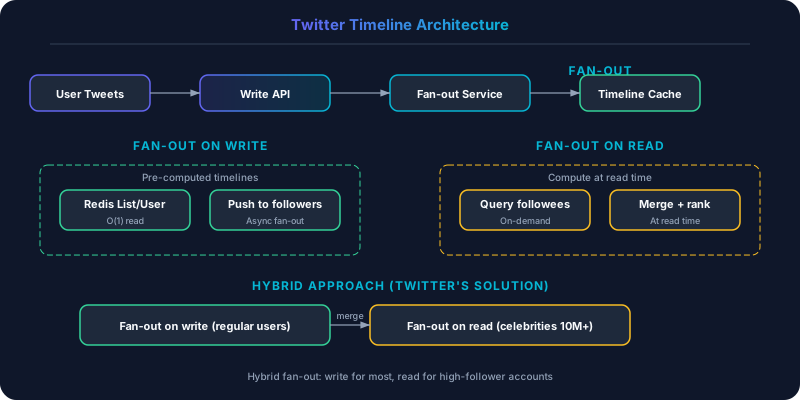
Twitter uses a hybrid fanout architecture that combines two approaches:
Fanout on Write (Pre-computation)
When a regular user posts a tweet, Twitter's fanout service pushes the tweet ID into the pre-computed timeline of every follower. Each user's timeline is stored in a Redis cluster as a sorted set of tweet IDs, ordered by time.
The flow:
- User posts a tweet. The tweet is written to the tweets datastore.
- The fanout service looks up the user's follower list.
- For each follower, the service inserts the tweet ID into that follower's timeline in Redis.
- When a follower opens the app, their timeline is a simple Redis read — no computation needed.
This approach trades write amplification for read speed. A user with 1,000 followers causes 1,000 Redis writes. But each timeline read is a single Redis fetch returning pre-sorted tweet IDs, which is sub-millisecond.
Fanout on Read (On-Demand) for High-Follower Accounts
For accounts with millions of followers (celebrities, news outlets, politicians), fanout on write is prohibitively expensive. One tweet from an account with 50 million followers would generate 50 million Redis writes, taking minutes and consuming massive resources.
Twitter handles these accounts differently: their tweets are not fanned out at write time. Instead, when a user's timeline is requested, the system:
- Reads the pre-computed timeline from Redis (tweets from regular accounts)
- Queries the tweets datastore for recent tweets from high-follower accounts the user follows
- Merges the two result sets on the fly
This hybrid approach caps the maximum fanout at write time while keeping the read-time merge small (typically only a handful of high-follower accounts in any user's follow list).
Key Technical Decisions
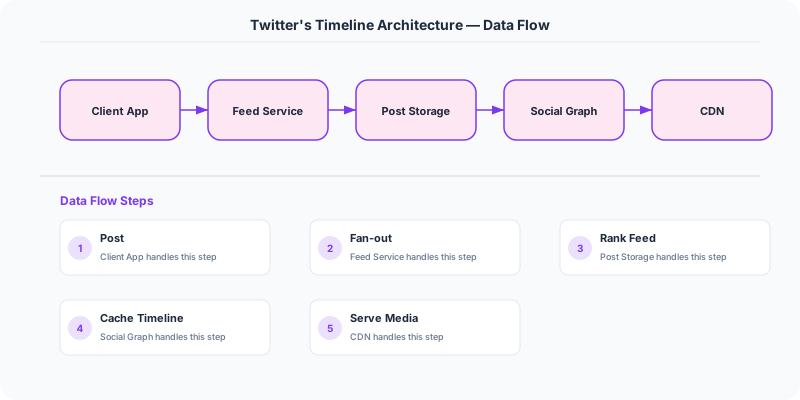
Redis for timeline storage. Each user's timeline is a Redis sorted set with tweet IDs as members and timestamps as scores. Redis's sorted set operations (ZADD, ZRANGEBYSCORE) are O(log N) and sub-millisecond. Twitter maintains multiple Redis clusters with replication for fault tolerance. The dataset is memory-bound — storing 800 tweet IDs per timeline for 300 million users requires significant Redis capacity.
The threshold for fanout-on-read. Twitter set a follower count threshold (reportedly around 10,000-100,000) above which accounts switch from fanout-on-write to fanout-on-read. The exact threshold was tuned based on the cost of fanout versus the latency of on-demand merge.
Tweet hydration. The timeline stores only tweet IDs, not full tweet objects. When the client requests a timeline, the IDs are fetched from Redis, then the full tweet objects (text, media, engagement counts) are fetched from the tweet storage service and assembled into the response. This separation keeps the timeline cache compact and allows tweet data to be updated (edit tweet, engagement count changes) without modifying timelines.
Engagement ranking. The original reverse-chronological timeline was replaced with an algorithmic timeline that ranks tweets by predicted engagement. The ranking model runs after the candidate tweets are retrieved (from both fanout-on-write and fanout-on-read), scoring each tweet and reordering them before returning the response.
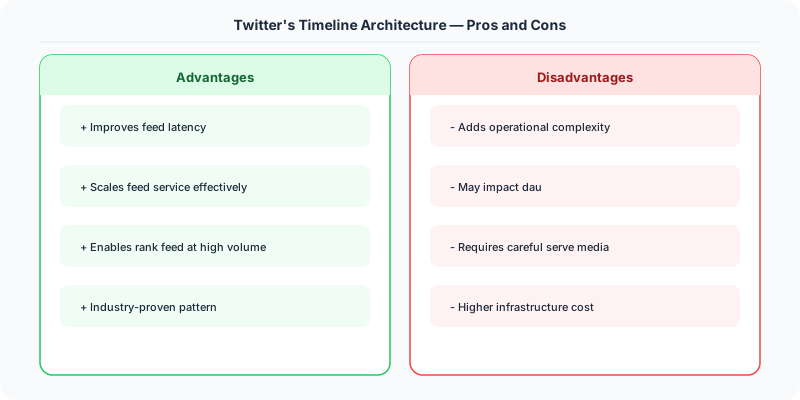
Strengths
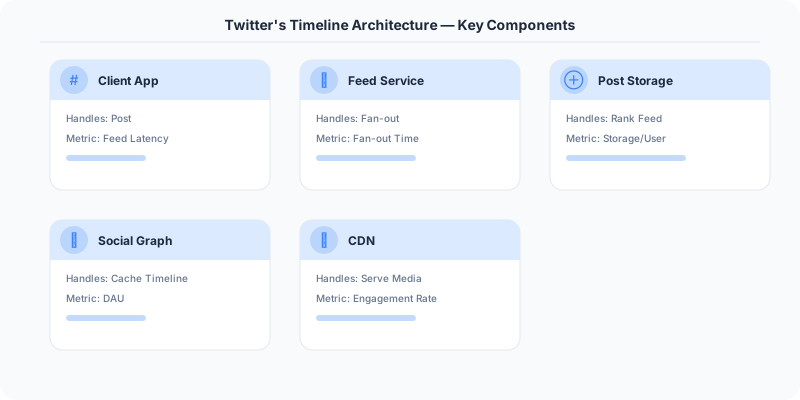
- Sub-200ms timeline rendering for most users
- Write amplification is bounded by excluding high-follower accounts from fanout
- Simple read path for the common case (single Redis fetch)
- Clean separation between timeline assembly and tweet hydration
Weaknesses
- Massive Redis infrastructure cost for storing pre-computed timelines
- Fanout on write introduces latency for tweets to appear in followers' timelines (typically 3-5 seconds)
- High-follower accounts experience inconsistent delivery timing compared to regular accounts
- Deleting a tweet requires removing it from millions of pre-computed timelines
- The hybrid approach adds system complexity and multiple code paths
Lessons for System Design
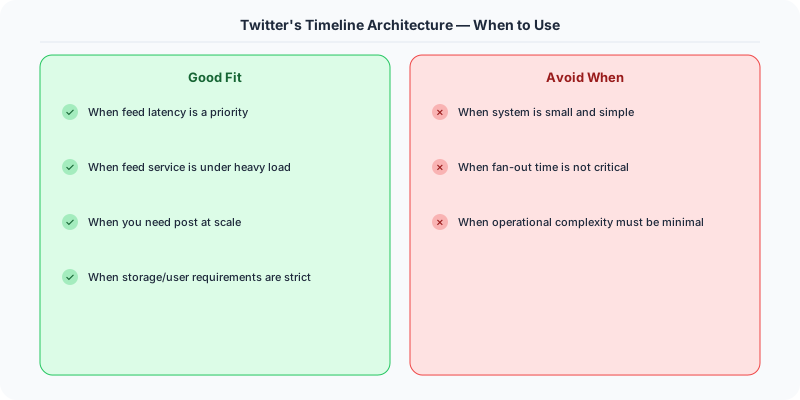
The Twitter timeline is the classic example of the push-vs-pull tradeoff in system design. Pure push (fanout on write) is fast to read but expensive to write. Pure pull (fanout on read) is cheap to write but slow to read. The hybrid approach gets the best of both worlds at the cost of complexity.
This pattern appears in many systems: notification delivery (pre-compute for most, batch for high-traffic sources), news feed generation (Facebook uses a similar hybrid), and email delivery (mailing lists with millions of subscribers use segmented fanout).
Interview Relevance
The Twitter timeline is one of the most frequently asked system design questions. Interviewers expect you to identify the fanout problem, propose the pre-computation approach, recognize the high-follower edge case, and arrive at the hybrid solution. Being able to discuss the Redis data model, the threshold decision, and the tradeoff between write amplification and read latency demonstrates depth.
Practical Implementation for .NET Developers
In a .NET application, you would typically implement this pattern using the following approach:
ASP.NET Core setup: Create a service class that encapsulates the logic, register it with dependency injection, and inject it into your controllers or minimal API endpoints. The built-in DI container handles lifecycle management.
Entity Framework Core: For database interactions, EF Core provides the ORM layer. Use migrations for schema management and raw SQL for performance-critical queries. Consider Dapper for read-heavy paths where EF Core's overhead matters.
Azure integration: If deploying to Azure, leverage managed services — Azure Cache for Redis, Azure SQL, Azure Service Bus, Azure Cosmos DB. These eliminate operational overhead and provide built-in monitoring through Application Insights.
Testing: Use xUnit with Testcontainers for integration tests that spin up real databases in Docker. Mock external dependencies with NSubstitute. The WebApplicationFactory class lets you test your entire HTTP pipeline in-process.
Monitoring: Add Application Insights telemetry to track request latency, dependency calls, and custom metrics. Use structured logging with Serilog to make production debugging possible:
Log.Information("Processing order {OrderId} for {CustomerId}", orderId, customerId);
This gives you searchable, structured logs in Azure Monitor or Seq.
Key Takeaways for Interviews
- Understand the core problem this resource addresses and be able to explain it in 2-3 sentences without jargon
- Know the key trade-offs: what does this approach optimize for, and what does it sacrifice?
- Be ready to compare this with alternative approaches and explain when each is appropriate
- Connect the concepts to real-world systems you have worked with or studied
- Demonstrate depth by discussing failure modes and how they are handled
How This Applies to Modern .NET Systems
The concepts from this resource translate to .NET through several established libraries and patterns:
Azure managed services often abstract away the underlying distributed systems complexity, but understanding the fundamentals helps you configure them correctly, debug issues, and make informed architectural decisions.
NuGet packages in the .NET ecosystem provide production-ready implementations of many patterns described in this resource. Before building custom solutions, check if a well-maintained package already exists.
ASP.NET Core middleware pipeline is where many of these patterns are implemented in practice: caching, rate limiting, health checks, and circuit breaking all fit naturally into the middleware model.