Rate Limiting Algorithms
Java and Python implementations of 5 rate limiting algorithms: Token Bucket, Leaky Bucket, Fixed Window, Sliding Window Log, and Sliding Window Counter.
Rate Limiting Algorithms — Code Lab
Rate limiting controls how many requests a client can make within a time window. Here are 5 common algorithms with working implementations in Java and Python.
Algorithm Comparison
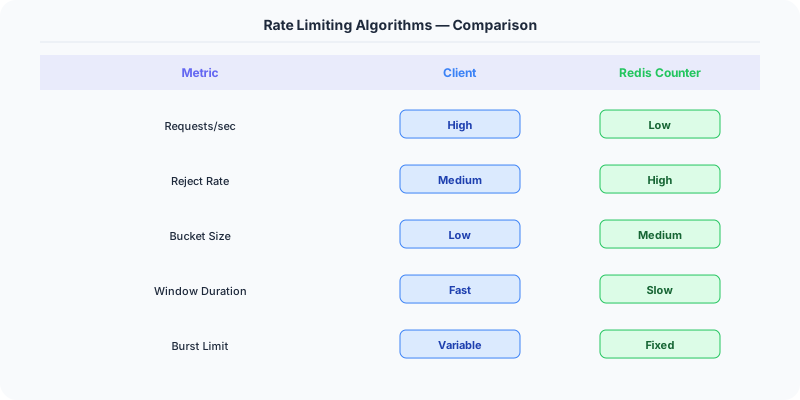
| Algorithm | Precision | Memory | Burst Handling | Recommended For |
|---|---|---|---|---|
| Token Bucket | Good | O(1) | Allows bursts | General-purpose APIs |
| Leaky Bucket | Perfect | O(queue) | No bursts (smooth) | Traffic shaping |
| Fixed Window | Low | O(1) | Edge burst issue | Simple use cases |
| Sliding Window Log | Perfect | O(N) | No edge bursts | Low-traffic precision |
| Sliding Window Counter | Good | O(1) | Minimal edge bursts | Production default |
Token Bucket
A bucket holds tokens up to a maximum capacity. Tokens are added at a fixed rate. Each request consumes one token. If the bucket is empty, the request is rejected. Allows bursts up to the bucket capacity.
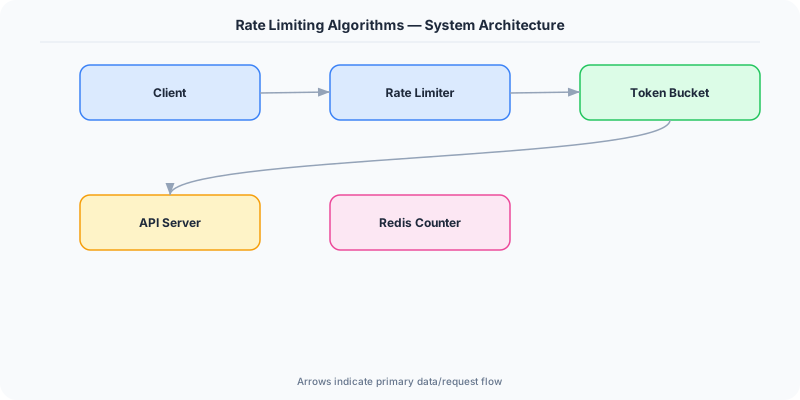
- Time Complexity: O(1)
- Space Complexity: O(1) per client
- Best For: APIs that allow occasional bursts (most common in production)
Java
package implementations.java.rate_limiting;

import java.time.Instant;

public class TokenBucket {
    private final long capacity;        // Maximum number of tokens the bucket can hold
    private final double fillRate;      // Rate at which tokens are added to the bucket (tokens per second)
    private double tokens;              // Current number of tokens in the bucket
    private Instant lastRefillTimestamp; // Last time we refilled the bucket

    public TokenBucket(long capacity, double fillRate) {
        this.capacity = capacity;
        this.fillRate = fillRate;
        this.tokens = capacity;  // Start with a full bucket
        this.lastRefillTimestamp = Instant.now();
    }

    public synchronized boolean allowRequest(int tokens) {
        refill();  // First, add any new tokens based on elapsed time

        if (this.tokens < tokens) {
            return false;  // Not enough tokens, deny the request
        }

        this.tokens -= tokens;  // Consume the tokens
        return true;  // Allow the request
    }

    private void refill() {
        Instant now = Instant.now();
        // Calculate how many tokens to add based on the time elapsed
        double tokensToAdd = (now.toEpochMilli() - lastRefillTimestamp.toEpochMilli()) * fillRate / 1000.0;
        this.tokens = Math.min(capacity, this.tokens + tokensToAdd);  // Add tokens, but don't exceed capacity
        this.lastRefillTimestamp = now;
    }
}
Python
import time

class TokenBucket:
    def __init__(self, capacity, fill_rate):
        self.capacity = capacity  # Maximum number of tokens the bucket can hold
        self.fill_rate = fill_rate  # Rate at which tokens are added (tokens/second)
        self.tokens = capacity  # Current token count, start with a full bucket
        self.last_time = time.time()  # Last time we checked the token count

    def allow_request(self, tokens=1):
        now = time.time()
        # Calculate how many tokens have been added since the last check
        time_passed = now - self.last_time
        self.tokens = min(self.capacity, self.tokens + time_passed * self.fill_rate)
        self.last_time = now

        # Check if we have enough tokens for this request
        if self.tokens >= tokens:
            self.tokens -= tokens
            return True
        return False

# Usage example
limiter = TokenBucket(capacity=10, fill_rate=1)  # 10 tokens, refill 1 token per second

for _ in range(15):
    print(limiter.allow_request())  # Will print True for the first 10 requests, then False
    time.sleep(0.1)  # Wait a bit between requests

time.sleep(5)  # Wait for bucket to refill
print(limiter.allow_request())  # True
Leaky Bucket
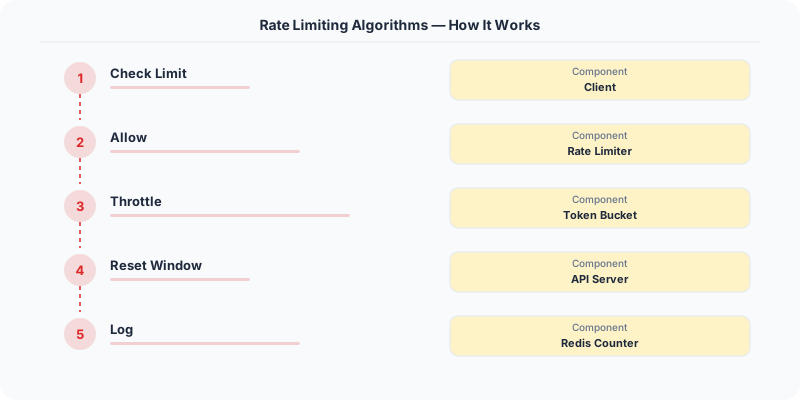
Requests enter a queue (bucket). They are processed at a fixed rate, regardless of arrival rate. If the queue is full, new requests are dropped. Produces a perfectly smooth output rate.
- Time Complexity: O(1)
- Space Complexity: O(bucket size)
- Best For: Traffic shaping where a smooth output rate is required
Java
package implementations.java.rate_limiting;

import java.time.Instant;
import java.util.LinkedList;
import java.util.Queue;

public class LeakyBucket {
    private final long capacity;        // Maximum number of requests the bucket can hold
    private final double leakRate;      // Rate at which requests leak out of the bucket (requests per second)
    private final Queue<Instant> bucket; // Queue to hold timestamps of requests
    private Instant lastLeakTimestamp;   // Last time we leaked from the bucket

    public LeakyBucket(long capacity, double leakRate) {
        this.capacity = capacity;
        this.leakRate = leakRate;
        this.bucket = new LinkedList<>();
        this.lastLeakTimestamp = Instant.now();
    }

    public synchronized boolean allowRequest() {
        leak();  // First, leak out any requests based on elapsed time

        if (bucket.size() < capacity) {
            bucket.offer(Instant.now());  // Add the new request to the bucket
            return true;  // Allow the request
        }
        return false;  // Bucket is full, deny the request
    }

    private void leak() {
        Instant now = Instant.now();
        long elapsedMillis = now.toEpochMilli() - lastLeakTimestamp.toEpochMilli();
        int leakedItems = (int) (elapsedMillis * leakRate / 1000.0);  // Calculate how many items should have leaked

        // Remove the leaked items from the bucket
        for (int i = 0; i < leakedItems && !bucket.isEmpty(); i++) {
            bucket.poll();
        }

        lastLeakTimestamp = now;
    }
}
Python
from collections import deque
import time

class LeakyBucket:
    def __init__(self, capacity, leak_rate):
        self.capacity = capacity  # Maximum number of requests in the bucket
        self.leak_rate = leak_rate  # Rate at which requests leak (requests/second)
        self.bucket = deque()  # Queue to hold request timestamps
        self.last_leak = time.time()  # Last time we leaked from the bucket

    def allow_request(self):
        now = time.time()
        # Simulate leaking from the bucket
        leak_time = now - self.last_leak
        leaked = int(leak_time * self.leak_rate)
        if leaked > 0:
            # Remove the leaked requests from the bucket
            for _ in range(min(leaked, len(self.bucket))):
                self.bucket.popleft()
            self.last_leak = now

        # Check if there's capacity and add the new request
        if len(self.bucket) < self.capacity:
            self.bucket.append(now)
            return True
        return False

# Usage example
limiter = LeakyBucket(capacity=5, leak_rate=1)  # 5 requests, leak 1 per second

for _ in range(10):
    print(limiter.allow_request())  # Will print True for the first 5 requests, then False
    time.sleep(0.1)  # Wait a bit between requests

time.sleep(1)  # Wait for bucket to leak
print(limiter.allow_request())  # True
Fixed Window Counter
Counts requests in fixed time intervals (e.g., 1-minute windows). Resets counter at window boundaries. Simple but vulnerable to burst at window edges — 2x the limit can pass if bursts straddle two windows.
- Time Complexity: O(1)
- Space Complexity: O(1) per client
- Best For: Simple rate limiting where edge bursts are acceptable
Java
package implementations.java.rate_limiting;

import java.time.Instant;

public class FixedWindowCounter {
    private final long windowSizeInSeconds;  // Size of each window in seconds
    private final long maxRequestsPerWindow; // Maximum number of requests allowed per window
    private long currentWindowStart;         // Start time of the current window
    private long requestCount;               // Number of requests in the current window

    public FixedWindowCounter(long windowSizeInSeconds, long maxRequestsPerWindow) {
        this.windowSizeInSeconds = windowSizeInSeconds;
        this.maxRequestsPerWindow = maxRequestsPerWindow;
        this.currentWindowStart = Instant.now().getEpochSecond();
        this.requestCount = 0;
    }

    public synchronized boolean allowRequest() {
        long now = Instant.now().getEpochSecond();

        // Check if we've moved to a new window
        if (now - currentWindowStart >= windowSizeInSeconds) {
            currentWindowStart = now;  // Start a new window
            requestCount = 0;          // Reset the count for the new window
        }

        if (requestCount < maxRequestsPerWindow) {
            requestCount++;  // Increment the count for this window
            return true;     // Allow the request
        }
        return false;  // We've exceeded the limit for this window, deny the request
    }
}
Python
import time

class FixedWindowCounter:
    def __init__(self, window_size, max_requests):
        self.window_size = window_size  # Size of the window in seconds
        self.max_requests = max_requests  # Maximum number of requests per window
        self.current_window = time.time() // window_size
        self.request_count = 0

    def allow_request(self):
        current_time = time.time()
        window = current_time // self.window_size

        # If we've moved to a new window, reset the counter
        if window != self.current_window:
            self.current_window = window
            self.request_count = 0

        # Check if we're still within the limit for this window
        if self.request_count < self.max_requests:
            self.request_count += 1
            return True
        return False

# Usage example
limiter = FixedWindowCounter(window_size=60, max_requests=5)  # 5 requests per minute

for _ in range(10):
    print(limiter.allow_request())  # Will print True for the first 5 requests, then False
    time.sleep(0.1)  # Wait a bit between requests

time.sleep(60)  # Wait for the window to reset
print(limiter.allow_request())  # True
Sliding Window Log
Stores the timestamp of every request. Counts requests in the last N seconds by scanning the log. Precise but memory-intensive for high-traffic endpoints.
- Time Complexity: O(N) per check
- Space Complexity: O(N) per client
- Best For: When precision is critical and traffic is moderate
Java
package implementations.java.rate_limiting;

import java.time.Instant;
import java.util.LinkedList;
import java.util.Queue;

public class SlidingWindowLog {
    private final long windowSizeInSeconds;   // Size of the sliding window in seconds
    private final long maxRequestsPerWindow;  // Maximum number of requests allowed in the window
    private final Queue<Long> requestLog;     // Log of request timestamps

    public SlidingWindowLog(long windowSizeInSeconds, long maxRequestsPerWindow) {
        this.windowSizeInSeconds = windowSizeInSeconds;
        this.maxRequestsPerWindow = maxRequestsPerWindow;
        this.requestLog = new LinkedList<>();
    }

    public synchronized boolean allowRequest() {
        long now = Instant.now().getEpochSecond();
        long windowStart = now - windowSizeInSeconds;

        // Remove timestamps that are outside of the current window
        while (!requestLog.isEmpty() && requestLog.peek() <= windowStart) {
            requestLog.poll();
        }

        if (requestLog.size() < maxRequestsPerWindow) {
            requestLog.offer(now);  // Log this request
            return true;            // Allow the request
        }
        return false;  // We've exceeded the limit for this window, deny the request
    }
}
Python
import time
from collections import deque

class SlidingWindowLog:
    def __init__(self, window_size, max_requests):
        self.window_size = window_size  # Size of the sliding window in seconds
        self.max_requests = max_requests  # Maximum number of requests per window
        self.request_log = deque()  # Log to keep track of request timestamps

    def allow_request(self):
        now = time.time()

        # Remove timestamps that are outside the current window
        while self.request_log and now - self.request_log[0] >= self.window_size:
            self.request_log.popleft()

        # Check if we're still within the limit
        if len(self.request_log) < self.max_requests:
            self.request_log.append(now)
            return True
        return False

# Usage example
limiter = SlidingWindowLog(window_size=60, max_requests=5)  # 5 requests per minute

for _ in range(10):
    print(limiter.allow_request())  # Will print True for the first 5 requests, then False
    time.sleep(0.1)  # Wait a bit between requests

time.sleep(60)  # Wait for the window to slide
print(limiter.allow_request())  # True
Sliding Window Counter
Combines fixed window and sliding window. Estimates the count using a weighted average of the current and previous window. Better precision than fixed window, less memory than sliding log.
- Time Complexity: O(1)
- Space Complexity: O(1) per client
- Best For: Best balance of precision and efficiency (recommended default)
Java
package implementations.java.rate_limiting;

import java.time.Instant;

public class SlidingWindowCounter {
    private final long windowSizeInSeconds;   // Size of the sliding window in seconds
    private final long maxRequestsPerWindow;  // Maximum number of requests allowed in the window
    private long currentWindowStart;          // Start time of the current window
    private long previousWindowCount;         // Number of requests in the previous window
    private long currentWindowCount;          // Number of requests in the current window

    public SlidingWindowCounter(long windowSizeInSeconds, long maxRequestsPerWindow) {
        this.windowSizeInSeconds = windowSizeInSeconds;
        this.maxRequestsPerWindow = maxRequestsPerWindow;
        this.currentWindowStart = Instant.now().getEpochSecond();
        this.previousWindowCount = 0;
        this.currentWindowCount = 0;
    }

    public synchronized boolean allowRequest() {
        long now = Instant.now().getEpochSecond();
        long timePassedInWindow = now - currentWindowStart;

        // Check if we've moved to a new window
        if (timePassedInWindow >= windowSizeInSeconds) {
            previousWindowCount = currentWindowCount;
            currentWindowCount = 0;
            currentWindowStart = now;
            timePassedInWindow = 0;
        }

        // Calculate the weighted count of requests
        double weightedCount = previousWindowCount * ((windowSizeInSeconds - timePassedInWindow) / (double) windowSizeInSeconds)
                + currentWindowCount;

        if (weightedCount < maxRequestsPerWindow) {
            currentWindowCount++;  // Increment the count for this window
            return true;           // Allow the request
        }
        return false;  // We've exceeded the limit, deny the request
    }
}
Python
import time

class SlidingWindowCounter:
    def __init__(self, window_size, max_requests):
        self.window_size = window_size  # Size of the sliding window in seconds
        self.max_requests = max_requests  # Maximum number of requests per window
        self.current_window = time.time() // window_size
        self.request_count = 0
        self.previous_count = 0

    def allow_request(self):
        now = time.time()
        window = now // self.window_size

        # If we've moved to a new window, update the counts
        if window != self.current_window:
            self.previous_count = self.request_count
            self.request_count = 0
            self.current_window = window

        # Calculate the weighted request count
        window_elapsed = (now % self.window_size) / self.window_size
        threshold = self.previous_count * (1 - window_elapsed) + self.request_count

        # Check if we're within the limit
        if threshold < self.max_requests:
            self.request_count += 1
            return True
        return False

# Usage example
limiter = SlidingWindowCounter(window_size=60, max_requests=5)  # 5 requests per minute

for _ in range(10):
    print(limiter.allow_request())  # Will print True for the first 5 requests, then gradually become False
    time.sleep(0.1)  # Wait a bit between requests

time.sleep(30)  # Wait for half the window to pass
print(limiter.allow_request())  # Might be True or False depending on the exact timing
Production Considerations
- Distributed Rate Limiting: These implementations work for a single server. For distributed systems, use a centralized store like Redis. The token bucket maps naturally to Redis INCR with TTL.
- Client Identification: Rate limit by API key (for authenticated clients) or IP address (for anonymous). Be careful with shared IPs (NAT).
- Response Headers: Return rate limit headers: X-RateLimit-Limit, X-RateLimit-Remaining, X-RateLimit-Reset, Retry-After.
- Graceful Handling: Return HTTP 429 (Too Many Requests) with a clear error message and Retry-After header.
- Per-Endpoint Limits: Different endpoints may need different limits — a search endpoint might allow 100 req/min while a write endpoint allows 10 req/min.
Interview Tip
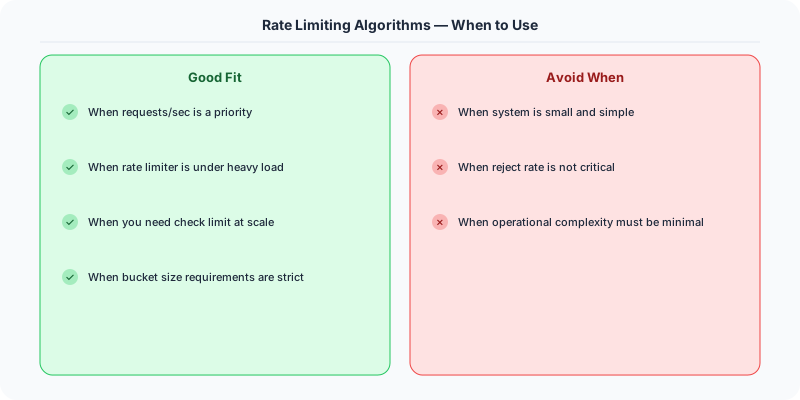
In system design interviews, Token Bucket and Sliding Window Counter are the two most recommended algorithms. Token Bucket is the industry standard (used by Stripe, AWS); Sliding Window Counter offers the best precision/efficiency tradeoff.
Source
Code from System-Design-Overview by Ashish Pratap Singh. Explanations are original.
Practical Implementation for .NET Developers
In a .NET application, you would typically implement this pattern using the following approach:
ASP.NET Core setup: Create a service class that encapsulates the logic, register it with dependency injection, and inject it into your controllers or minimal API endpoints. The built-in DI container handles lifecycle management.
Entity Framework Core: For database interactions, EF Core provides the ORM layer. Use migrations for schema management and raw SQL for performance-critical queries. Consider Dapper for read-heavy paths where EF Core's overhead matters.
Azure integration: If deploying to Azure, leverage managed services — Azure Cache for Redis, Azure SQL, Azure Service Bus, Azure Cosmos DB. These eliminate operational overhead and provide built-in monitoring through Application Insights.
Testing: Use xUnit with Testcontainers for integration tests that spin up real databases in Docker. Mock external dependencies with NSubstitute. The WebApplicationFactory class lets you test your entire HTTP pipeline in-process.
Monitoring: Add Application Insights telemetry to track request latency, dependency calls, and custom metrics. Use structured logging with Serilog to make production debugging possible:
Log.Information("Processing order {OrderId} for {CustomerId}", orderId, customerId);
This gives you searchable, structured logs in Azure Monitor or Seq.
Key Takeaways for Interviews
- Understand the core problem this resource addresses and be able to explain it in 2-3 sentences without jargon
- Know the key trade-offs: what does this approach optimize for, and what does it sacrifice?
- Be ready to compare this with alternative approaches and explain when each is appropriate
- Connect the concepts to real-world systems you have worked with or studied
- Demonstrate depth by discussing failure modes and how they are handled
How This Applies to Modern .NET Systems
The concepts from this resource translate to .NET through several established libraries and patterns:
Azure managed services often abstract away the underlying distributed systems complexity, but understanding the fundamentals helps you configure them correctly, debug issues, and make informed architectural decisions.
NuGet packages in the .NET ecosystem provide production-ready implementations of many patterns described in this resource. Before building custom solutions, check if a well-maintained package already exists.
ASP.NET Core middleware pipeline is where many of these patterns are implemented in practice: caching, rate limiting, health checks, and circuit breaking all fit naturally into the middleware model.