Load Balancing Algorithms
Java and Python implementations of 5 load balancing algorithms: Round Robin, Weighted Round Robin, Least Connections, Least Response Time, and IP Hash.
Load Balancing Algorithms — Code Lab
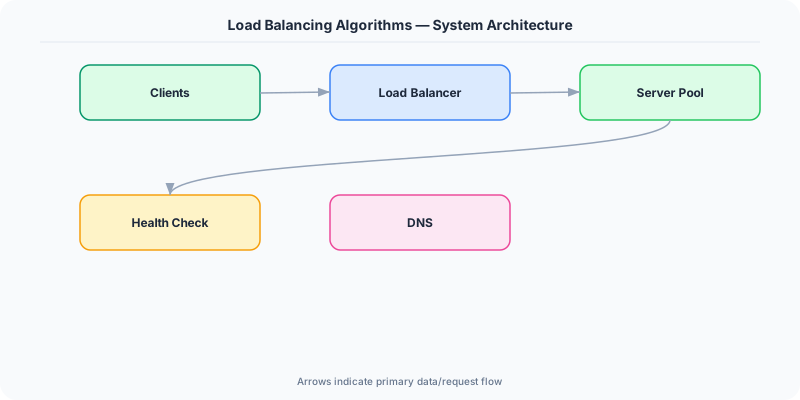
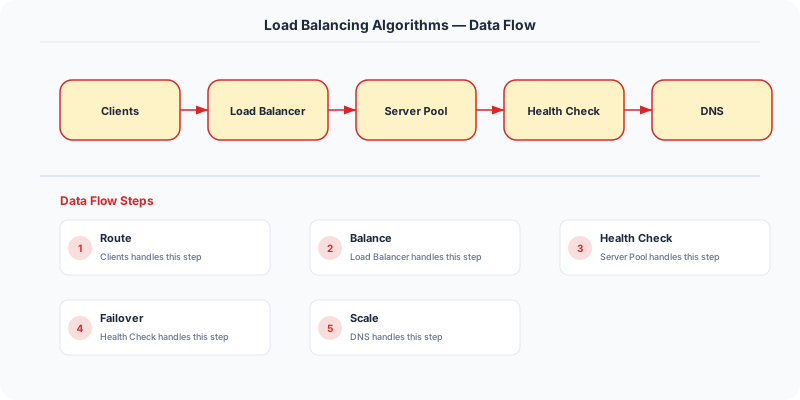
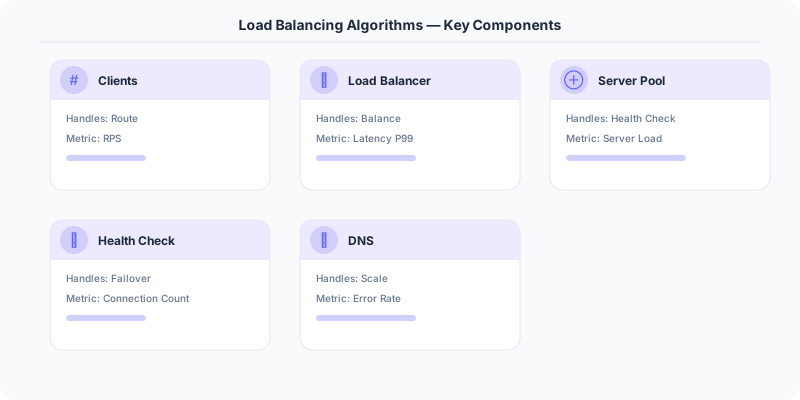
Load balancers distribute incoming traffic across multiple servers. The algorithm used determines how requests are assigned. Here are 5 common algorithms with working Java and Python implementations.
Algorithm Comparison
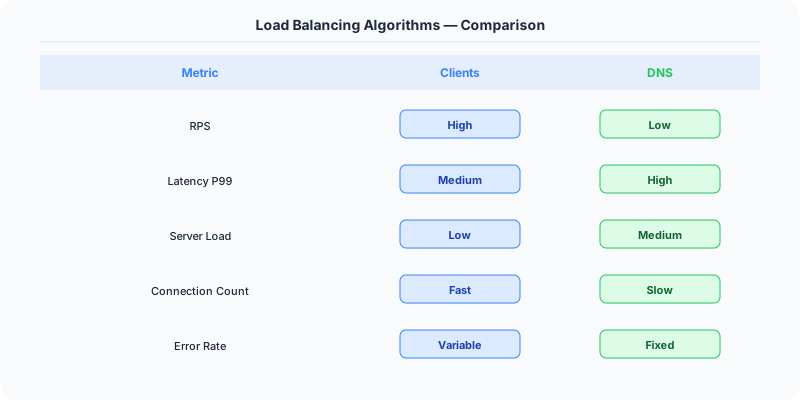
| Algorithm | Time | When to Use | Session Affinity |
|---|---|---|---|
| Round Robin | O(1) | Equal-capacity servers | No |
| Weighted Round Robin | O(1) | Mixed-capacity servers | No |
| Least Connections | O(N) | Long-lived connections | No |
| Least Response Time | O(N) | Latency-sensitive apps | No |
| IP Hash | O(1) | Stateful sessions | Yes |
Round Robin
Distributes requests sequentially across servers. Server 1, then Server 2, then Server 3, then back to Server 1. Simple and fair when all servers have equal capacity.
- Time Complexity: O(1)
- Space Complexity: O(N)
- Best For: Homogeneous server fleet with equal capacity
Java
import java.util.List;
import java.util.concurrent.atomic.AtomicInteger;

public class RoundRobin {
    private List<String> servers;
    private AtomicInteger index;

    public RoundRobin(List<String> servers) {
        this.servers = servers;
        this.index = new AtomicInteger(-1);
    }

    public String getNextServer() {
        int currentIndex = index.incrementAndGet() % servers.size();
        return servers.get(currentIndex);
    }

    public static void main(String[] args) {
        List<String> servers = List.of("Server1", "Server2", "Server3");
        RoundRobin roundRobinLB = new RoundRobin(servers);

        for (int i = 0; i < 6; i++) {
            System.out.println(roundRobinLB.getNextServer());
        }
    }
}
Python
# File not found
Weighted Round Robin
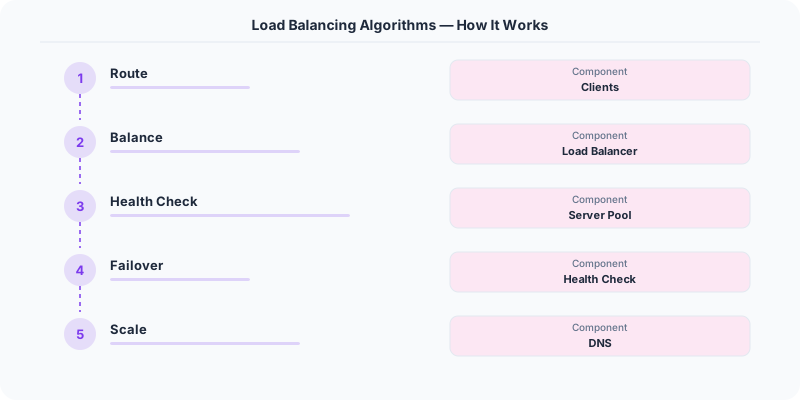
Like round robin, but servers with higher capacity receive proportionally more requests. A server with weight 3 gets 3 requests for every 1 request to a server with weight 1.
- Time Complexity: O(1)
- Space Complexity: O(N)
- Best For: Heterogeneous servers with different capacities
Java
import java.util.List;

public class WeightedRoundRobin {
    private List<String> servers;
    private List<Integer> weights;
    private int currentIndex;
    private int currentWeight;

    public WeightedRoundRobin(List<String> servers, List<Integer> weights) {
        this.servers = servers;
        this.weights = weights;
        this.currentIndex = -1;
        this.currentWeight = 0;
    }

    public String getNextServer() {
        while (true) {
            currentIndex = (currentIndex + 1) % servers.size();
            if (currentIndex == 0) {
                currentWeight--;
                if (currentWeight <= 0) {
                    currentWeight = getMaxWeight();
                }
            }
            if (weights.get(currentIndex) >= currentWeight) {
                return servers.get(currentIndex);
            }
        }
    }

    private int getMaxWeight() {
        return weights.stream().max(Integer::compare).orElse(0);
    }

    public static void main(String[] args) {
        List<String> servers = List.of("Server1", "Server2", "Server3");
        List<Integer> weights = List.of(5, 1, 1);
        WeightedRoundRobin weightedRoundRobinLB = new WeightedRoundRobin(servers, weights);

        for (int i = 0; i < 7; i++) {
            System.out.println(weightedRoundRobinLB.getNextServer());
        }
    }
}
Python
class WeightedRoundRobin:
    def __init__(self, servers, weights):
        self.servers = servers
        self.weights = weights
        self.current_index = -1
        self.current_weight = 0

    def get_next_server(self):
        while True:
            self.current_index = (self.current_index + 1) % len(self.servers)
            if self.current_index == 0:
                self.current_weight -= 1
                if self.current_weight <= 0:
                    self.current_weight = max(self.weights)
            if self.weights[self.current_index] >= self.current_weight:
                return self.servers[self.current_index]

# Example usage
servers = ["Server1", "Server2", "Server3"]
weights = [5, 1, 1]
load_balancer = WeightedRoundRobin(servers, weights)

for i in range(7):
    server = load_balancer.get_next_server()
    print(f"Request {i + 1} -> {server}")
Least Connections
Routes each new request to the server with the fewest active connections. Adapts dynamically to server load — slow servers naturally get fewer requests.
- Time Complexity: O(N) or O(log N) with heap
- Space Complexity: O(N)
- Best For: Long-lived connections (WebSockets, database connections)
Java
import java.util.HashMap;
import java.util.List;
import java.util.Map;

public class LeastConnections {
    private Map<String, Integer> serverConnections;

    public LeastConnections(List<String> servers) {
        serverConnections = new HashMap<>();
        for (String server : servers) {
            serverConnections.put(server, 0);
        }
    }

    public String getNextServer() {
        return serverConnections.entrySet().stream()
                .min(Map.Entry.comparingByValue())
                .map(Map.Entry::getKey)
                .orElse(null);
    }

    public void releaseConnection(String server) {
        serverConnections.computeIfPresent(server, (k, v) -> v > 0 ? v - 1 : 0);
    }

    public static void main(String[] args) {
        List<String> servers = List.of("Server1", "Server2", "Server3");
        LeastConnections leastConnectionsLB = new LeastConnections(servers);

        for (int i = 0; i < 6; i++) {
            String server = leastConnectionsLB.getNextServer();
            System.out.println(server);
            leastConnectionsLB.releaseConnection(server);
        }
    }
}
Python
import random

class LeastConnections:
    def __init__(self, servers):
        self.servers = {server: 0 for server in servers}

    def get_next_server(self):
        # Find the minimum number of connections
        min_connections = min(self.servers.values())
        # Get all servers with the minimum number of connections
        least_loaded_servers = [server for server, connections in self.servers.items() if connections == min_connections]
        # Select a random server from the least loaded servers
        selected_server = random.choice(least_loaded_servers)
        self.servers[selected_server] += 1
        return selected_server

    def release_connection(self, server):
        if self.servers[server] > 0:
            self.servers[server] -= 1

# Example usage
servers = ["Server1", "Server2", "Server3"]
load_balancer = LeastConnections(servers)

for i in range(6):
    server = load_balancer.get_next_server()
    print(f"Request {i + 1} -> {server}")
    load_balancer.release_connection(server)
Least Response Time
Routes to the server with the lowest average response time AND fewest active connections. Combines load awareness with performance awareness.
- Time Complexity: O(N)
- Space Complexity: O(N)
- Best For: Latency-sensitive applications where server performance varies
Java
import java.util.ArrayList;
import java.util.List;
import java.util.Random;

public class LeastResponseTime {
    private List<String> servers;
    private List<Double> responseTimes;

    public LeastResponseTime(List<String> servers) {
        this.servers = servers;
        this.responseTimes = new ArrayList<>(servers.size());
        for (int i = 0; i < servers.size(); i++)
            responseTimes.add(0.0);
    }

    public String getNextServer() {
        double minResponseTime = responseTimes.get(0);
        int minIndex = 0;
        for (int i = 1; i < responseTimes.size(); i++) {
            if (responseTimes.get(i) < minResponseTime) {
                minResponseTime = responseTimes.get(i);
                minIndex = i;
            }
        }
        return servers.get(minIndex);
    }

    public void updateResponseTime(String server, double responseTime) {
        int index = servers.indexOf(server);
        responseTimes.set(index, responseTime);
    }

    public static double simulateResponseTime(String server) {
        // Simulating response time with random delay
        Random random = new Random();
        double delay = 0.1 + (1.0 - 0.1) * random.nextDouble();
        try {
            Thread.sleep((long) (delay * 1000));
        } catch (InterruptedException e) {
            e.printStackTrace();
        }
        return delay;
    }

    public static void main(String[] args) {
        List<String> servers = List.of("Server1", "Server2", "Server3");
        LeastResponseTime leastResponseTimeLB = new LeastResponseTime(servers);

        for (int i = 0; i < 6; i++) {
            String server = leastResponseTimeLB.getNextServer();
            System.out.println("Request " + (i + 1) + " -> " + server);
            double responseTime = simulateResponseTime(server);
            leastResponseTimeLB.updateResponseTime(server, responseTime);
            System.out.println("Response Time: " + String.format("%.2f", responseTime) + "s");
        }

    }
}
Python
import time
import random

class LeastResponseTime:
    def __init__(self, servers):
        self.servers = servers
        self.response_times = [0] * len(servers)

    def get_next_server(self):
        min_response_time = min(self.response_times)
        min_index = self.response_times.index(min_response_time)
        return self.servers[min_index]

    def update_response_time(self, server, response_time):
        index = self.servers.index(server)
        self.response_times[index] = response_time

# Simulated server response time function
def simulate_response_time():
    # Simulating response time with random delay
    delay = random.uniform(0.1, 1.0)
    time.sleep(delay)
    return delay

# Example usage
servers = ["Server1", "Server2", "Server3"]
load_balancer = LeastResponseTime(servers)

for i in range(6):
    server = load_balancer.get_next_server()
    print(f"Request {i + 1} -> {server}")
    response_time = simulate_response_time()
    load_balancer.update_response_time(server, response_time)
    print(f"Response Time: {response_time:.2f}s")
IP Hash
Hashes the client's IP address to determine which server handles the request. Ensures the same client always reaches the same server (session affinity).
- Time Complexity: O(1)
- Space Complexity: O(N)
- Best For: Stateful applications requiring session affinity without cookies
Java
import java.util.List;

public class IPHash {
    private List<String> servers;

    public IPHash(List<String> servers) {
        this.servers = servers;
    }

    public String getNextServer(String clientIp) {
        int hash = clientIp.hashCode();
        int serverIndex = Math.abs(hash) % servers.size();
        return servers.get(serverIndex);
    }

    public static void main(String[] args) {
        List<String> servers = List.of("Server1", "Server2", "Server3");
        IPHash ipHash = new IPHash(servers);

        List<String> clientIps = List.of("192.168.0.1", "192.168.0.2", "192.168.0.3");
        for (String ip : clientIps) {
            System.out.println(ip + " is mapped to " + ipHash.getNextServer(ip));
        }
    }
}
Python
import hashlib

class IPHash():
    def __init__(self, servers):
        self.servers = servers

    def get_next_server(self, client_ip):
        hash_value = hashlib.md5(client_ip.encode()).hexdigest()
        index = int(hash_value, 16) % len(self.servers)
        return self.servers[index]

# Example usage
servers = ["Server1", "Server2", "Server3"]
load_balancer = IPHash(servers)

client_ips = ["192.168.0.1", "192.168.0.2", "192.168.0.3", "192.168.0.4"]
for ip in client_ips:
    server = load_balancer.get_next_server(ip)
    print(f"Client {ip} -> {server}")
Production Considerations
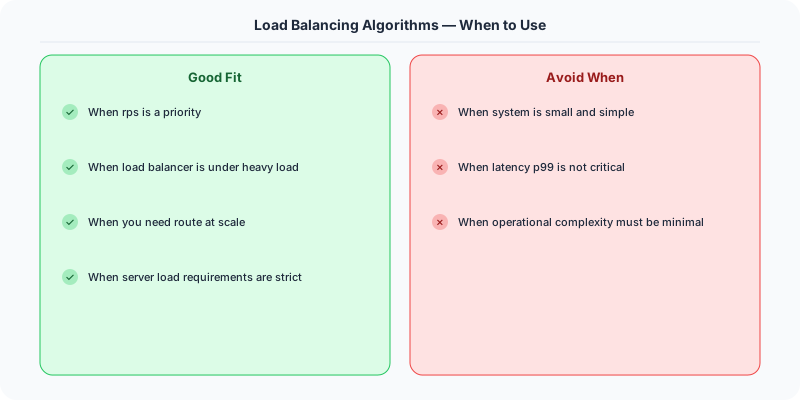
- Health Checks: All algorithms should skip unhealthy servers. Add a health status flag to each server.
- Connection Draining: During deployments, stop sending new requests to a server but let existing connections finish.
- Thread Safety: In multi-threaded environments, protect shared state (current index, connection counts) with locks or atomic operations.
- Monitoring: Track requests per server, error rates, and response times to validate your algorithm is distributing load correctly.
Source
Code from System-Design-Overview by Ashish Pratap Singh. Explanations are original.
Practical Implementation for .NET Developers
In a .NET application, you would typically implement this pattern using the following approach:
ASP.NET Core setup: Create a service class that encapsulates the logic, register it with dependency injection, and inject it into your controllers or minimal API endpoints. The built-in DI container handles lifecycle management.
Entity Framework Core: For database interactions, EF Core provides the ORM layer. Use migrations for schema management and raw SQL for performance-critical queries. Consider Dapper for read-heavy paths where EF Core's overhead matters.
Azure integration: If deploying to Azure, leverage managed services — Azure Cache for Redis, Azure SQL, Azure Service Bus, Azure Cosmos DB. These eliminate operational overhead and provide built-in monitoring through Application Insights.
Testing: Use xUnit with Testcontainers for integration tests that spin up real databases in Docker. Mock external dependencies with NSubstitute. The WebApplicationFactory class lets you test your entire HTTP pipeline in-process.
Monitoring: Add Application Insights telemetry to track request latency, dependency calls, and custom metrics. Use structured logging with Serilog to make production debugging possible:
Log.Information("Processing order {OrderId} for {CustomerId}", orderId, customerId);
This gives you searchable, structured logs in Azure Monitor or Seq.
Key Takeaways for Interviews
- Understand the core problem this resource addresses and be able to explain it in 2-3 sentences without jargon
- Know the key trade-offs: what does this approach optimize for, and what does it sacrifice?
- Be ready to compare this with alternative approaches and explain when each is appropriate
- Connect the concepts to real-world systems you have worked with or studied
- Demonstrate depth by discussing failure modes and how they are handled
How This Applies to Modern .NET Systems
The concepts from this resource translate to .NET through several established libraries and patterns:
Azure managed services often abstract away the underlying distributed systems complexity, but understanding the fundamentals helps you configure them correctly, debug issues, and make informed architectural decisions.
NuGet packages in the .NET ecosystem provide production-ready implementations of many patterns described in this resource. Before building custom solutions, check if a well-maintained package already exists.
ASP.NET Core middleware pipeline is where many of these patterns are implemented in practice: caching, rate limiting, health checks, and circuit breaking all fit naturally into the middleware model.