Design a Load Balancer
Design a load balancer supporting L4/L7 routing, health checks, and multiple algorithms. Covers sticky sessions, SSL termination, and horizontal scaling.
Problem Statement
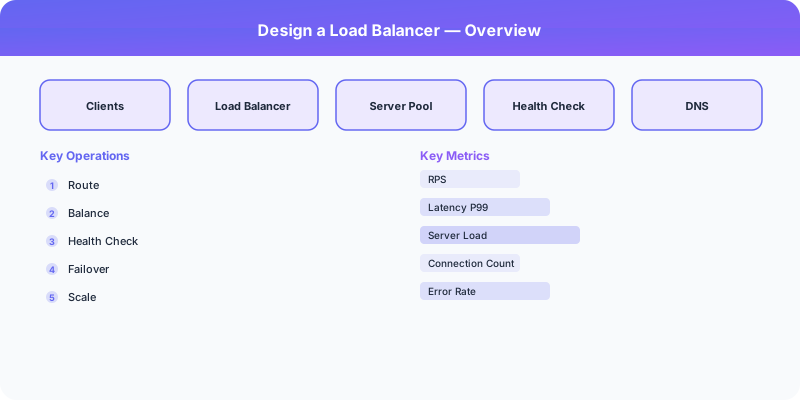
Design a load balancer that distributes incoming network traffic across multiple backend servers. It must support both Layer 4 (TCP/UDP) and Layer 7 (HTTP) balancing, perform health checks, and handle millions of concurrent connections while adding minimal latency.
Requirements
Functional
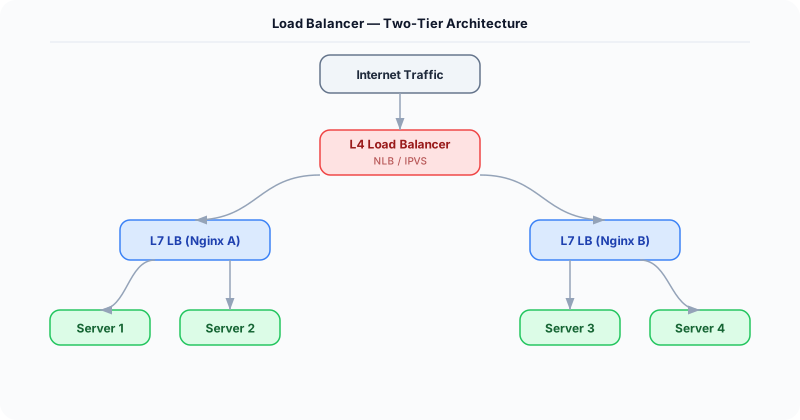
- Distribute traffic across a pool of backend servers using configurable algorithms
- Perform active and passive health checks; remove unhealthy servers from rotation
- Support sticky sessions (session affinity) for stateful applications
- Provide SSL/TLS termination to offload encryption from backends
Non-Functional
- Latency: <1ms added latency per request for L4, <5ms for L7
- Throughput: Handle 1M+ concurrent connections per node
- Availability: 99.999% -- the LB itself must not be a single point of failure
- Zero-downtime deployments of configuration changes
Core Architecture
-
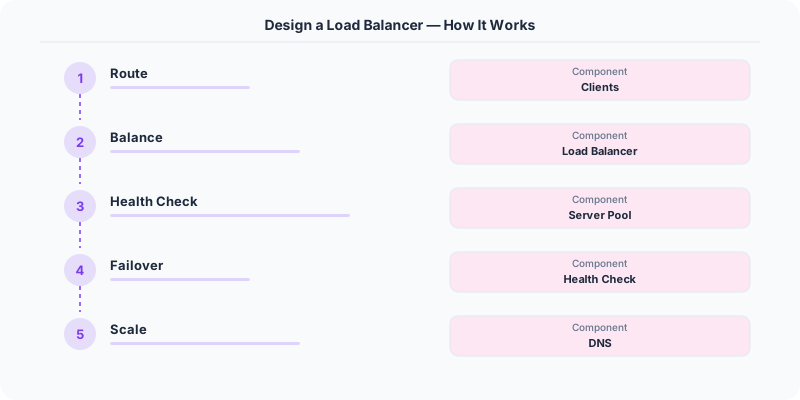
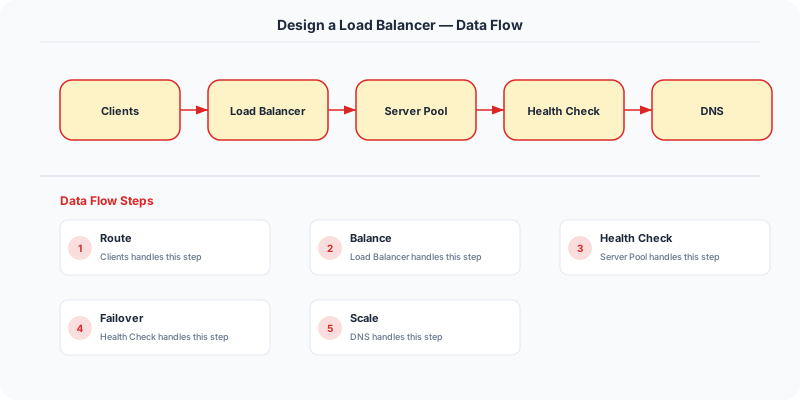
L4 Load Balancer (Transport Layer) -- Operates on TCP/UDP packets using IP and port. Uses Direct Server Return (DSR) where possible so response packets bypass the LB. Implemented via IPVS/eBPF in the kernel for line-rate performance.
-
L7 Load Balancer (Application Layer) -- Parses HTTP headers, URL paths, and cookies for content-based routing. Can route /api/* to API servers and /static/* to CDN origins. Performs SSL termination, request rewriting, and header injection.
-
Health Check Manager -- Active checks: sends HTTP GET /health every 5 seconds to each backend. Passive checks: monitors error rates (5xx) per backend. Servers failing 3 consecutive checks are removed; they are re-added after 2 consecutive passes.
- Configuration Plane -- Central config store (etcd) holding server pools, routing rules, and algorithm selection. Changes propagate to all LB nodes within seconds. Supports canary testing of new routing rules.
Database Choice
Load balancers are stateless by design -- no traditional database needed. etcd stores configuration (server pools, weights, health thresholds). Session affinity tables are kept in-memory using a bounded hash map with TTL eviction. For analytics and access logs, events are streamed to Kafka and stored in ClickHouse for dashboarding.
Key API Endpoints
PUT /api/v1/pools/\{pool_id\}/servers
  -> Body: \{ address: "10.0.1.5:8080", weight: 3, max_connections: 1000 \}

GET /api/v1/pools/\{pool_id\}/health
  -> Returns: \{ servers: [\{ address: "...", healthy: true, latency_ms: 4 \}] \}

PUT /api/v1/pools/\{pool_id\}/algorithm
  -> Body: \{ algorithm: "weighted_round_robin" | "least_connections" | "consistent_hash" \}
Scaling Insight
Use Anycast IP with BGP to advertise the same virtual IP from multiple LB nodes in different data centers. DNS resolves to a single IP, but BGP routing directs each client to the nearest LB node. If a node fails, BGP withdraws the route and traffic shifts to the next closest node within seconds. This eliminates the need for a "load balancer for load balancers" and provides geographic distribution naturally.
Key Tradeoffs
| Decision | Option A | Option B | Chosen |
|---|---|---|---|
| Layer | L4 only (fast, simple) | L7 (flexible routing) | Both -- L4 as first tier, L7 behind it for content routing |
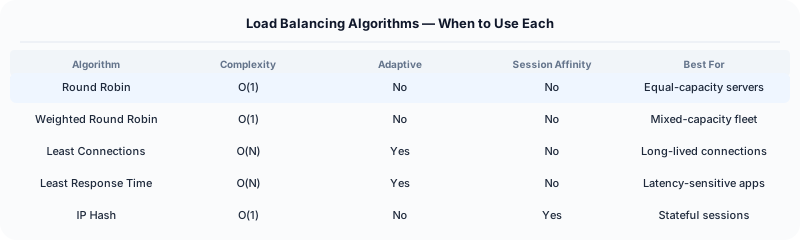
| Algorithm | Round robin (simple) | Least connections (adaptive) | Least connections default -- adapts to slow backends automatically |
| Session affinity | Cookie-based (L7) | IP hash (L4) | Cookie-based -- works behind NATs, more reliable for user stickiness |
Practical Implementation for .NET Developers
In a .NET application, you would typically implement this pattern using the following approach:
ASP.NET Core setup: Create a service class that encapsulates the logic, register it with dependency injection, and inject it into your controllers or minimal API endpoints. The built-in DI container handles lifecycle management.
Entity Framework Core: For database interactions, EF Core provides the ORM layer. Use migrations for schema management and raw SQL for performance-critical queries. Consider Dapper for read-heavy paths where EF Core's overhead matters.
Azure integration: If deploying to Azure, leverage managed services — Azure Cache for Redis, Azure SQL, Azure Service Bus, Azure Cosmos DB. These eliminate operational overhead and provide built-in monitoring through Application Insights.
Testing: Use xUnit with Testcontainers for integration tests that spin up real databases in Docker. Mock external dependencies with NSubstitute. The WebApplicationFactory class lets you test your entire HTTP pipeline in-process.
Monitoring: Add Application Insights telemetry to track request latency, dependency calls, and custom metrics. Use structured logging with Serilog to make production debugging possible:
Log.Information("Processing order {OrderId} for {CustomerId}", orderId, customerId);
This gives you searchable, structured logs in Azure Monitor or Seq.
System-Specific Clarifying Questions
Before designing Design Load Balancer, ask questions specific to THIS system:
- Who are the primary users? Understanding the user base shapes every technical decision — consumer apps have different requirements than enterprise B2B systems.
- What is the read-to-write ratio? This determines whether you optimize for fast reads (caching, denormalization) or fast writes (write-ahead logs, async processing).
- What is the geographic distribution? Users in one country vs. global users fundamentally changes your data replication and CDN strategy.
- What is the acceptable latency? Some features need sub-100ms responses, others can tolerate seconds. This determines your caching and architecture strategy.
- What is the consistency requirement? Some data (payments, inventory) needs strong consistency. Other data (social feeds, recommendations) can be eventually consistent.
Architecture Deep Dive
The architecture for Design Load Balancer should be designed around the specific access patterns of the system. Do not apply generic templates — every system has unique hotspots, bottlenecks, and scaling challenges.
Write Path: How does data enter the system? Is it bursty (event-driven, flash sales) or steady (sensor data, logs)? Bursty writes need queuing and backpressure. Steady writes can go directly to the database.
Read Path: How is data consumed? Is it fan-out (one write, many reads like social feeds) or point lookups (one read for specific data like user profiles)? Fan-out reads benefit from pre-computation and caching. Point lookups benefit from efficient indexing.
Hot Spots: Where are the bottlenecks? For Design Load Balancer, identify the component that will fail first under load and design mitigation strategies: caching, sharding, rate limiting, or async processing.