How Kafka Handles Millions of Messages Per Second
How Kafka Handles Millions of Messages Per Second
Apache Kafka processes trillions of messages per day across the companies that rely on it. LinkedIn, where Kafka was born, handles over 7 trillion messages daily. Uber processes more than 20 million trips worth of events through Kafka. Netflix streams billions of events for real-time analytics and personalization. What makes Kafka capable of this throughput, and why did it become the default choice for event streaming?
The Core Abstraction: The Commit Log
Kafka's fundamental data structure is an append-only commit log. Every topic in Kafka is a log — messages are appended to the end and read sequentially. There are no random writes, no updates, no deletes (until compaction or retention kicks in).
This design aligns perfectly with how disks work. Sequential writes to a modern SSD achieve 500-1000 MB/s. Sequential reads are equally fast. By structuring all I/O as sequential operations on a log, Kafka avoids the random I/O patterns that cripple most database workloads.
A single Kafka broker can sustain 800 MB/s of write throughput on commodity hardware. Contrast this with a relational database on the same hardware, which might achieve 10-50 MB/s of random write throughput. The difference is entirely due to the access pattern.
Partitions: The Unit of Parallelism
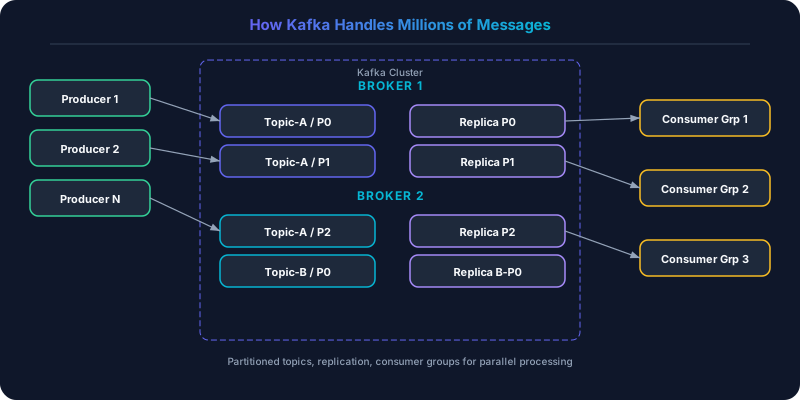
Each Kafka topic is divided into partitions. A partition is an independent log that can reside on a different broker. Partitions are the mechanism for both parallelism and scaling.
When a producer sends a message, it is routed to a specific partition based on the message key (hash of the key modulo number of partitions) or round-robin if no key is specified. Within a partition, messages are strictly ordered by offset. Across partitions, there is no ordering guarantee.
This partition-per-broker model means throughput scales linearly. A topic with 30 partitions spread across 10 brokers can handle 30x the throughput of a single partition. LinkedIn's largest topics have thousands of partitions.
The tradeoff: ordering is only guaranteed within a single partition. If your application requires total order across all messages, you must use a single partition (which limits throughput) or implement ordering at the application layer.
Zero-Copy: Eliminating Unnecessary Data Movement
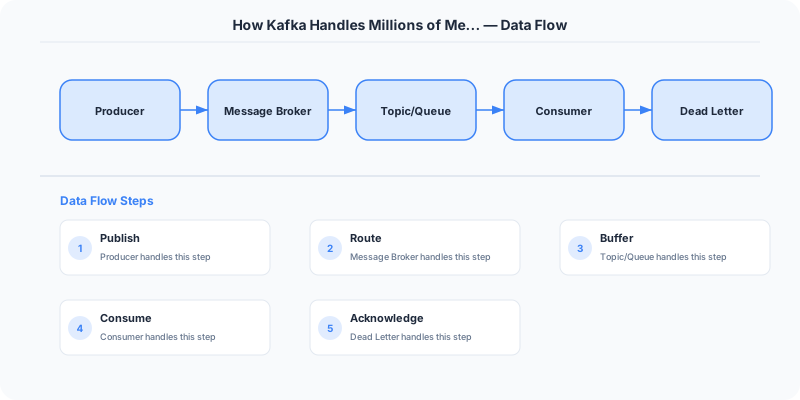
When a consumer reads messages from Kafka, the data path in a traditional system would be: disk to kernel buffer, kernel buffer to application buffer (Kafka process), application buffer back to kernel buffer, kernel buffer to network socket. Four copies of the data, two context switches between kernel and user space.
Kafka uses the sendfile() system call (zero-copy transfer) to send data directly from the kernel page cache to the network socket, bypassing the application entirely. The data path becomes: disk to kernel page cache, page cache to network socket. Two copies, zero context switches through the application.
This optimization is why Kafka's consumer throughput is often limited by network bandwidth rather than disk or CPU. A single broker can serve 2-3 GB/s to consumers on a 25 Gbps network.
The Page Cache: Memory Without Managing Memory
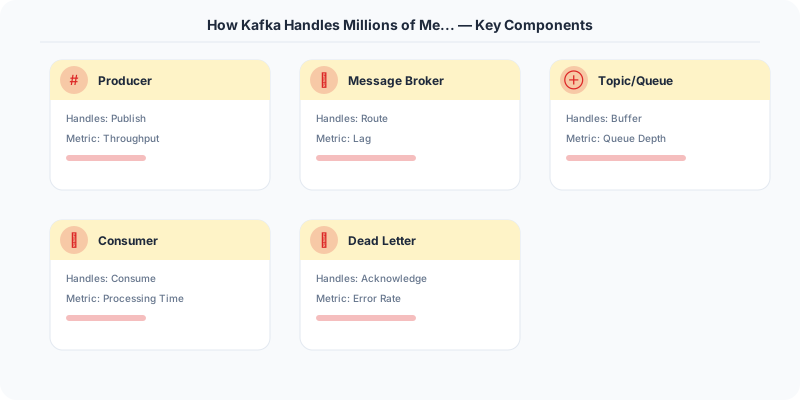
Kafka deliberately avoids managing its own in-memory cache. Instead, it relies on the operating system's page cache. When Kafka writes messages to a log file, the OS caches the written pages in memory. When consumers read recent messages, the reads are served directly from the page cache — no disk I/O at all.
This design has several advantages. The JVM garbage collector does not need to manage gigabytes of cached data (Kafka's heap can be relatively small). The page cache survives process restarts — if Kafka is restarted, the hot data is still in the OS cache. And the OS is very good at LRU eviction of page cache entries, which means Kafka does not need its own cache eviction logic.
The practical result: consumers reading recent data (the common case — tailing the log) see the same latency as reading from memory. Consumers reading historical data (replaying from hours or days ago) trigger disk reads, which are sequential and fast but slower than cache hits.
Consumer Groups: Scalable Consumption
A consumer group is a set of consumers that cooperatively consume a topic. Each partition in the topic is assigned to exactly one consumer in the group. If the group has 5 consumers and the topic has 10 partitions, each consumer handles 2 partitions.
Adding consumers to the group triggers a rebalance: partitions are redistributed across the new set of consumers. This is how consumption scales horizontally — add more consumers to process more partitions in parallel.
The maximum parallelism for a consumer group equals the number of partitions. If a topic has 10 partitions, at most 10 consumers in the group can be active simultaneously. The eleventh consumer would sit idle. This is why partition count is a critical planning decision.
Multiple consumer groups can independently consume the same topic. The analytics pipeline, the search indexer, and the notification service each have their own consumer group, each maintaining its own offset (read position) in the log. This fan-out pattern is one of Kafka's most powerful features — adding a new downstream system is as simple as creating a new consumer group.
Replication: Durability Without Sacrificing Speed
Each partition is replicated across multiple brokers (typically 3). One replica is the leader (handles all reads and writes), and the others are followers (replicate from the leader).
Producers can choose their durability guarantee:
acks=0: Fire and forget. Maximum throughput, risk of data loss.acks=1: Wait for the leader to acknowledge. Good throughput, data survives leader failure only if followers have caught up.acks=all: Wait for all in-sync replicas to acknowledge. Strongest durability, lower throughput.
LinkedIn uses acks=all for financial and audit data and acks=1 for activity tracking events where occasional message loss is acceptable. The ability to choose per-topic (or even per-producer) makes Kafka flexible enough for both use cases on the same cluster.
KRaft: Removing the ZooKeeper Dependency
Historically, Kafka relied on Apache ZooKeeper for cluster metadata, broker health tracking, and controller election. ZooKeeper was a separate distributed system that required its own deployment, monitoring, and operational expertise. It was also a scaling bottleneck — ZooKeeper's consensus protocol limited how fast metadata operations could be processed.
KRaft (Kafka Raft) replaces ZooKeeper with a built-in Raft-based metadata quorum. A small set of Kafka brokers serve as controllers, maintaining cluster metadata using Raft consensus. This eliminates the operational overhead of ZooKeeper and removes the metadata bottleneck.
The migration from ZooKeeper to KRaft has been happening across the industry since Kafka 3.3. Confluent Cloud, the largest managed Kafka service, completed the migration, reporting improved partition scalability (millions of partitions per cluster) and faster controller failover.
Kafka Streams and ksqlDB: Processing Where the Data Lives
Kafka is not just a message broker. Kafka Streams is a library for building stream processing applications that read from and write to Kafka topics. Unlike Spark Streaming or Flink, Kafka Streams does not require a separate cluster — it runs as a library inside your application.
ksqlDB provides a SQL-like interface for stream processing. You can create materialized views, filter streams, join topics, and aggregate data using familiar SQL syntax, with the results written back to Kafka topics.
Uber uses Kafka Streams for real-time surge pricing calculations. The stream processor consumes ride request events and driver location events, computes supply-demand ratios per geographic cell, and emits pricing updates — all within the Kafka ecosystem.
Operational Realities
Partition count is hard to change. Increasing partitions is easy (existing data stays in place, new messages are distributed across all partitions). Decreasing partitions is impossible without recreating the topic. Choose partition counts based on expected peak throughput with headroom.
Consumer lag monitoring is essential. If a consumer group falls behind the producers, the lag grows. If the lag grows past the retention period, messages are lost (they expire before being consumed). Monitoring consumer lag is the single most important Kafka operational metric.
Retention is a cost lever. Kafka retains messages for a configurable period (default 7 days) or size limit. Longer retention means more disk usage but also means consumers can replay further back. LinkedIn retains some topics for 30 days. Some teams retain indefinitely using tiered storage (hot data on local SSD, cold data on S3).
Kafka's design proves that sometimes the best architecture is the simplest one. An append-only log, sequential I/O, and zero-copy transfers — three straightforward ideas combined to create a system that handles more throughput than most engineers thought possible.
Practical Implementation for .NET Developers
In a .NET application, you would typically implement this pattern using the following approach:
ASP.NET Core setup: Create a service class that encapsulates the logic, register it with dependency injection, and inject it into your controllers or minimal API endpoints. The built-in DI container handles lifecycle management.
Entity Framework Core: For database interactions, EF Core provides the ORM layer. Use migrations for schema management and raw SQL for performance-critical queries. Consider Dapper for read-heavy paths where EF Core's overhead matters.
Azure integration: If deploying to Azure, leverage managed services — Azure Cache for Redis, Azure SQL, Azure Service Bus, Azure Cosmos DB. These eliminate operational overhead and provide built-in monitoring through Application Insights.
Testing: Use xUnit with Testcontainers for integration tests that spin up real databases in Docker. Mock external dependencies with NSubstitute. The WebApplicationFactory class lets you test your entire HTTP pipeline in-process.
Monitoring: Add Application Insights telemetry to track request latency, dependency calls, and custom metrics. Use structured logging with Serilog to make production debugging possible:
Log.Information("Processing order {OrderId} for {CustomerId}", orderId, customerId);
This gives you searchable, structured logs in Azure Monitor or Seq.
What Most Articles Get Wrong
Most articles explain Kafka as "a fast message queue" and miss the fundamental insight: Kafka is a distributed commit log, not a queue. Traditional queues (RabbitMQ, SQS) delete messages after consumption. Kafka retains messages for a configurable period regardless of consumption. This means multiple consumers can read the same messages independently, a new consumer can start from the beginning of the log, and you can replay events to rebuild system state.
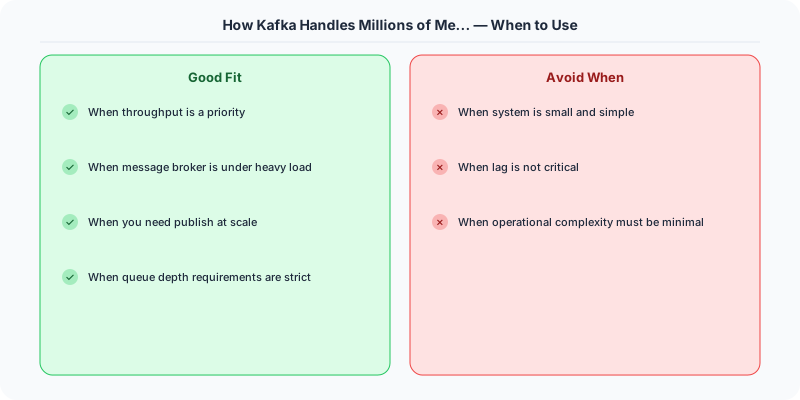
Another misconception is that Kafka is always the right choice for async communication. Kafka excels at high-throughput event streaming (millions of messages per second) but adds significant operational complexity. For simple task queues (process this image, send this email), RabbitMQ or SQS is simpler to operate and more appropriate. The rule of thumb: if you need event replay, high throughput, or multiple consumers for the same events, use Kafka. If you just need to offload work to a background worker, use a simpler queue.
The Numbers That Matter
- LinkedIn processes 7 trillion messages per day through Kafka (the company that invented it)
- Netflix processes 1.4 trillion messages per day through their Kafka clusters
- 1 MB/second per partition is a reasonable throughput estimate for planning
- Replication factor of 3 is the production standard (data on 3 brokers, tolerates 2 failures)
- 7 days is the default message retention period, but many companies set 30-90 days for event sourcing
- Under 5ms end-to-end latency for a single producer to consumer message in a well-configured cluster
- 10 MB default maximum message size (increase with caution as large messages degrade cluster performance)