How I'd Learn System Design in 30 Days
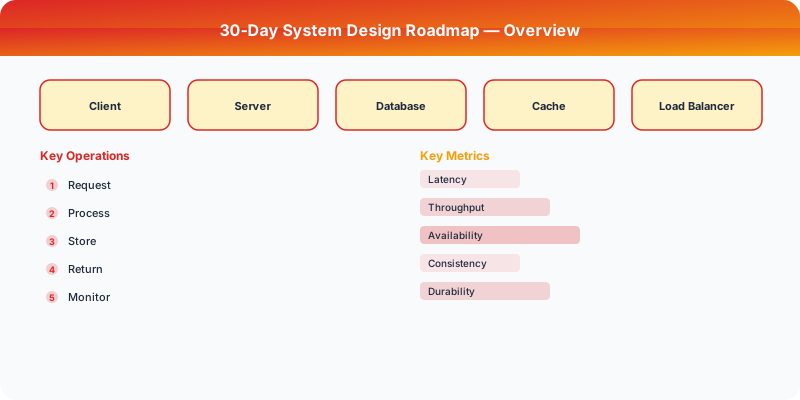
30-Day System Design Roadmap
This is a compressed study plan for engineers who need to prepare for system design interviews quickly. Each day covers one focused topic with estimated study time. The plan assumes basic programming knowledge but no prior system design experience.
Week 1: Fundamentals (1-1.5 hours/day)
Day 1: Client-Server Model and DNS (1 hour) Learn how a browser request reaches a server. Understand DNS resolution, IP addresses, and TCP handshakes. Draw the full path of an HTTP request from browser to server and back.
Day 2: HTTP, REST, and API Design (1.5 hours) Understand HTTP methods (GET, POST, PUT, DELETE), status codes, headers, and the REST architectural style. Design a simple CRUD API for a resource (e.g., users).
Day 3: Databases — SQL Fundamentals (1.5 hours) Relational model, tables, indexes, joins, normalization. Understand when a B-tree index helps and when it does not. Know the difference between a clustered and non-clustered index.
Day 4: Databases — NoSQL Overview (1 hour) Key-value (Redis), document (MongoDB), wide-column (Cassandra), graph (Neo4j). Know what each is optimized for and when to choose each type.
Day 5: Caching Basics (1 hour) Why caching works (locality of reference). Redis and Memcached. Cache-aside pattern. TTL. Cache eviction policies: LRU, LFU. Understand the read-through and write-through patterns.
Day 6: Load Balancing (1 hour) L4 vs. L7 load balancing. Algorithms: round-robin, least connections, IP hash, consistent hashing. Understand why you need a load balancer and what happens when it fails.
Day 7: Review and Practice (1.5 hours) Review all topics from the week. Practice: Design a simple URL shortener using everything you have learned. Draw the architecture diagram.
Week 2: Distributed Systems Basics (1-1.5 hours/day)
Day 8: CAP Theorem and Consistency Models (1 hour) CAP theorem: you cannot have all three (consistency, availability, partition tolerance). Understand strong consistency, eventual consistency, and causal consistency with practical examples.
Day 9: Replication (1.5 hours) Single-leader replication, multi-leader replication, leaderless replication. Understand replication lag, read-your-writes consistency, and how replicas handle failure.
Day 10: Partitioning / Sharding (1.5 hours) Why shard: single-node limits. Shard key selection. Range-based vs. hash-based partitioning. Consistent hashing with virtual nodes. Understand hotspots and rebalancing.
Day 11: Message Queues (1 hour) Kafka, RabbitMQ, SQS. Understand producers, consumers, topics, and queues. Know when to use async processing vs. synchronous calls.
Day 12: CDNs and Proxies (1 hour) How CDNs cache content at edge locations. Reverse proxy vs. forward proxy. CDN cache invalidation. Understand pull vs. push CDN models.
Day 13: Distributed Consensus (1 hour) Why consensus is hard. Paxos (conceptual). Raft (more understandable). Leader election. Quorums. Understand why you need 2F+1 nodes to tolerate F failures.
Day 14: Review and Practice (1.5 hours) Review the week. Practice: Design a chat application. Focus on message delivery, storage, and real-time notifications.
Week 3: Design Patterns and Components (1-1.5 hours/day)
Day 15: Rate Limiting (1 hour) Token bucket, sliding window, fixed window algorithms. Understand where to apply rate limiting (API gateway, application level) and what headers to return.
Day 16: Consistent Hashing (1 hour) The hash ring. Virtual nodes. How consistent hashing minimizes data movement when nodes join or leave. Used in Dynamo, Cassandra, and load balancers.
Day 17: Data Encoding and Serialization (1 hour) JSON, Protocol Buffers, Avro, MessagePack. Understand schema evolution and backward/forward compatibility.
Day 18: Unique ID Generation (1 hour) UUID, auto-increment, Snowflake IDs (Twitter), ULID. Tradeoffs: sortability, uniqueness, size, generation speed.
Day 19: Blob Storage and File Systems (1 hour) Amazon S3, GFS concepts. Understand pre-signed URLs, multipart uploads, and why you should not store large files in your database.
Day 20: Search and Indexing (1 hour) Inverted indexes (Elasticsearch). How full-text search works. Tokenization, stemming, TF-IDF. When to add a search engine alongside your database.
Day 21: Review and Practice (1.5 hours) Review the week. Practice: Design a notification system. Cover push notifications, email, SMS, and in-app notifications.
Week 4: Full Designs and Interview Practice (1.5-2 hours/day)
Day 22: Design a URL Shortener (1.5 hours) Full design from requirements to deep dive. Focus on: unique code generation, redirect performance, analytics.
Day 23: Design a Social Media Feed (1.5 hours) Focus on: fanout-on-write vs. fanout-on-read, ranking, pagination, celebrity problem.
Day 24: Design a Chat System (1.5 hours) Focus on: WebSocket connections, message fanout, presence, group messaging, message ordering.
Day 25: Design a Rate Limiter (1.5 hours) Focus on: distributed rate limiting, algorithm selection, Redis implementation, handling edge cases.
Day 26: Design a Video Streaming Service (1.5 hours) Focus on: video encoding/transcoding, adaptive bitrate streaming, CDN delivery, recommendation service.
Day 27: Design a Distributed Cache (2 hours) Focus on: consistent hashing for data distribution, eviction policies, cache coherence, hot key handling.
Day 28: Design a Payment System (2 hours) Focus on: idempotency, saga pattern, reconciliation, handling partial failures, PCI compliance considerations.
Day 29: Mock Interview Practice (2 hours) Pick a random design problem and practice with a timer. 5 minutes requirements, 5 minutes estimation, 25 minutes design, 5 minutes tradeoffs. Record yourself or practice with a partner.
Day 30: Review and Consolidation (2 hours) Review all designs. Create a personal cheat sheet of patterns you want to reference in interviews. Review your weakest areas. Rest before your interview.
Tips for Getting the Most Out of This Plan
- Draw diagrams every day. Do not just read — sketch architecture diagrams by hand.
- Explain concepts aloud. If you cannot explain it simply, you do not understand it well enough.
- Focus on "why" not "what." Knowing that Kafka is a message queue is useless. Knowing why you would choose Kafka over RabbitMQ for a specific use case is valuable.
- Do not memorize designs. Understand the patterns so you can adapt to any problem.
Practical Implementation for .NET Developers
In a .NET application, you would typically implement this pattern using the following approach:
ASP.NET Core setup: Create a service class that encapsulates the logic, register it with dependency injection, and inject it into your controllers or minimal API endpoints. The built-in DI container handles lifecycle management.
Entity Framework Core: For database interactions, EF Core provides the ORM layer. Use migrations for schema management and raw SQL for performance-critical queries. Consider Dapper for read-heavy paths where EF Core's overhead matters.
Azure integration: If deploying to Azure, leverage managed services — Azure Cache for Redis, Azure SQL, Azure Service Bus, Azure Cosmos DB. These eliminate operational overhead and provide built-in monitoring through Application Insights.
Testing: Use xUnit with Testcontainers for integration tests that spin up real databases in Docker. Mock external dependencies with NSubstitute. The WebApplicationFactory class lets you test your entire HTTP pipeline in-process.
Monitoring: Add Application Insights telemetry to track request latency, dependency calls, and custom metrics. Use structured logging with Serilog to make production debugging possible:
Log.Information("Processing order {OrderId} for {CustomerId}", orderId, customerId);
This gives you searchable, structured logs in Azure Monitor or Seq.
What Most Articles Get Wrong
Many articles about 30 Day System Design Roadmap present an oversimplified view that misses the operational reality. In production, the theoretical best practices often collide with constraints like legacy systems, team expertise, budget limitations, and compliance requirements. The engineers who successfully implement these patterns at scale are the ones who understand not just the "what" but the "when" and "when not to."
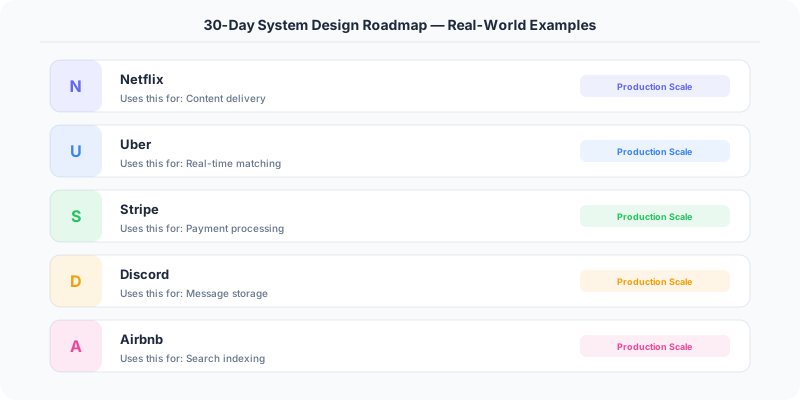
The nuance that matters: context determines everything. A pattern that works at Netflix's scale (200M users, 1000+ engineers) is overkill for a startup with 10,000 users and 3 engineers. Always match the solution complexity to the problem complexity.
The Numbers That Matter
- Latency percentiles matter more than averages: p99 latency often reveals problems that p50 hides
- Error budgets quantify acceptable risk: if your SLA is 99.95%, you have 21.9 minutes of downtime per month to spend on deployments and experiments
- Cost per request at scale determines architecture: a $0.001 cost difference per request becomes $1M per year at 1 billion requests/year
- Team cognitive load is the hidden constraint: a system your team cannot understand is a system your team cannot operate safely